Oracle APEX 26.1 Installation
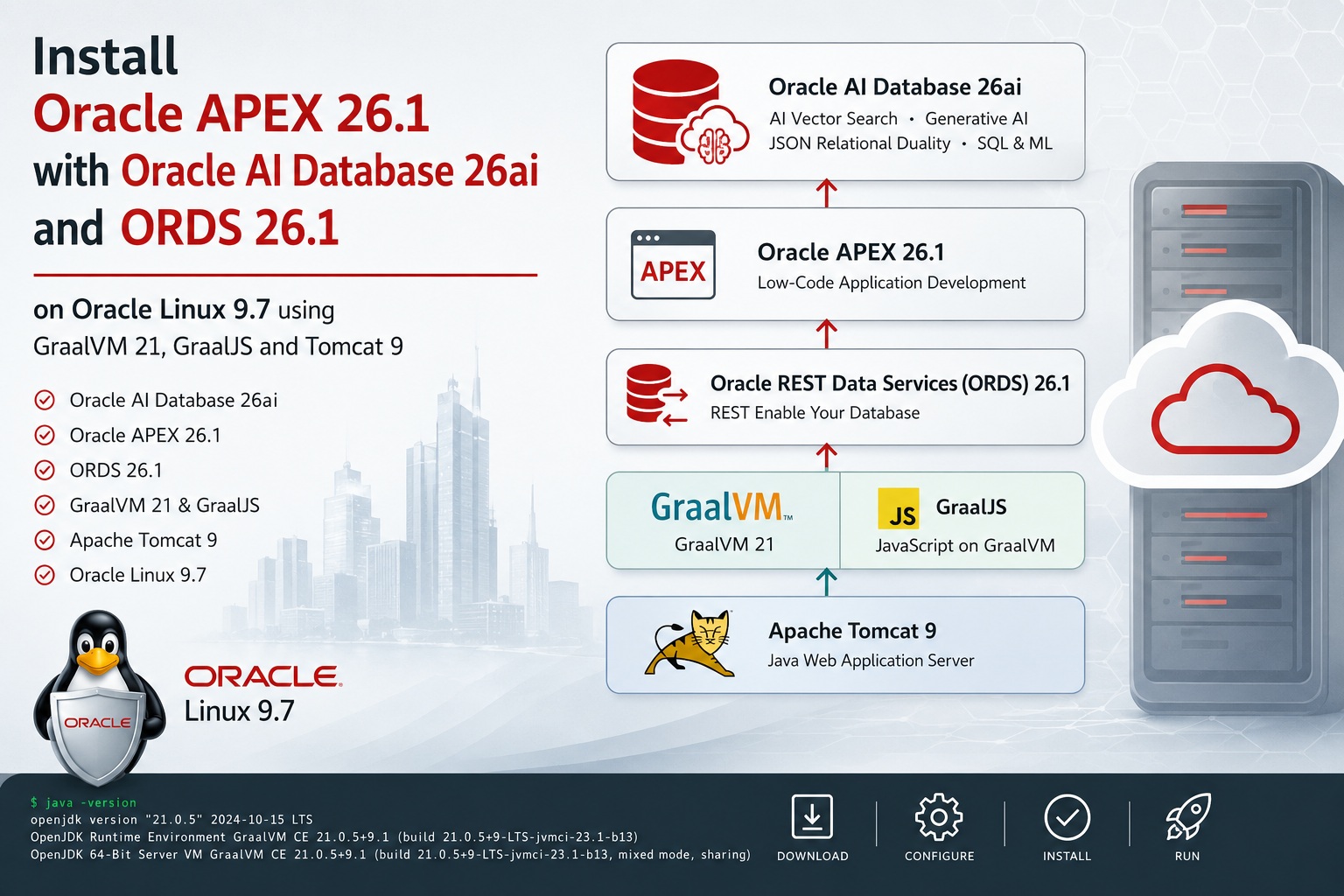
Installing a modern Oracle application stack has become significantly more interesting with the introduction of the new Oracle Database AI Database 26ai release and the latest generation of Oracle development tools. Combining Oracle APEX 26.1, ORDS 26.1, GraalVM 21, GraalJS and Apache Tomcat 9 on Oracle Linux 9.7 provides a powerful and flexible platform for building modern low-code and data-driven web applications.
In this blog post, we will walk through the complete installation and configuration process of:
- Oracle APEX 26.1
- Oracle REST Data Services (ORDS) 26.1
- GraalVM 21 and GraalJS
- Apache Tomcat 9
The goal is to create a clean and production-ready APEX environment that leverages the latest Oracle technologies while remaining easy to manage and maintain.With Oracle increasingly integrating AI capabilities directly into the database platform, Oracle AI Database 26ai also opens interesting possibilities for future APEX applications involving vector search, AI-assisted workflows and modern data services.
This guide is intended for Oracle DBAs, developers and infrastructure engineers who want to deploy a modern Oracle APEX stack on Linux using current Oracle-supported components and best practices.
As the basis for this installation we will use a Oracle Linux 9 VM with Oracle AI Database 26ai. The installation process of such a VM is described in this post.
Software needed for the installation
The following table will show the download links and filenames of the software components needed to install Oracle APEX 26.1. After the software has been downloaded the files should be placed in a directory accessible from the Oracle Linux VM (/sw in my case):
| Software | Filename |
|---|---|
| Graal VM JDK 21 | graalvm-jdk-21_linux-x64_bin.tar.gz |
| GraalJS 23.1.2 | graaljs-23.1.2-linux-amd64.tar.gz |
| Apache Tomcat 9 | apache-tomcat-9.0.118.tar.gz |
| ORDS 26.1 | ords-26.1.1.132.1130.zip |
| Oracle APEX 26.1 – All languages | apex_26.1.zip |
Installation of GraalVM 21 and GraalJS
To install the GraalVM 21 and GraalJS run the following script as root:
# run as root
cd; cp /sw/apex/graal* .
mkdir /u01/graalvm; cd /u01/graalvm
tar -xzf ~/graalvm-jdk-21_linux-x64_bin.tar.gz
ln -s graalvm-jdk-21.0.11+9.1 latest
mkdir /u01/graaljs; cd /u01/graaljs
tar -xzf ~/graaljs-23.1.2-linux-amd64.tar.gz
ln -s graaljs-23.1.2-linux-amd64 latest
cat >>/etc/bashrc <<EOF
# custom
export JAVA_HOME=/u01/graalvm/latest
export PATH=/u01/graalvm/latest/bin:/u01/graaljs/latest/bin:\$PATH
EOF
source ~/.bashrc
Output (click to expand):
[root@lin1 ~]# # run as root
[root@lin1 ~]# cd; cp /sw/apex/graal* .
[root@lin1 ~]# mkdir /u01/graalvm; cd /u01/graalvm
[root@lin1 graalvm]# tar -xzf ~/graalvm-jdk-21_linux-x64_bin.tar.gz
[root@lin1 graalvm]# ln -s graalvm-jdk-21.0.11+9.1 latest
[root@lin1 graalvm]# mkdir /u01/graaljs; cd /u01/graaljs
[root@lin1 graaljs]# tar -xzf ~/graaljs-23.1.2-linux-amd64.tar.gz
[root@lin1 graaljs]# ln -s graaljs-23.1.2-linux-amd64 latest
[root@lin1 graaljs]# cat >>/etc/bashrc <<EOF
> # custom
> export JAVA_HOME=/u01/graalvm/latest
> export PATH=/u01/graalvm/latest/bin:/u01/graaljs/latest/bin:\$PATH
> EOF
[root@lin1 graaljs]# source ~/.bashrc
[root@lin1 graaljs]#
Apache Tomcat 9 Installation
The following script will create the tomcat OS user and install Apache Tomcat 9 to /u01/tomcat:
# run as root
useradd -G vboxsf tomcat; mkdir /u01/tomcat; chown tomcat:tomcat /u01/tomcat
su - tomcat -c "cd /u01/tomcat
tar xzf /sw/apex/apache-tomcat-9.0.118.tar.gz
ln -s apache-tomcat-9.0.118 latest"

cat >>~tomcat/.bashrc <<EOF
# custom
export CATALINA_HOME=/u01/tomcat/latest
export CATALINA_BASE=/u01/tomcat/latest
EOF
Output (click to expand):
[root@lin1 graaljs]# # run as root
[root@lin1 graaljs]# useradd -G vboxsf tomcat; mkdir /u01/tomcat; chown tomcat:tomcat /u01/tomcat
[root@lin1 graaljs]# su - tomcat -c "cd /u01/tomcat
> tar xzf /sw/apex/apache-tomcat-9.0.118.tar.gz
> ln -s apache-tomcat-9.0.118 latest"
[root@lin1 graaljs]#
[root@lin1 graaljs]# cat >>~tomcat/.bashrc <<EOF
> # custom
> export CATALINA_HOME=/u01/tomcat/latest
> export CATALINA_BASE=/u01/tomcat/latest
> EOF
[root@lin1 graaljs]#
To test the Apache Tomcat installation we can start it with: su - tomcat -c "\$CATALINA_HOME/bin/startup.sh" After that we should see the following screen when accessing the URL: http://localhost:8080 from the VM:
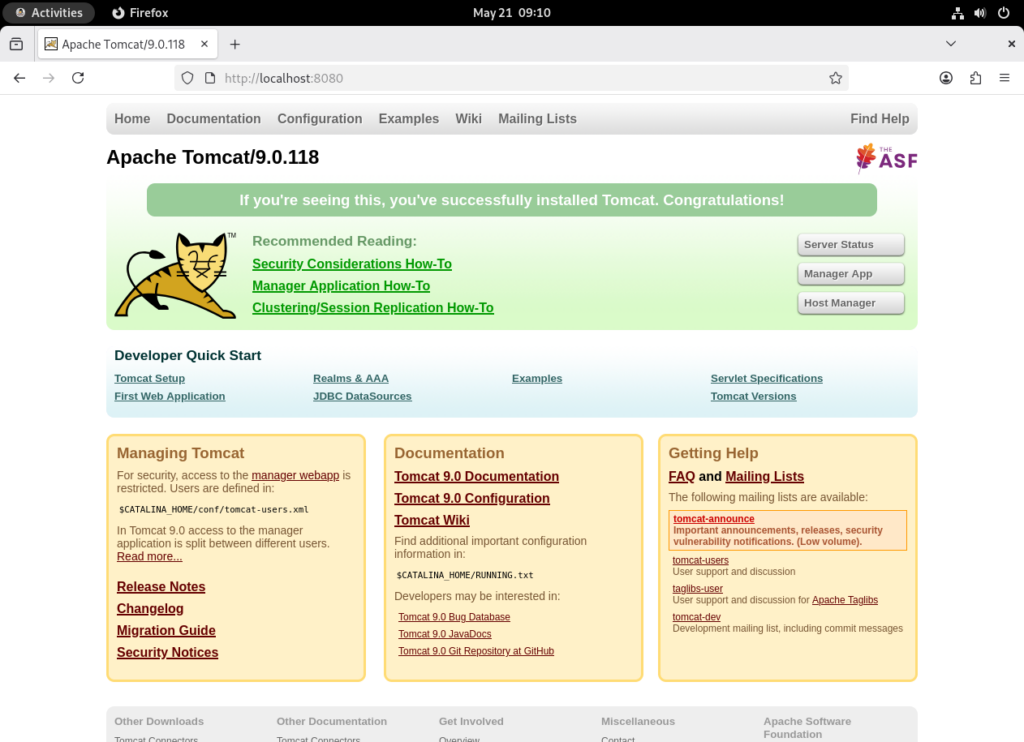
After that we need to shutdown Apache Tomcat with: su - tomcat -c "\$CATALINA_HOME/bin/shutdown.sh"
Oracle REST Data Services (ORDS) 26.1 Installation
The following script will create the OS user ords and install ORDS 26.1 to /u01/ords:
# run as root
# startup Oracle AI Database 26ai
cd; su - grid -c 'crsctl start res -all'
# create the ords user and unpack software
useradd -G vboxsf,dba ords; mkdir /u01/ords; chown ords:ords /u01/ords
mkdir /etc/ords; chown ords:ords /etc/ords
su - ords -c "cd /u01/ords; unzip -q /sw/apex/ords-26.1.1.132.1130.zip"
cat >>~ords/.bashrc <<EOF
# custom
export PATH=/u01/ords/bin/:\$PATH
export ORDS_CONFIG=/etc/ords/config
export ORACLE_HOME=/u01/app/oracle/product/23.26.0/dbhome_1
export ORACLE_SID=orcl
export LD_LIBRARY_PATH=/u01/app/oracle/product/23.26.0/dbhome_1/lib
EOF
# Install ORDS 26.1
su - ords -c "cat >/tmp/pwd.txt<<EOF
changeme
EOF
ords --java-options '-DuseOracleHome=true' install --bequeath-connect --db-hostname `hostname` --db-port 1521 --db-servicename pdb1.fritz.box --feature-sdw true --proxy-user --password-stdin < /tmp/pwd.txt
ords config --db-pool default set plsql.gateway.mode proxied
rm /tmp/pwd.txt"
Output (click to expand):
[root@lin1 graaljs]# # run as root
[root@lin1 graaljs]# # startup Oracle AI Database 26ai
[root@lin1 graaljs]# cd; su - grid -c 'crsctl start res -all'
CRS-2501: Resource 'ora.ons' is disabled
CRS-5702: Resource 'ora.evmd' is already running on 'lin1'
CRS-2672: Attempting to start 'ora.diskmon' on 'lin1'
CRS-2672: Attempting to start 'ora.cssd' on 'lin1'
CRS-2672: Attempting to start 'ora.LISTENER.lsnr' on 'lin1'
CRS-2676: Start of 'ora.diskmon' on 'lin1' succeeded
CRS-2676: Start of 'ora.LISTENER.lsnr' on 'lin1' succeeded
CRS-2676: Start of 'ora.cssd' on 'lin1' succeeded
CRS-2672: Attempting to start 'ora.asm' on 'lin1'
CRS-2676: Start of 'ora.asm' on 'lin1' succeeded
CRS-2672: Attempting to start 'ora.FRA.dg' on 'lin1'
CRS-2672: Attempting to start 'ora.DATA.dg' on 'lin1'
CRS-2676: Start of 'ora.DATA.dg' on 'lin1' succeeded
CRS-2676: Start of 'ora.FRA.dg' on 'lin1' succeeded
CRS-2672: Attempting to start 'ora.orcl.db' on 'lin1'
CRS-2676: Start of 'ora.orcl.db' on 'lin1' succeeded
CRS-2672: Attempting to start 'ora.orcl.pdb1.pdb' on 'lin1'
CRS-2676: Start of 'ora.orcl.pdb1.pdb' on 'lin1' succeeded
CRS-4000: Command Start failed, or completed with errors.
[root@lin1 ~]# # create the ords user and unpack software
[root@lin1 ~]# useradd -G vboxsf,dba ords; mkdir /u01/ords; chown ords:ords /u01/ords
[root@lin1 ~]# mkdir /etc/ords; chown ords:ords /etc/ords
[root@lin1 ~]# su - ords -c "cd /u01/ords; unzip -q /sw/apex/ords-26.1.1.132.1130.zip"
[root@lin1 ~]# cat >>~ords/.bashrc <<EOF
> # custom
> export PATH=/u01/ords/bin/:\$PATH
> export ORDS_CONFIG=/etc/ords/config
> export ORACLE_HOME=/u01/app/oracle/product/23.26.0/dbhome_1
> export ORACLE_SID=orcl
> export LD_LIBRARY_PATH=/u01/app/oracle/product/23.26.0/dbhome_1/lib
> EOF
[root@lin1 ~]# # Install ORDS 26.1
[root@lin1 ~]# su - ords -c "cat >/tmp/pwd.txt<<EOF
> changeme
> EOF
> ords --java-options '-DuseOracleHome=true' install --bequeath-connect --db-hostname `hostname` --db-port 1521 --db-servicename pdb1.fritz.box --feature-sdw true --proxy-user --password-stdin < /tmp/pwd.txt
> ords config --db-pool default set plsql.gateway.mode proxied
> rm /tmp/pwd.txt"

NOTE: Picked up --java-options : -DuseOracleHome=true

ORDS: Release 26.1 Production on Thu May 21 08:22:21 2026

Copyright (c) 2010, 2026, Oracle.

Configuration:
  /etc/ords/config

Oracle REST Data Services - Non-Interactive Install
Created folder /etc/ords/config

Connecting to administrator user: SYS AS SYSDBA for container: PDB1 using bequeath connection

Retrieving information.
The setting named: db.connectionType was set to: basic in configuration: default
The setting named: db.hostname was set to: lin1.fritz.box in configuration: default
The setting named: db.port was set to: 1521 in configuration: default
The setting named: db.servicename was set to: pdb1.fritz.box in configuration: default
The setting named: db.username was set to: ORDS_PUBLIC_USER in configuration: default
The setting named: db.password was set to: ****** in configuration: default
The setting named: feature.sdw was set to: true in configuration: default
The global setting named: database.api.enabled was set to: true
The setting named: restEnabledSql.active was set to: true in configuration: default
The setting named: security.requestValidationFunction was set to: ords_util.authorize_plsql_gateway in configuration: default
2026-05-21T08:22:26.112Z INFO        Created folder /home/ords/logs
2026-05-21T08:22:26.114Z INFO        The log file is defaulted to the current working directory located at /home/ords/logs
2026-05-21T08:22:26.161Z INFO        Connecting using bequeath connection
2026-05-21T08:22:26.187Z INFO        Installing Oracle REST Data Services version 26.1.1.r1321130 in PDB1
2026-05-21T08:22:28.471Z INFO        ... Verified database prerequisites
2026-05-21T08:22:29.241Z INFO        ... Created Oracle REST Data Services proxy user
2026-05-21T08:22:29.966Z INFO        ... Created Oracle REST Data Services schema
2026-05-21T08:22:31.044Z INFO        ... Granted privileges to Oracle REST Data Services
2026-05-21T08:22:36.069Z INFO        ... Created Oracle REST Data Services database objects
2026-05-21T08:22:53.237Z INFO        Completed installation for Oracle REST Data Services version 26.1.1.r1321130. Elapsed time: 00:00:26.970

2026-05-21T08:22:53.240Z INFO        Log file written to /home/ords/logs/ords_install_2026-05-21_082226_11533.log
2026-05-21T08:22:53.251Z INFO        To run in standalone mode, use the ords serve command:
2026-05-21T08:22:53.251Z INFO        ords --config /etc/ords/config serve
2026-05-21T08:22:53.251Z INFO        Visit the ORDS Documentation to access tutorials, developer guides and more to help you get started with the new ORDS Command Line Interface (http://oracle.com/rest).

ORDS: Release 26.1 Production on Thu May 21 08:22:56 2026

Copyright (c) 2010, 2026, Oracle.

Configuration:
  /etc/ords/config

The setting named: plsql.gateway.mode was set to: proxied in configuration: default
[root@lin1 ~]#
To test the ORDS 26.1 installation we can start it in standalone mode with: su - ords -c "ords serve" After accessing http://localhost:8080 we should see the following if the installation was successful:
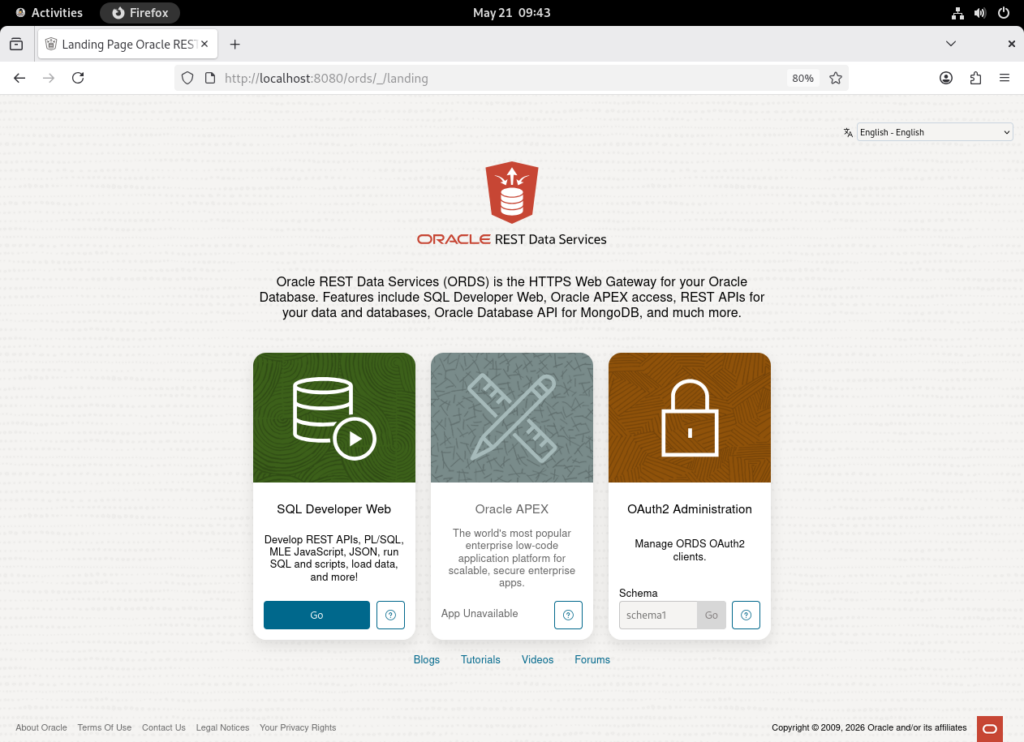
Just press Ctrl+C in the terminal where ORDS 26.1 is running to shut it down.
APEX 26.1 Installation
We are now ready to install APEX 26.1. We will install a Full development environment that contains the App Builder environment to develop applications. Run the following script as the oracle user:
# run as oracle
. ~/ora26.env; mkdir ~/apex261; cd ~/apex261; unzip -q /sw/apex/apex_26.1.zip; cd ~/apex261/apex
# install
sql sys/changeme@lin1:1521/pdb1.fritz.box as sysdba @apexins.sql SYSAUX SYSAUX TEMP /i/ <<EOF
exit
EOF
# create Instance Administrator account => ADMIN / Apex26#
sql sys/changeme@lin1:1521/pdb1.fritz.box as sysdba @apxchpwd.sql <<EOF
ADMIN

Apex26#
exit
EOF
# change APEX_PUBLIC_USER password
sql sys/changeme@lin1:1521/pdb1.fritz.box as sysdba <<EOF
alter user apex_public_user identified by changeme;
alter profile default limit password_life_time unlimited;
-- validate
set serverout on
exec sys.validate_apex
exit
EOF
# configure static file support / APEX_LISTENER and APEX_REST_PUBLIC_USER password: changeme
sql sys/changeme@lin1:1521/pdb1.fritz.box as sysdba @apex_rest_config.sql <<EOF
changeme
changeme
exit
EOF
# grant network connect privileges
sql sys/changeme@lin1:1521/pdb1.fritz.box as sysdba <<EOF
BEGIN
    DBMS_NETWORK_ACL_ADMIN.APPEND_HOST_ACE(
        host => '*',
        ace => xs\$ace_type(privilege_list => xs\$name_list('connect'),
                           principal_name => APEX_APPLICATION.g_flow_schema_owner,
                           principal_type => xs_acl.ptype_db));
END;
/
exit
EOF
Abbreviated Output (click to expand):
...
#
# Validating Installation
#
...(10:37:59) Starting validate_apex for APEX_260100
...(10:37:59) Checking missing privileges for APEX_260100
...(10:38:00) Checking missing privileges for APEX_GRANTS_FOR_NEW_USERS_ROLE
...(10:38:00) Re-generating APEX_260100.wwv_flow_db_version
... wwv_flow_db_version is up to date
...(10:38:01) Checking for sys.wwv_flow_cu_constraints
...(10:38:01) Checking for the existence of APEX public synonyms
...(10:38:01) Checking invalid public synonyms
...(10:38:01) Key object existence check
...(10:38:02) Post-ORDS updates
...(10:38:02) calling wwv_util_apex_260100.post_ords_upgrade
...enabled_schema
...define_module
...define_template
...define_handler
...set_module_origins_allowed
...(10:38:03) Setting DBMS Registry for APEX to valid
...(10:38:03) Exiting validate_apex

JOB_QUEUE_PROCESSES: 80


timing for: Validating Installation
Elapsed:    0.07

#
# Actions in Phase 3:
#
    ok 1 - BEGIN                                                        |   0.00
    ok 2 - Updating DBA_REGISTRY                                        |   0.02
    ok 3 - Computing Pub Syn Dependents                                 |   0.00
    ok 4 - Upgrade Hot Metadata and Switch Schemas                      |   0.00
    ok 5 - Removing Jobs                                                |   0.00
    ok 6 - Creating Public Synonyms                                     |   0.03
    ok 7 - Granting Public Synonyms                                     |   0.17
    ok 8 - Granting to FLOWS_FILES                                      |   0.00
    ok 9 - Creating FLOWS_FILES grants and synonyms                     |   0.02
    ok 10 - Syncing ORDS Gateway Allow List                             |   0.00
    ok 11 - Creating Jobs                                               |   0.00
    ok 12 - Creating Dev Jobs                                           |   0.02
    ok 13 - Installing FLOWS_FILES Objects                              |   0.00
    ok 14 - Installing APEX$SESSION Context                             |   0.00
    ok 15 - Recompiling APEX_260100                                     |   0.03
    ok 16 - Installing APEX REST Config                                 |   0.02
    ok 17 - Set Loaded/Upgraded in Registry                             |   0.00
    ok 18 - Setting Patch Status: APPLIED                               |   0.02
    ok 19 - Removing Unused SYS Objects and Public Privs                |   0.00
    ok 20 - Validating Installation                                     |   0.07
ok 3 - 20 actions passed, 0 actions failed                              |   0.38


Thank you for installing Oracle APEX 26.1.0

Oracle APEX is installed in the APEX_260100 schema.

The structure of the link to the Oracle APEX Administration Services is as follows:
http://host:port/ords/apex_admin

The structure of the link to the Oracle APEX development environment is as follows:
http://host:port/ords/apex


timing for: Phase 3 (Switch)
Elapsed:    0.38


timing for: Complete Installation
Elapsed:   12.68

Disconnected from Oracle AI Database 26ai Enterprise Edition Release 23.26.0.0.0 - for Oracle Cloud and Engineered Systems
Version 23.26.0.0.0
[oracle@lin1 apex]$ # create Instance Administrator account => ADMIN / Apex26#
[oracle@lin1 apex]$ sql sys/changeme@lin1:1521/pdb1.fritz.box as sysdba @apxchpwd.sql <<EOF
> ADMIN
>
> Apex26#
> exit
> EOF


SQLcl: Release 25.3 Production on Thu May 21 10:38:06 2026

Copyright (c) 1982, 2026, Oracle.  All rights reserved.

Connected to:
Oracle AI Database 26ai Enterprise Edition Release 23.26.0.0.0 - for Oracle Cloud and Engineered Systems
Version 23.26.0.0.0

...set_appun.sql
================================================================================
This script can be used to change the password of an Oracle APEX
instance administrator. If the user does not yet exist, a user record will be
created.
================================================================================
Enter the administrator's username [ADMIN] User "ADMIN" does not yet exist and will be created.

Enter ADMIN's email [ADMIN] Enter ADMIN's password [] No errors.
Created instance administrator ADMIN.


Disconnected from Oracle AI Database 26ai Enterprise Edition Release 23.26.0.0.0 - for Oracle Cloud and Engineered Systems
Version 23.26.0.0.0
[oracle@lin1 apex]$ # change APEX_PUBLIC_USER password
[oracle@lin1 apex]$ sql sys/changeme@lin1:1521/pdb1.fritz.box as sysdba <<EOF
> alter user apex_public_user identified by changeme;
> alter profile default limit password_life_time unlimited;
> -- validate
> set serverout on
> exec sys.validate_apex
> exit
> EOF


SQLcl: Release 25.3 Production on Thu May 21 10:38:13 2026

Copyright (c) 1982, 2026, Oracle.  All rights reserved.

Connected to:
Oracle AI Database 26ai Enterprise Edition Release 23.26.0.0.0 - for Oracle Cloud and Engineered Systems
Version 23.26.0.0.0


User APEX_PUBLIC_USER altered.


Profile DEFAULT altered.

...(10:38:16) Starting validate_apex for APEX_260100
...(10:38:16) Checking missing privileges for APEX_260100
...(10:38:17) Checking missing privileges for APEX_GRANTS_FOR_NEW_USERS_ROLE
...(10:38:17) Re-generating APEX_260100.wwv_flow_db_version
... wwv_flow_db_version is up to date
...(10:38:17) Checking for sys.wwv_flow_cu_constraints
...(10:38:17) Checking for the existence of APEX public synonyms
...(10:38:17) Checking invalid public synonyms
...(10:38:17) Key object existence check
...(10:38:18) Post-ORDS updates
...(10:38:18) calling wwv_util_apex_260100.post_ords_upgrade
...enabled_schema
...define_module
...define_template
...define_handler
...set_module_origins_allowed
...(10:38:18) Setting DBMS Registry for APEX to valid
...(10:38:18) Exiting validate_apex


PL/SQL procedure successfully completed.

Disconnected from Oracle AI Database 26ai Enterprise Edition Release 23.26.0.0.0 - for Oracle Cloud and Engineered Systems
Version 23.26.0.0.0
[oracle@lin1 apex]$ # configure static file support / APEX_LISTENER and APEX_REST_PUBLIC_USER password: changeme
[oracle@lin1 apex]$ sql sys/changeme@lin1:1521/pdb1.fritz.box as sysdba @apex_rest_config.sql <<EOF
> changeme
> changeme
> exit
> EOF


SQLcl: Release 25.3 Production on Thu May 21 10:38:20 2026

Copyright (c) 1982, 2026, Oracle.  All rights reserved.

Connected to:
Oracle AI Database 26ai Enterprise Edition Release 23.26.0.0.0 - for Oracle Cloud and Engineered Systems
Version 23.26.0.0.0


PL/SQL procedure successfully completed.


:CDB
____
YES


:CDB_ROOT
_________
NO


:META_LINK
__________
NONE


PL/SQL procedure successfully completed.


:SCRIPT_NAME
__________________________
apex_rest_config_nocdb.sql

Enter a password for the APEX_LISTENER user              [] Enter a password for the APEX_REST_PUBLIC_USER user              [] ...set_appun.sql
...setting session environment

PL/SQL procedure successfully completed.


Procedure WWV_FLOW_ASSIGN_PWD compiled

No errors.

Session altered.


Call completed.


Call completed.


Session altered.


Procedure WWV_FLOW_ASSIGN_PWD dropped.

...create APEX_LISTENER and APEX_REST_PUBLIC_USER users

PL/SQL procedure successfully completed.


User APEX_PUBLIC_USER altered.


Grant succeeded.


Grant succeeded.


Grant succeeded.

...grants for APEX_LISTENER and ORDS_METADATA user
INFO: 10:38:25 Setup the APEX REST migration privileges using APEX_260100 schema version 26.1.0
INFO: 10:38:25 grant execute on "ORDS_METADATA"."ORDS_MIGRATE" to "APEX_260100"
INFO: 10:38:25 Configuring APEX and ORDS schemas for url mapping
INFO: 10:38:25 Made APEX_PUBLIC_USER proxiable from ORDS_PUBLIC_USER
INFO: 10:38:25 Made APEX_REST_PUBLIC_USER proxiable from ORDS_PUBLIC_USER
INFO: 10:38:25 APEX_POOL_CONFIG Synonym exists
INFO: 10:38:25 grant select on "APEX_260100"."WWV_FLOW_POOL_CONFIG" to "ORDS_RUNTIME_ROLE"
INFO: 10:38:25 Created ORDS_METADATA.APEX_WWV_FLOW_POOL_CONFIG as view over APEX_260100.WWV_FLOW_POOL_CONFIG
INFO: 10:38:25 grant select on "ORDS_METADATA"."APEX_WWV_FLOW_POOL_CONFIG" to "ORDS_RUNTIME_ROLE"
INFO: 10:38:25 Created ORDS_METADATA.UNIFIED_POOL_CONFIG view.
INFO: 10:38:25 grant select on "ORDS_METADATA"."UNIFIED_POOL_CONFIG" to "ORDS_RUNTIME_ROLE"
Found APEX 26.1.0. Migrating APEX entry points to ORDS PL/SQL Procedure Gateway Allow List
Invoking APEX API...
Found APEX 26.1.0. Granting execute on ORDS_APEX_SSO package to "APEX_260100"
INFO: 10:38:25 APEX schema: APEX_260100
Updated ORDS views and synonyms successfully.


PL/SQL procedure successfully completed.


Grant succeeded.


Grant succeeded.


Grant succeeded.


Grant succeeded.


Grant succeeded.


Grant succeeded.


Grant succeeded.


Grant succeeded.


Grant succeeded.


Grant succeeded.


Grant succeeded.


Grant succeeded.


Grant succeeded.


Grant succeeded.


Grant succeeded.


Grant succeeded.


Session altered.


Synonym WWV_FLOW_COMPANIES created.


Synonym WWV_FLOW_RT$PRIVILEGES created.


Synonym WWV_FLOW_RT$MODULES created.


Synonym WWV_FLOW_RT$TEMPLATES created.


Synonym WWV_FLOW_RT$HANDLERS created.


Synonym WWV_FLOW_RT$PARAMETERS created.


Synonym WWV_FLOW_RT$CLIENTS created.


Synonym WWV_FLOW_RT$CLIENT_PRIVILEGES created.


Synonym WWV_FLOW_RT$APPROVALS created.


Synonym WWV_FLOW_RT$APPROVAL_PRIVS created.


Synonym WWV_FLOW_LISTENER created.


Synonym WWV_FLOW_RT$SERVICES created.


Synonym WWV_FLOW_RT$IDM_PRIVS created.


Synonym WWV_FLOW_RT$APEX_ACCOUNT_PRIVS created.


Synonym WWV_FLOW_RT$USER_SESSIONS created.


Synonym WWV_FLOW_RT$PENDING_APPROVALS created.


Synonym WWV_FLOW_RT$PRIVILEGE_GROUPS created.


Synonym VC4000ARRAY created.


Synonym POOL_CONFIG created.


Session altered.


PL/SQL procedure successfully completed.


PL/SQL procedure successfully completed.

Disconnected from Oracle AI Database 26ai Enterprise Edition Release 23.26.0.0.0 - for Oracle Cloud and Engineered Systems
Version 23.26.0.0.0
[oracle@lin1 apex]$ # grant network connect privileges
[oracle@lin1 apex]$ sql sys/changeme@lin1:1521/pdb1.fritz.box as sysdba <<EOF
> BEGIN
>     DBMS_NETWORK_ACL_ADMIN.APPEND_HOST_ACE(
>         host => '*',
>         ace => xs\$ace_type(privilege_list => xs\$name_list('connect'),
>                            principal_name => APEX_APPLICATION.g_flow_schema_owner,
>                            principal_type => xs_acl.ptype_db));
> END;
> /
> exit
> EOF


SQLcl: Release 25.3 Production on Thu May 21 10:38:29 2026

Copyright (c) 1982, 2026, Oracle.  All rights reserved.

Connected to:
Oracle AI Database 26ai Enterprise Edition Release 23.26.0.0.0 - for Oracle Cloud and Engineered Systems
Version 23.26.0.0.0


PL/SQL procedure successfully completed.

Disconnected from Oracle AI Database 26ai Enterprise Edition Release 23.26.0.0.0 - for Oracle Cloud and Engineered Systems
Version 23.26.0.0.0
[oracle@lin1 apex]$
Deploying ORDS to Tomcat and startup
The following steps will deploy the ORDS application to Tomcat and start the Application server.
# run as root
su - tomcat -c 'mkdir /u01/tomcat/latest/webapps/i'
cp -r ~oracle/apex261/apex/images/* /u01/tomcat/latest/webapps/i/
chown -R tomcat:tomcat /u01/tomcat/latest/webapps/i/*

su - ords -c "ords war ~ords/ords.war"
cp ~ords/ords.war /u01/tomcat/latest/webapps/ords.war
chown tomcat:tomcat /u01/tomcat/latest/webapps/ords.war
su - tomcat -c "\$CATALINA_HOME/bin/startup.sh"
Output (click to expand):
[root@lin1 apex]# # run as root
[root@lin1 apex]# su - tomcat -c 'mkdir /u01/tomcat/latest/webapps/i'
[root@lin1 apex]# cp -r ~oracle/apex261/apex/images/* /u01/tomcat/latest/webapps/i/
[root@lin1 apex]# chown -R tomcat:tomcat /u01/tomcat/latest/webapps/i/*
[root@lin1 apex]#
[root@lin1 apex]# su - ords -c "ords war ~ords/ords.war"

ORDS: Release 26.1 Production on Thu May 21 08:57:21 2026

Copyright (c) 2010, 2026, Oracle.

Configuration:
  /etc/ords/config

The web application archive was created successfully.
[root@lin1 apex]# cp ~ords/ords.war /u01/tomcat/latest/webapps/ords.war
[root@lin1 apex]# chown tomcat:tomcat /u01/tomcat/latest/webapps/ords.war
[root@lin1 apex]# su - tomcat -c "\$CATALINA_HOME/bin/startup.sh"
Using CATALINA_BASE:   /u01/tomcat/latest
Using CATALINA_HOME:   /u01/tomcat/latest
Using CATALINA_TMPDIR: /u01/tomcat/latest/temp
Using JRE_HOME:        /u01/graalvm/latest
Using CLASSPATH:       /u01/tomcat/latest/bin/bootstrap.jar:/u01/tomcat/latest/bin/tomcat-juli.jar
Using CATALINA_OPTS:
Tomcat started.
[root@lin1 apex]#
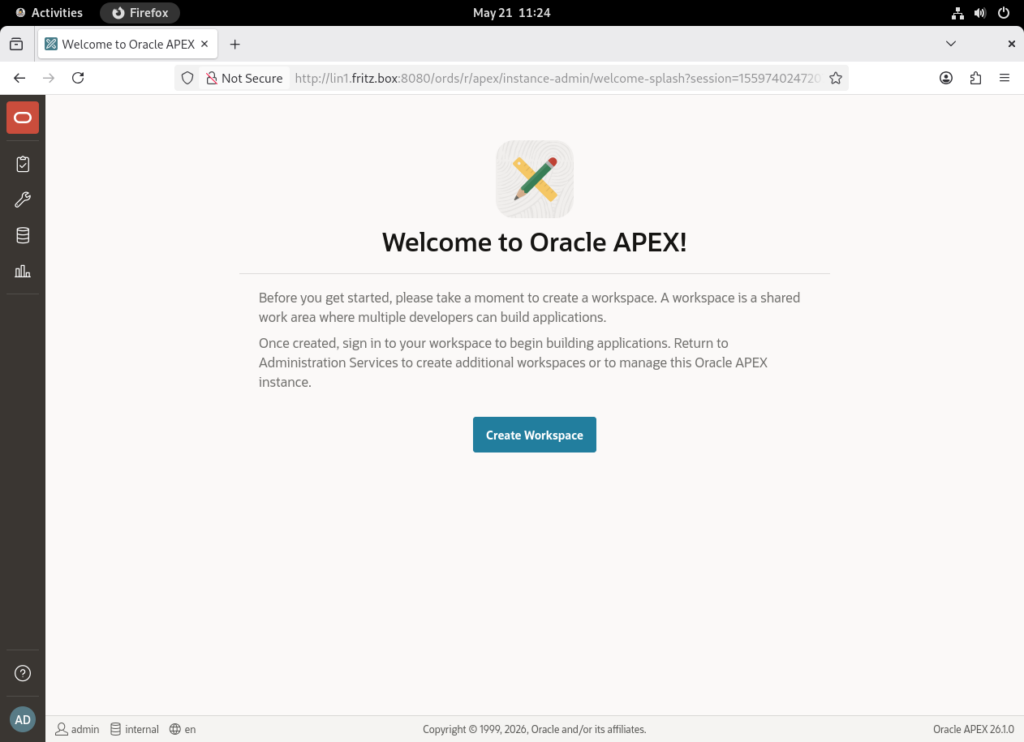
We should now be able to login to Oracle APEX 26.1 with this URL: http://lin1.fritz.box:8080/ords Click on Oracle APEX and logind with: Workspace: internal Username: admin Password: Apex26#. You are now able to create the first APEX Workspace:
This blog post demonstrates the complete installation and configuration of Oracle APEX 26.1 with ORDS 26.1 on Oracle AI Database 26ai running on Oracle Linux 9.7. It covers the setup of GraalVM 21, GraalJS and Apache Tomcat 9, including database preparation, ORDS configuration and APEX deployment steps required to build a modern Oracle APEX environment.
Useful commands, URLs and accounts
| Command | Description |
|---|---|
su - tomcat -c "\$CATALINA_HOME/bin/startup.sh" | start the Apache Tomcat Application Server |
su - tomcat -c "\$CATALINA_HOME/bin/shutdown.sh" | stop the Apache Tomcat Application Server |
su - grid -c 'crsctl start res -all' | start the Oracle AI Database 26ai |
su - grid -c 'crsctl stop res -all' | stop the Oracle AI Database 26ai |
| URL | Description |
|---|---|
| http://lin1.fritz.box:8080/ords | Oracle REST Data Services (ORDS) Landing Page |
| http://lin1.fritz.box:8080/ords/apex_admin | Oracle APEX Administration Services |
| http://lin1.fritz.box:8080/ords/apex | Oracle APEX Landing Page |
| Username | Password | Description |
|---|---|---|
| admin | Apex26# | Oracle APEX Admin user |
| apex_public_user | changeme | Oracle Database APEX user |
Leave a Reply