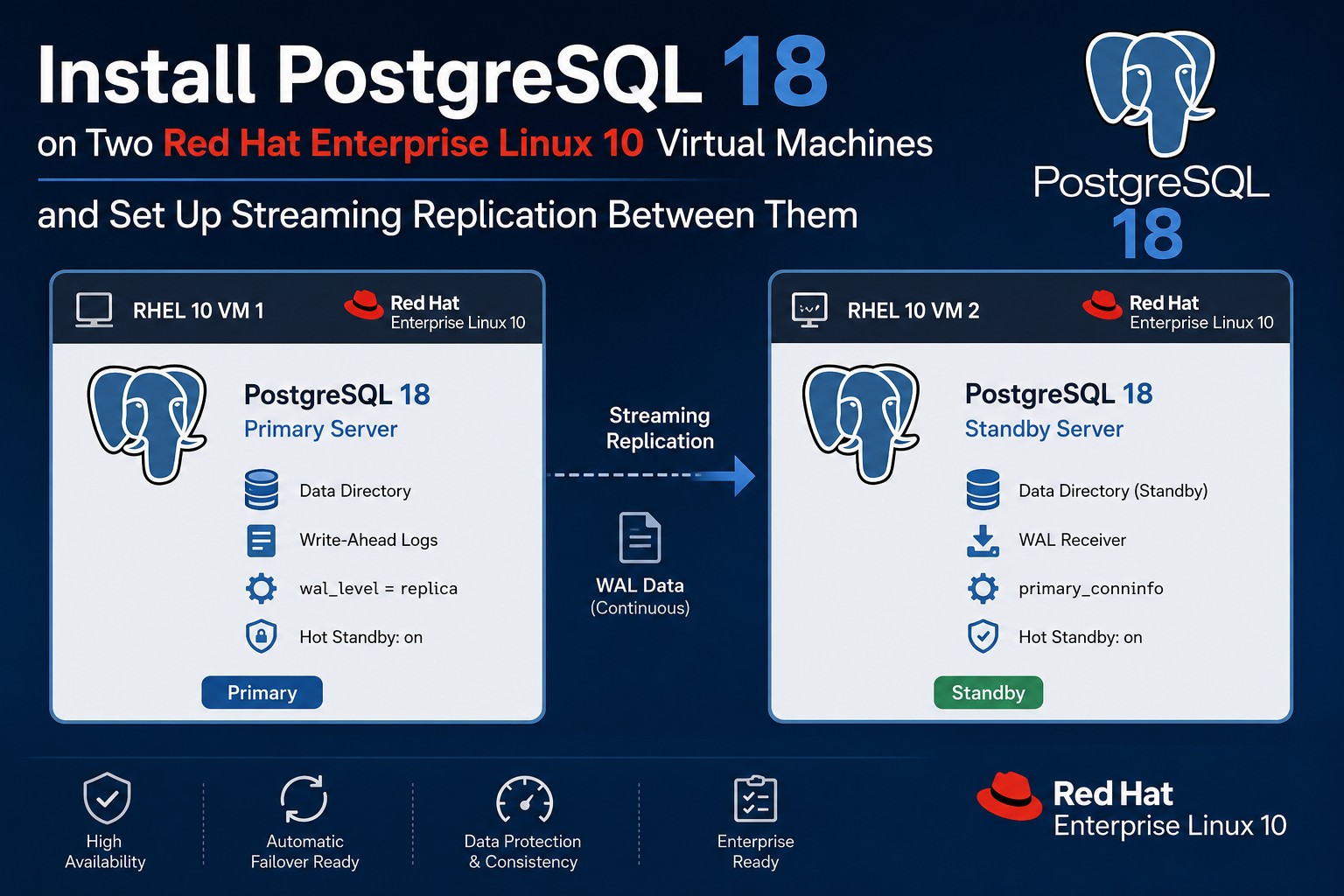
Streaming Replication with PostgreSQL 18 on RHEL 10
PostgreSQL continues to be one of the most popular open-source database platforms for enterprise workloads, and the release of PostgreSQL 18 brings further improvements in performance, scalability and reliability. When deploying PostgreSQL in production environments, high availability and data protection are key considerations, making streaming replication one of the most important technologies to implement.
In this blog post, we will walk through the installation of PostgreSQL 18 on two Red Hat Enterprise Linux 10 virtual machines and configure a primary/standby architecture using PostgreSQL streaming replication. The guide covers the complete setup process, including package installation, database initialization, replication configuration, creation of a standby server and validation of the replication environment.
By the end of this tutorial, you will have a fully functional PostgreSQL replication setup that can serve as the foundation for high-availability and disaster-recovery solutions in enterprise environments.
In order to setup the replication we need two RHEL 10 Virtual Machines. The installation process is described in this post. As a first step after that installaton we will install PostgreSQL 18 on both machines.
1. Installing PostgreSQL 18 on RHEL 10
The following commands can be created on this postgresql site. They need to be run as root.
sudo dnf install -y https://download.postgresql.org/pub/repos/yum/reporpms/EL-10-x86_64/pgdg-redhat-repo-latest.noarch.rpm
sudo dnf install -y postgresql18-server postgresql18-contrib
sudo /usr/pgsql-18/bin/postgresql-18-setup initdb
sudo systemctl enable postgresql-18
sudo systemctl start postgresql-18
# additional tasks
echo 'postgres:changeme'|chpasswd
usermod -a -G vboxsf postgres
echo 'MANPATH=/usr/pgsql-18/share/man:$MANPATH' >> ~postgres/.bash_profile
echo 'export MANPATH' >> ~postgres/.bash_profile
echo 'PATH=/usr/pgsql-18/bin:$PATH' >> ~postgres/.bash_profile
echo 'export PATH' >> ~postgres/.bash_profile
echo "alias plog='tail -n 100 -F \`ls -tr /var/lib/pgsql/18/data/log/*log|tail -1\`'" >> ~postgres/.bash_profile
echo "alias pcd='cd /var/lib/pgsql/18/data'" >> ~postgres/.bash_profile
Sample Output (click to expand):
[root@lin7 ~]# sudo dnf install -y https://download.postgresql.org/pub/repos/yum/reporpms/EL-10-x86_64/pgdg-redhat-repo-latest.noarch.rpm
sudo dnf install -y postgresql18-server
sudo /usr/pgsql-18/bin/postgresql-18-setup initdb
sudo systemctl enable postgresql-18
sudo systemctl start postgresql-18
# additional tasks
echo 'postgres:changeme'|chpasswd
usermod -a -G vboxsf postgres
echo 'MANPATH=/usr/pgsql-18/share/man:$MANPATH' >> ~postgres/.bash_profile
echo 'export MANPATH' >> ~postgres/.bash_profile
echo 'PATH=/usr/pgsql-18/bin:$PATH' >> ~postgres/.bash_profile
echo 'export PATH' >> ~postgres/.bash_profile
echo "alias plog='tail -n 100 -F \`ls -tr /var/lib/pgsql/18/data/log/*log|tail -1\`'" >> ~postgres/.bash_profile
echo "alias pcd='cd /var/lib/pgsql/18/data'" >> ~postgres/.bash_profile
Updating Subscription Management repositories.
Last metadata expiration check: 1:47:16 ago on Wed 17 Jun 2026 02:57:14 PM CEST.
pgdg-redhat-repo-latest.noarch.rpm                                                               198 kB/s |  13 kB     00:00
Dependencies resolved.
=================================================================================================================================
 Package                          Architecture           Version                              Repository                    Size
=================================================================================================================================
Installing:
 pgdg-redhat-repo                 noarch                 42.0-64.rhel10PGDG                   @commandline                  13 k

Transaction Summary
=================================================================================================================================
Install  1 Package

Total size: 13 k
Installed size: 16 k
Downloading Packages:
Running transaction check
Transaction check succeeded.
Running transaction test
Transaction test succeeded.
Running transaction
  Preparing        :                                                                                                         1/1
  Installing       : pgdg-redhat-repo-42.0-64.rhel10PGDG.noarch                                                              1/1
Installed products updated.

Installed:
  pgdg-redhat-repo-42.0-64.rhel10PGDG.noarch

Complete!
Updating Subscription Management repositories.
PostgreSQL common RPMs for RHEL / Rocky Linux / AlmaLinux 10 - x86_64                            6.3 kB/s | 659  B     00:00
PostgreSQL common RPMs for RHEL / Rocky Linux / AlmaLinux 10 - x86_64                            2.4 MB/s | 2.4 kB     00:00
Importing GPG key 0x08B40D20:
 Userid     : "PostgreSQL RPM Repository <pgsql-pkg-yum@lists.postgresql.org>"
 Fingerprint: D4BF 08AE 67A0 B4C7 A1DB CCD2 40BC A2B4 08B4 0D20
 From       : /etc/pki/rpm-gpg/PGDG-RPM-GPG-KEY-RHEL
PostgreSQL common RPMs for RHEL / Rocky Linux / AlmaLinux 10 - x86_64                            212 kB/s |  37 kB     00:00
PostgreSQL 18 for RHEL / Rocky Linux / AlmaLinux 10 - x86_64                                     6.1 kB/s | 659  B     00:00
PostgreSQL 18 for RHEL / Rocky Linux / AlmaLinux 10 - x86_64                                     2.4 MB/s | 2.4 kB     00:00
Importing GPG key 0x08B40D20:
 Userid     : "PostgreSQL RPM Repository <pgsql-pkg-yum@lists.postgresql.org>"
 Fingerprint: D4BF 08AE 67A0 B4C7 A1DB CCD2 40BC A2B4 08B4 0D20
 From       : /etc/pki/rpm-gpg/PGDG-RPM-GPG-KEY-RHEL
PostgreSQL 18 for RHEL / Rocky Linux / AlmaLinux 10 - x86_64                                     334 kB/s |  60 kB     00:00
PostgreSQL 17 for RHEL / Rocky Linux / AlmaLinux 10 - x86_64                                     6.4 kB/s | 659  B     00:00
PostgreSQL 17 for RHEL / Rocky Linux / AlmaLinux 10 - x86_64                                     2.4 MB/s | 2.4 kB     00:00
Importing GPG key 0x08B40D20:
 Userid     : "PostgreSQL RPM Repository <pgsql-pkg-yum@lists.postgresql.org>"
 Fingerprint: D4BF 08AE 67A0 B4C7 A1DB CCD2 40BC A2B4 08B4 0D20
 From       : /etc/pki/rpm-gpg/PGDG-RPM-GPG-KEY-RHEL
PostgreSQL 17 for RHEL / Rocky Linux / AlmaLinux 10 - x86_64                                     339 kB/s |  64 kB     00:00
PostgreSQL 16 for RHEL / Rocky Linux / AlmaLinux 10 - x86_64                                     6.7 kB/s | 659  B     00:00
PostgreSQL 16 for RHEL / Rocky Linux / AlmaLinux 10 - x86_64                                     2.4 MB/s | 2.4 kB     00:00
Importing GPG key 0x08B40D20:
 Userid     : "PostgreSQL RPM Repository <pgsql-pkg-yum@lists.postgresql.org>"
 Fingerprint: D4BF 08AE 67A0 B4C7 A1DB CCD2 40BC A2B4 08B4 0D20
 From       : /etc/pki/rpm-gpg/PGDG-RPM-GPG-KEY-RHEL
PostgreSQL 16 for RHEL / Rocky Linux / AlmaLinux 10 - x86_64                                     322 kB/s |  64 kB     00:00
PostgreSQL 15 for RHEL / Rocky Linux / AlmaLinux 10 - x86_64                                     5.7 kB/s | 659  B     00:00
PostgreSQL 15 for RHEL / Rocky Linux / AlmaLinux 10 - x86_64                                     2.4 MB/s | 2.4 kB     00:00
Importing GPG key 0x08B40D20:
 Userid     : "PostgreSQL RPM Repository <pgsql-pkg-yum@lists.postgresql.org>"
 Fingerprint: D4BF 08AE 67A0 B4C7 A1DB CCD2 40BC A2B4 08B4 0D20
 From       : /etc/pki/rpm-gpg/PGDG-RPM-GPG-KEY-RHEL
PostgreSQL 15 for RHEL / Rocky Linux / AlmaLinux 10 - x86_64                                     324 kB/s |  63 kB     00:00
PostgreSQL 14 for RHEL / Rocky Linux / AlmaLinux 10 - x86_64                                     6.3 kB/s | 659  B     00:00
PostgreSQL 14 for RHEL / Rocky Linux / AlmaLinux 10 - x86_64                                     2.4 MB/s | 2.4 kB     00:00
Importing GPG key 0x08B40D20:
 Userid     : "PostgreSQL RPM Repository <pgsql-pkg-yum@lists.postgresql.org>"
 Fingerprint: D4BF 08AE 67A0 B4C7 A1DB CCD2 40BC A2B4 08B4 0D20
 From       : /etc/pki/rpm-gpg/PGDG-RPM-GPG-KEY-RHEL
PostgreSQL 14 for RHEL / Rocky Linux / AlmaLinux 10 - x86_64                                     340 kB/s |  62 kB     00:00
Dependencies resolved.
=================================================================================================================================
 Package                              Architecture            Version                              Repository               Size
=================================================================================================================================
Installing:
 postgresql18-server                  x86_64                  18.4-2PGDG.rhel10.2                  pgdg18                  7.3 M
Installing dependencies:
 postgresql18                         x86_64                  18.4-2PGDG.rhel10.2                  pgdg18                  2.0 M
 postgresql18-libs                    x86_64                  18.4-2PGDG.rhel10.2                  pgdg18                  301 k

Transaction Summary
=================================================================================================================================
Install  3 Packages

Total download size: 9.6 M
Installed size: 43 M
Downloading Packages:
(1/3): postgresql18-libs-18.4-2PGDG.rhel10.2.x86_64.rpm                                          581 kB/s | 301 kB     00:00
(2/3): postgresql18-18.4-2PGDG.rhel10.2.x86_64.rpm                                               2.5 MB/s | 2.0 MB     00:00
(3/3): postgresql18-server-18.4-2PGDG.rhel10.2.x86_64.rpm                                        4.5 MB/s | 7.3 MB     00:01
---------------------------------------------------------------------------------------------------------------------------------
Total                                                                                            5.8 MB/s | 9.6 MB     00:01
PostgreSQL 18 for RHEL / Rocky Linux / AlmaLinux 10 - x86_64                                     2.4 MB/s | 2.4 kB     00:00
Importing GPG key 0x08B40D20:
 Userid     : "PostgreSQL RPM Repository <pgsql-pkg-yum@lists.postgresql.org>"
 Fingerprint: D4BF 08AE 67A0 B4C7 A1DB CCD2 40BC A2B4 08B4 0D20
 From       : /etc/pki/rpm-gpg/PGDG-RPM-GPG-KEY-RHEL
Key imported successfully
Running transaction check
Transaction check succeeded.
Running transaction test
Transaction test succeeded.
Running transaction
  Preparing        :                                                                                                         1/1
  Installing       : postgresql18-libs-18.4-2PGDG.rhel10.2.x86_64                                                            1/3
  Running scriptlet: postgresql18-libs-18.4-2PGDG.rhel10.2.x86_64                                                            1/3
  Installing       : postgresql18-18.4-2PGDG.rhel10.2.x86_64                                                                 2/3
  Running scriptlet: postgresql18-18.4-2PGDG.rhel10.2.x86_64                                                                 2/3
  Running scriptlet: postgresql18-server-18.4-2PGDG.rhel10.2.x86_64                                                          3/3
Creating group 'postgres' with GID 26.
Creating user 'postgres' (PostgreSQL Server) with UID 26 and GID 26.

  Installing       : postgresql18-server-18.4-2PGDG.rhel10.2.x86_64                                                          3/3
  Running scriptlet: postgresql18-server-18.4-2PGDG.rhel10.2.x86_64                                                          3/3
Installed products updated.

Installed:
  postgresql18-18.4-2PGDG.rhel10.2.x86_64                          postgresql18-libs-18.4-2PGDG.rhel10.2.x86_64
  postgresql18-server-18.4-2PGDG.rhel10.2.x86_64

Complete!
Initializing database ... OK

Created symlink '/etc/systemd/system/multi-user.target.wants/postgresql-18.service' → '/usr/lib/systemd/system/postgresql-18.service'.
[root@lin7 ~]#
1.1 Configure the database server to allow connections from other hosts
To be able to connect to the database server from another system (e.g. from pgAdmin 4) we need to perform the following steps.
First we need to configure the database to listen on all configured IP addresses (not only on localhost):
# in postgresql.conf whe change the listening endpoint from localhost to all interfaces (*)
sed -i s/^"#listen_addresses = 'localhost'"/"listen_addresses = '*'"/g /var/lib/pgsql/18/data/postgresql.conf
systemctl restart postgresql-18
Then we need to allow connections from other hosts:
cat << EOF >> /var/lib/pgsql/18/data/pg_hba.conf
# Allow connections from all other IPv4 hosts
host    all             all             0.0.0.0/0               scram-sha-256
EOF
su - postgres -c 'pg_ctl reload'
1.2 Customizing the PostgreSQL installation
The following commands need to be run to configure some settings/parameters:
# run as root
# set the postgres database user password (changeme)
su - postgres -c "psql -c \"alter user postgres password 'changeme'\";"
# change the log file rotation
su - postgres -c '
  psql -c "alter system set log_filename = '\''postgresql-%Y-%m.log'\'';"
  psql -c "alter system set log_truncate_on_rotation = off;"
  psql -c "select pg_reload_conf();"
'
2. Option 1: Replication setup without Replication Slots
This setup will not use replication slots. Therefore it is possible that the primary removes wal files needed to recover the standby cluster if it has been disconnected for a longer period of time. This is because the wal files on the primary will be deleted after they exceed a certain size and not if they are needed for recovering a standby database.
Configure and restart the Primary cluster
Run the following as root on the first node (adjust the ip address if needed):
# adjust config parameters in postgresql.conf
# remarks: wal_level=replica does not need to be set since it is the default
cat >>/var/lib/pgsql/18/data/postgresql.conf <<EOF
# Parameters to setup streaming replication (begin)

# Maximum number of concurrent connections for streaming replication
max_wal_senders = 10

# Minimum size of past WAL files kept in the pg_wal directory
wal_keep_size = 10GB

# Parameters to setup streaming replication (end)
EOF

# allow the replication user to login to the Primary
cat >>/var/lib/pgsql/18/data/pg_hba.conf <<EOF
# Allow replication connections from the Standby
host    replication     rep_user        11.1.1.195/32           scram-sha-256
EOF

# create the replication user on the Primary
su - postgres -c "psql -c \"create user rep_user with replication encrypted password 'changeme';\""

# restart the Primary Cluster to activate the configuration changes
systemctl restart postgresql-18
Create (or recreate) the Standby cluster
The next steps will create a current copy of the primary cluster and start the standby to activate the replication. Run as root on the standby:
# Stop the Standby Server and Clean its Data Directory
systemctl stop postgresql-18
rm -rf /var/lib/pgsql/18/data/*

# Take a Base Backup from the Primary
su - postgres -c "PGPASSWORD='changeme' pg_basebackup -R -h 11.1.1.186 -U rep_user -D /var/lib/pgsql/18/data -P"

# Start the Standby and activate the Replication
systemctl start postgresql-18
Sample Output (click to expand):
[root@lin7 ~]# # Stop the Standby Server and Clean its Data Directory
systemctl stop postgresql-18
rm -rf /var/lib/pgsql/18/data/*

# Take a Base Backup from the Primary
su - postgres -c "PGPASSWORD='changeme' pg_basebackup -R -h 11.1.1.186 -U rep_user -D /var/lib/pgsql/18/data -P"

# Start the Standby and activate the Replication
systemctl start postgresql-18
24409/24409 kB (100%), 1/1 tablespace
[root@lin7 ~]#
In the PostgreSQL Logfile of the Standby we can see the replication working:
2026-06-18 09:08:19.622 CEST [3994] LOG:  database system was interrupted; last known up at 2026-06-18 09:08:19 CEST
2026-06-18 09:08:19.849 CEST [3994] LOG:  starting backup recovery with redo LSN 0/2000028, checkpoint LSN 0/2000080, on timeline ID 1
2026-06-18 09:08:19.849 CEST [3994] LOG:  entering standby mode
2026-06-18 09:08:19.851 CEST [3994] LOG:  redo starts at 0/2000028
2026-06-18 09:08:19.852 CEST [3994] LOG:  completed backup recovery with redo LSN 0/2000028 and end LSN 0/2000120
2026-06-18 09:08:19.852 CEST [3994] LOG:  consistent recovery state reached at 0/2000120
2026-06-18 09:08:19.852 CEST [3986] LOG:  database system is ready to accept read-only connections
2026-06-18 09:08:19.873 CEST [3995] LOG:  started streaming WAL from primary at 0/3000000 on timeline 1
2026-06-18 09:13:19.723 CEST [3992] LOG:  restartpoint starting: time
2026-06-18 09:13:23.494 CEST [3992] LOG:  restartpoint complete: wrote 31 buffers (0.2%), wrote 1 SLRU buffers; 0 WAL file(s) added, 0 removed, 0 recycled; write=3.753 s, sync=0.009 s, total=3.771 s; sync files=5, longest=0.007 s, average=0.002 s; distance=16587 kB, estimate=16587 kB; lsn=0/3033010, redo lsn=0/3032F80
2026-06-18 09:13:23.494 CEST [3992] LOG:  recovery restart point at 0/3032F80
2. Option 2: Replication setup with Replication Slots
This (recommended) setup will make use of replication slots. This will avoid the primary to delete wal files that are needed for recovery of a standby cluster.
Configure and restart the Primary cluster
Run the following as root on the first node (adjust the ip address if needed):
# adjust config parameters in postgresql.conf
# remarks: wal_level=replica does not need to be set since it is the default
cat >>/var/lib/pgsql/18/data/postgresql.conf <<EOF
# Parameters to setup streaming replication (begin)

# Maximum number of concurrent connections for streaming replication
max_wal_senders = 10

# sets the maximum number of replication slots to create
max_replication_slots = 5

# Parameters to setup streaming replication (end)
EOF

# allow the replication user to login to the Primary
cat >>/var/lib/pgsql/18/data/pg_hba.conf <<EOF
# Allow replication connections from the Standby
host    replication     rep_user        11.1.1.195/32           scram-sha-256
EOF

# create the replication user on the Primary
su - postgres -c "psql -c \"create user rep_user with replication encrypted password 'changeme';\""

# create the replication slot on the Primary
su - postgres -c "psql -c \"select pg_create_physical_replication_slot('slot_stdb1');\""

# restart the Primary Cluster to activate the configuration changes
systemctl restart postgresql-18
Create (or recreate) the Standby cluster
The next steps will create a current copy of the primary cluster and start the standby to activate the replication. Run as root on the standby:
# Stop the Standby Server and Clean its Data Directory
systemctl stop postgresql-18
rm -rf /var/lib/pgsql/18/data/*

# Take a Base Backup from the Primary
su - postgres -c "PGPASSWORD='changeme' pg_basebackup -R -S slot_stdb1 -h 11.1.1.186 -U rep_user -D /var/lib/pgsql/18/data -P"

# Start the Standby and activate the Replication
systemctl start postgresql-18
Sample Output (click to expand)
[root@lin7 ~]# # Stop the Standby Server and Clean its Data Directory
systemctl stop postgresql-18
rm -rf /var/lib/pgsql/18/data/*

# Take a Base Backup from the Primary
su - postgres -c "PGPASSWORD='changeme' pg_basebackup -R -S slot_stdb1 -h 11.1.1.186 -U rep_user -D /var/lib/pgsql/18/data -P"

# Start the Standby and activate the Replication
systemctl start postgresql-18
9420781/9420781 kB (100%), 1/1 tablespace
[root@lin7 ~]#
In the PostgreSQL Logfile of the Standby we can see the replication working:
2026-07-01 11:21:12.077 CEST [6204] LOG:  database system was interrupted; last known up at 2026-07-01 11:20:09 CEST
2026-07-01 11:21:12.524 CEST [6204] LOG:  starting backup recovery with redo LSN B/B3000028, checkpoint LSN B/B3000080, on timeline ID 1
2026-07-01 11:21:12.524 CEST [6204] LOG:  entering standby mode
2026-07-01 11:21:12.528 CEST [6204] LOG:  redo starts at B/B3000028
2026-07-01 11:21:12.530 CEST [6204] LOG:  completed backup recovery with redo LSN B/B3000028 and end LSN B/B3000158
2026-07-01 11:21:12.530 CEST [6204] LOG:  consistent recovery state reached at B/B3000158
2026-07-01 11:21:12.530 CEST [6196] LOG:  database system is ready to accept read-only connections
2026-07-01 11:21:12.553 CEST [6205] LOG:  started streaming WAL from primary at B/B4000000 on timeline 1
2026-07-01 11:24:25.214 CEST [6202] LOG:  restartpoint starting: wal
2026-07-01 11:24:42.072 CEST [6202] LOG:  restartpoint complete: wrote 1983 buffers (12.1%), wrote 2 SLRU buffers; 1 WAL file(s) added, 1 removed, 0 recycled; write=12.543 s, sync=4.083 s, total=16.858 s; sync files=367, longest=1.173 s, average=0.012 s; distance=16388 kB, estimate=16388 kB; lsn=B/B4001168, redo lsn=B/B4001110
2026-07-01 11:24:42.072 CEST [6202] LOG:  recovery restart point at B/B4001110
2026-07-01 11:24:42.072 CEST [6202] DETAIL:  Last completed transaction was at log time 2026-07-01 11:24:20.766634+02.
2026-07-01 11:24:42.705 CEST [6202] LOG:  restartpoint starting: wal
2026-07-01 11:24:55.439 CEST [6202] LOG:  restartpoint complete: wrote 401 buffers (2.4%), wrote 0 SLRU buffers; 0 WAL file(s) added, 33 removed, 0 recycled; write=10.620 s, sync=1.902 s, total=12.735 s; sync files=38, longest=0.525 s, average=0.051 s; distance=544860 kB, estimate=544860 kB; lsn=B/F6FBB100, redo lsn=B/D5418438
3. Testing and Monitoring the Replication
We can use the following statement to create a table on the Primary with 1 million rows. That table will then be replicated to the Standby:
su - postgres -c "psql -c 'create table t as select a.* from pg_catalog.pg_class a, pg_catalog.pg_class b, pg_catalog.pg_class c limit 1000000;'"
3.1 Query the replication status on the Primary
su - postgres -c "psql -c 'SELECT * FROM pg_stat_replication;'"[root@lin6 ~]# su - postgres -c "psql -c 'SELECT * FROM pg_stat_replication;'"
pid | usesysid | usename | application_name | client_addr | client_hostname | client_port | backend
_start | backend_xmin | state | sent_lsn | write_lsn | flush_lsn | replay_lsn | write_lag | flush
_lag | replay_lag | sync_priority | sync_state | reply_time
------+----------+----------+------------------+-------------+-----------------+-------------+----------------
---------------+--------------+-----------+-----------+-----------+-----------+------------+-----------+------
-----+------------+---------------+------------+-------------------------------
4012 | 16384 | rep_user | walreceiver | 11.1.1.195 | | 40478 | 2026-06-18 09:0
8:19.859039+02 | | streaming | 0/30330C0 | 0/30330C0 | 0/30330C0 | 0/30330C0 | |
| | 0 | async | 2026-06-18 09:20:16.180377+02
(1 row)
[root@lin6 ~]#
3.2 Query the replication lag of the Standby
To get the replay lag in seconds we can user the following on the Primary:
su - postgres -c "psql -c 'SELECT application_name, client_addr, state, COALESCE(EXTRACT(EPOCH FROM replay_lag), 0.0) AS replay_lag_seconds FROM pg_stat_replication;'"
[root@lin6 ~]# su - postgres -c "psql -c 'SELECT application_name, client_addr, state, COALESCE(EXTRACT(EPOCH FROM replay_lag), 0.0) AS replay_lag_seconds FROM pg_stat_replication;'"
 application_name | client_addr |   state   | replay_lag_seconds
------------------+-------------+-----------+--------------------
 walreceiver      | 11.1.1.195  | streaming |                0.001526
(1 row)

[root@lin6 ~]#
To get the number of bytes the Secondary is behind the master we can use (on the primary):
su - postgres -c "psql -c 'select application_name, client_addr, pg_wal_lsn_diff(pg_current_wal_lsn(), replay_lsn) as bytes_behind from pg_stat_replication;'"
[root@lin6 ~]# su - postgres -c "psql -c 'select application_name, client_addr, pg_wal_lsn_diff(pg_current_wal_lsn(), replay_lsn) as bytes_behind from pg_stat_replication;'"
 application_name | client_addr | bytes_behind
------------------+-------------+--------------
 walreceiver      | 11.1.1.195  |         6408
(1 row)

[root@lin6 ~]#
3.3 Running Queries on the Standby
Since the Standby Database is a Hot Standby, we can run Queries on the database:
su - postgres -c "psql -c 'select count(*) from t;'"
[root@lin7 ~]# su - postgres -c "psql -c 'select count(*) from t;'"                                                                        count
---------
 1000000
(1 row)

[root@lin7 ~]#
Leave a Reply