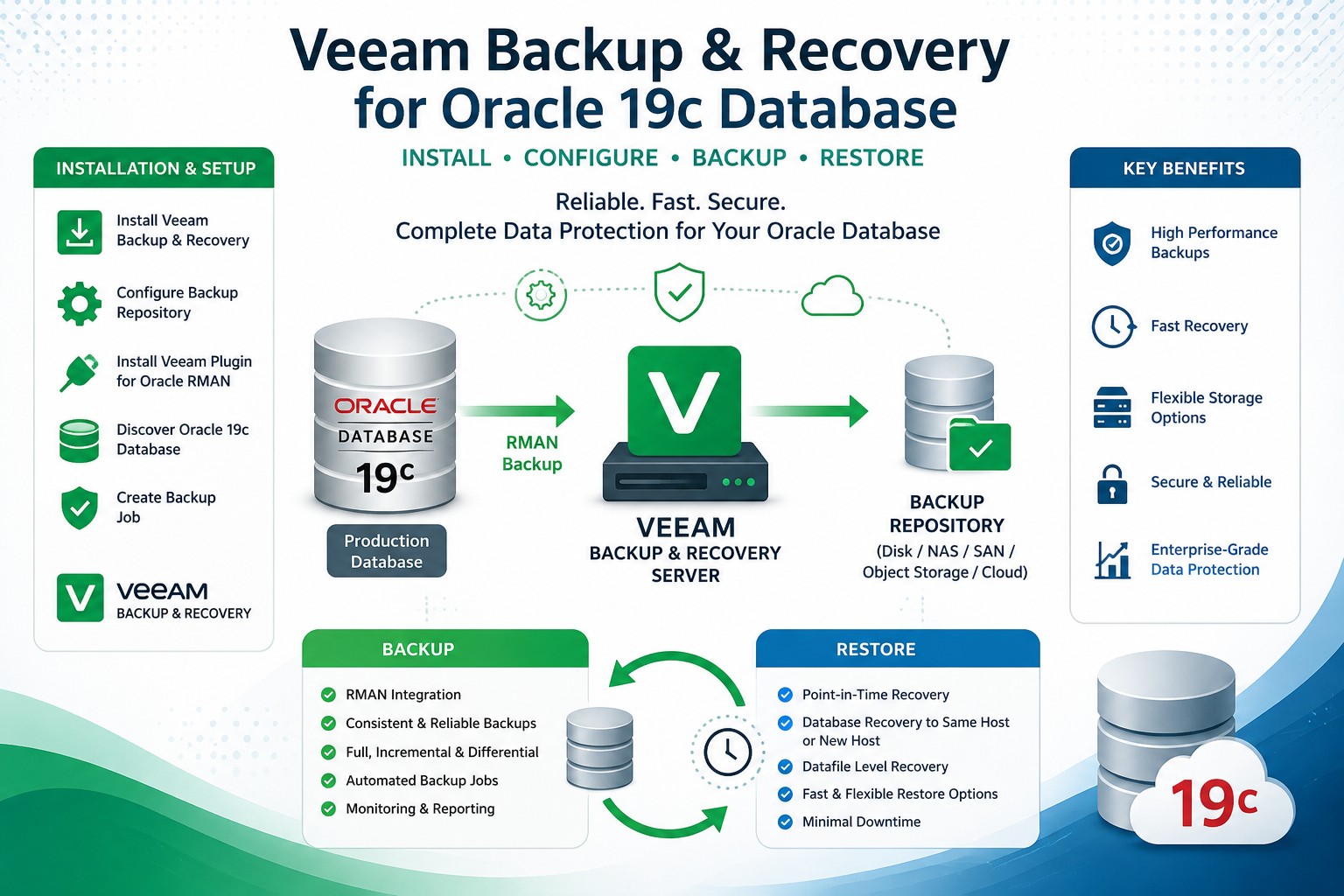
Veeam Backup and Recovery for Oracle Databases
This post shows how to install Veeam Backup and Recovery on a Windows system and how to perform a full backup and a point in time recovery of an Oracle Database on Linux.
Preparation
For the installation we need a Virtual Machine with Windows 2022 installed. The installation process is described here. The installation of the Oracle 19c database VM (Linux) is described in this post. To download the Veeam installation files we can register on the Veeam Website and start a 30 day trial phase. We need the following files:
- from Installable Software for Microsoft Windows: Veeam Data Platform .iso file (VeeamDataPlatformPremium_v13.0_20260310.iso)
- from Additional Downloads => Application Plug-Ins => Veeam Plug-In for Oracle RMAN (VeeamPluginForOracleRMAN-13.0.2.2067.zip)
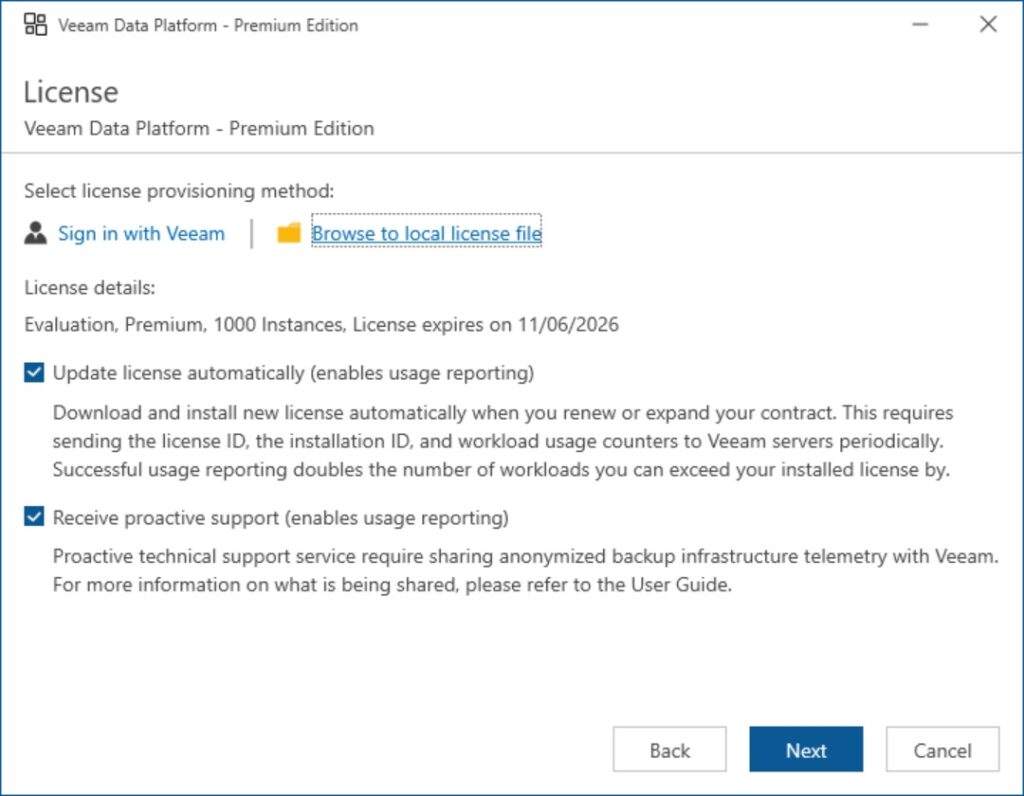
- and the trial license Key File: veeam_data_platform_premium_evaluation_1000.lic
Installation of the Veeam Data Platform
We start the installation of Veeam Backup and Recovery by increasing the main memory of the Windows 2022 VM from 8 GB to 12 GB and attaching the Veeam Data Platform installer iso file to the optical drive of the VM. Run this in a Windows Command prompt of the host machine of the VMs:
set "VHOST="
(set /p VHOST=Enter VM name ^(e.g. lin1^):
call vboxmanage controlvm %VHOST% shutdown                 &rem Power down the VM and wait
timeout /T 20 /NOBREAK
call vboxmanage modifyvm %VHOST% --memory=12288            &rem Set the VM RAM to 12 GB
call vboxmanage storageattach %VHOST% --storagectl "SATA" --port 1 --device 0 --type dvddrive --medium c:/sw/veeam/VeeamDataPlatformPremium_v13.0_20260310.iso                &rem Attach installer iso image
call vboxmanage startvm %VHOST%)                           &rem Power up the Virtual Machine
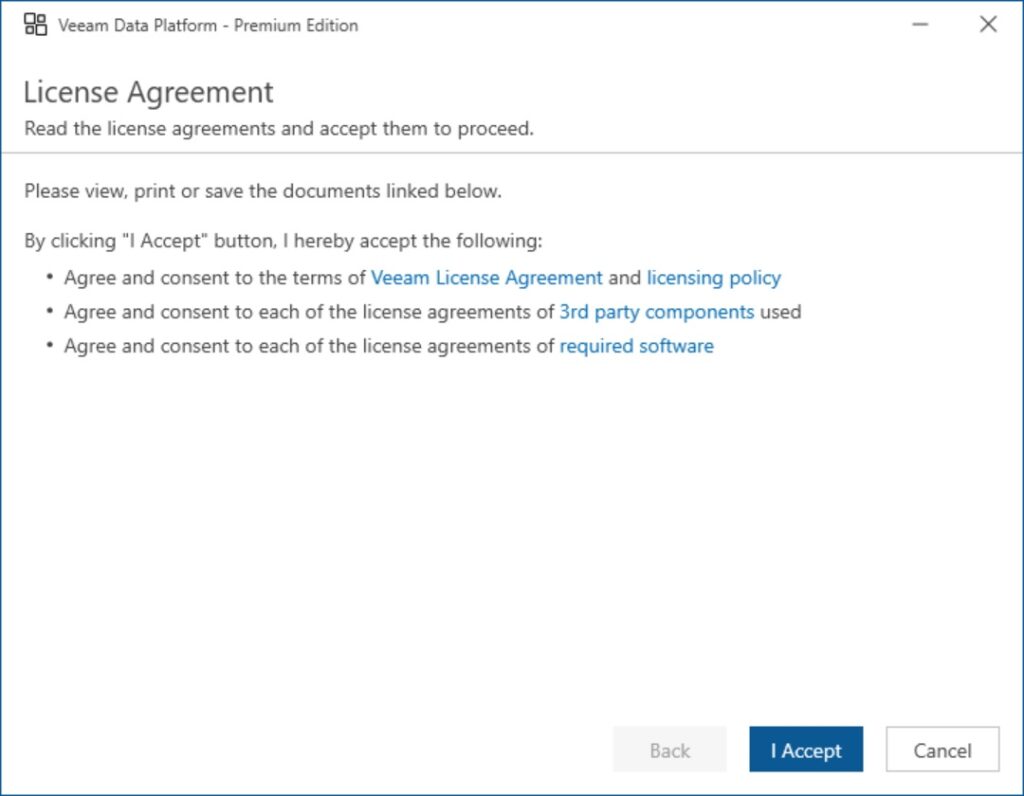
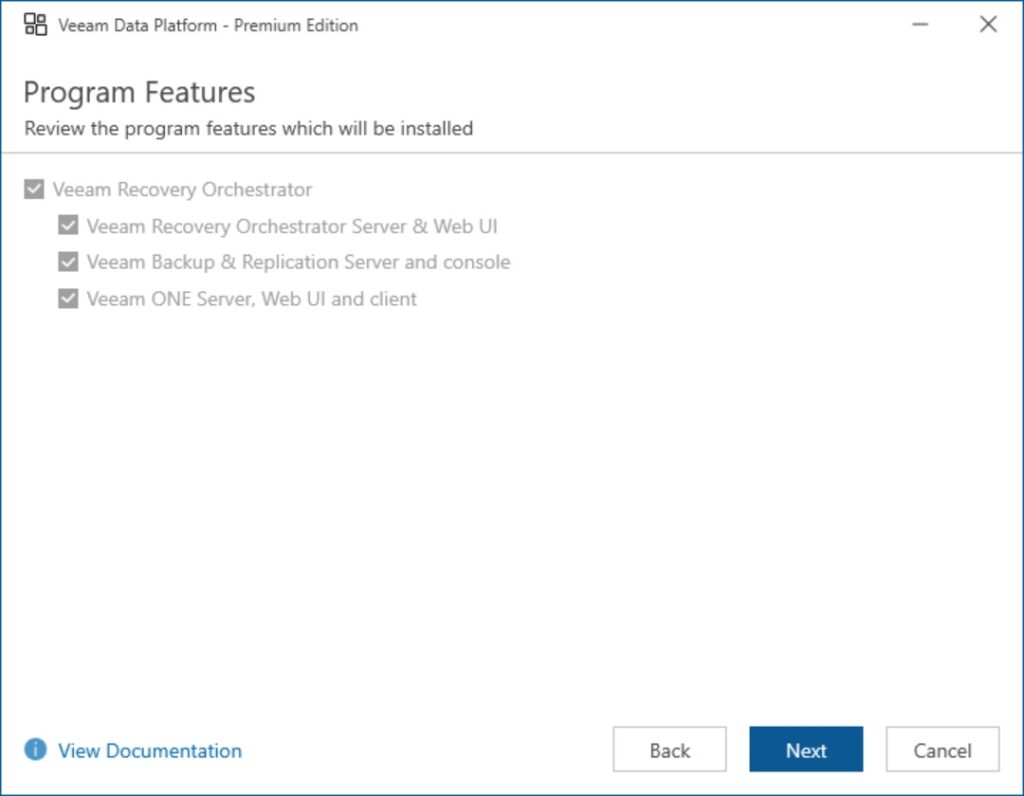
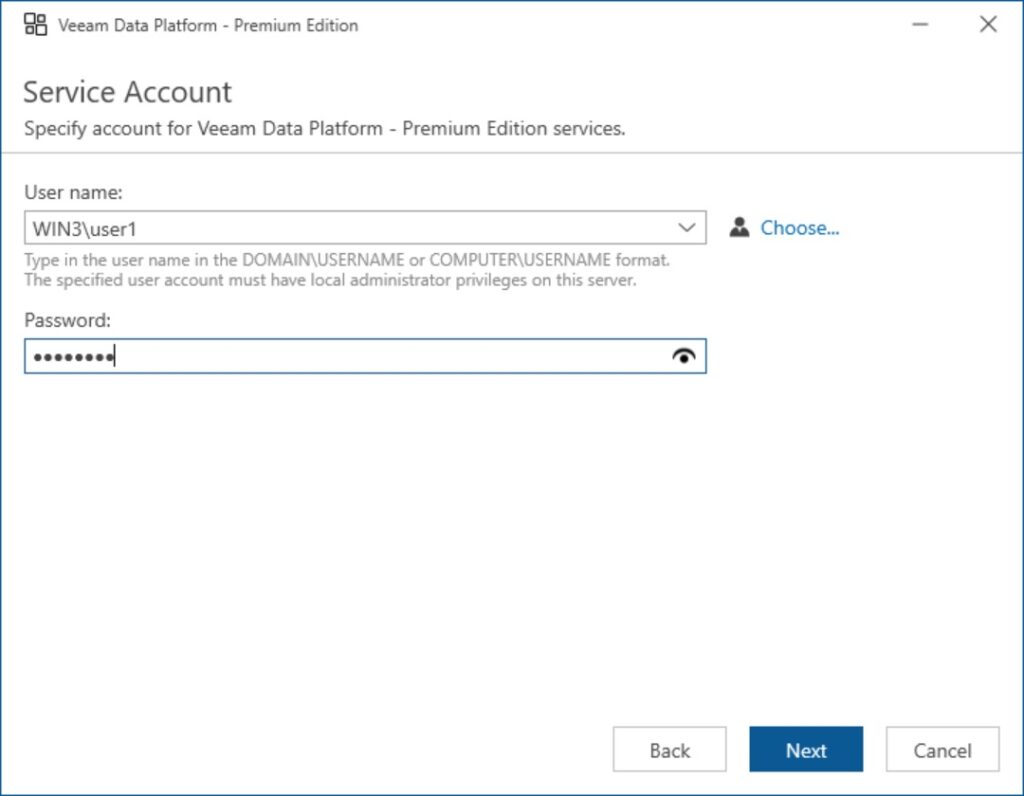
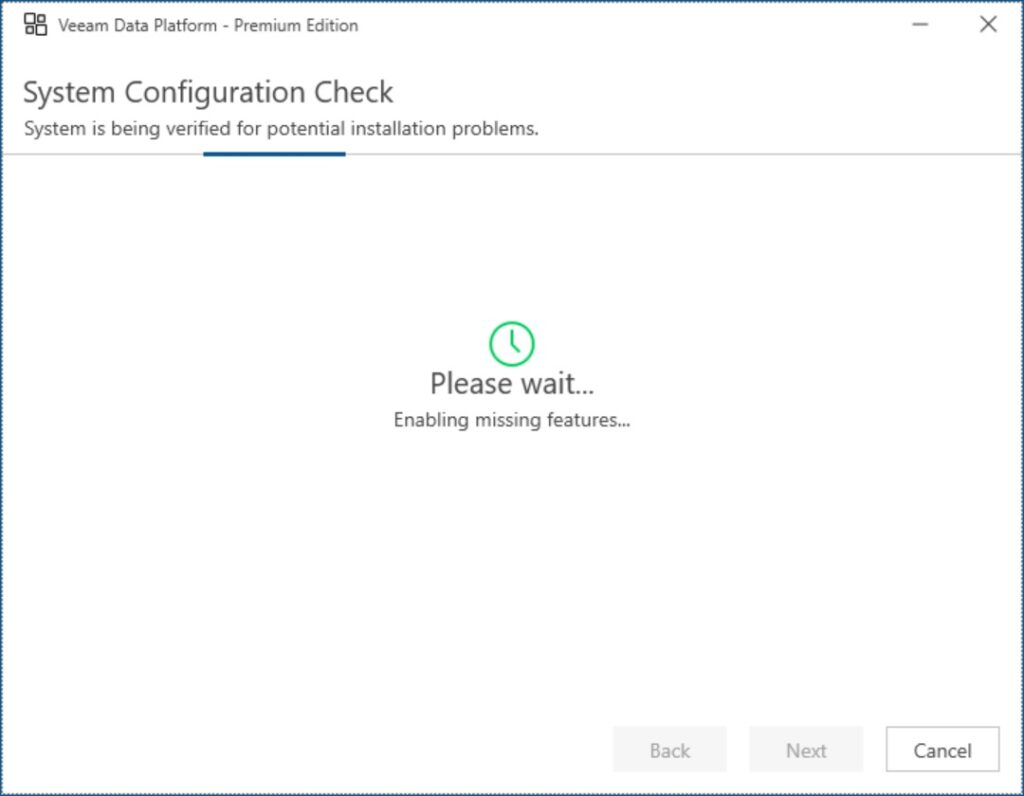
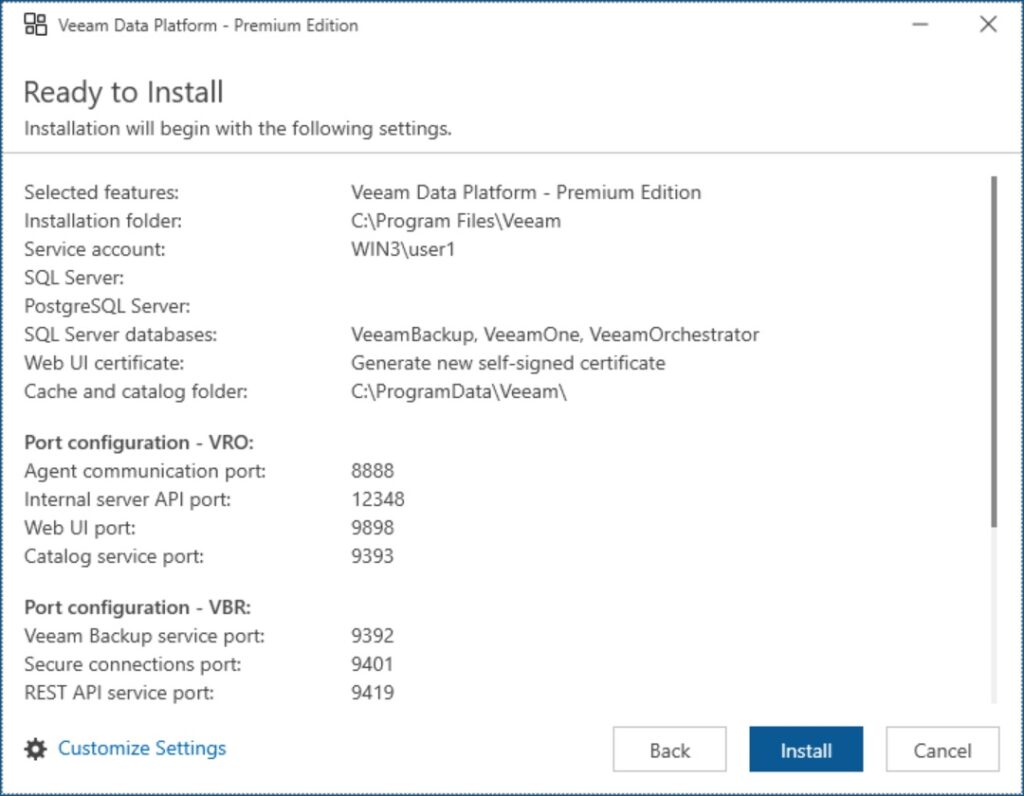
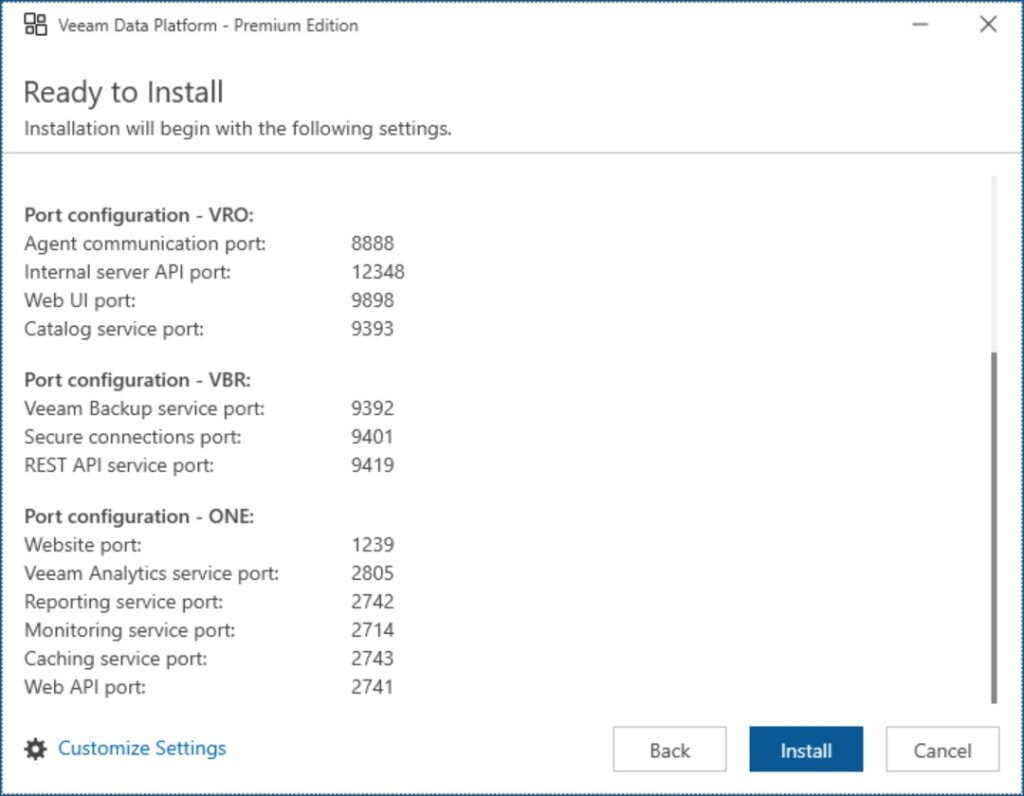
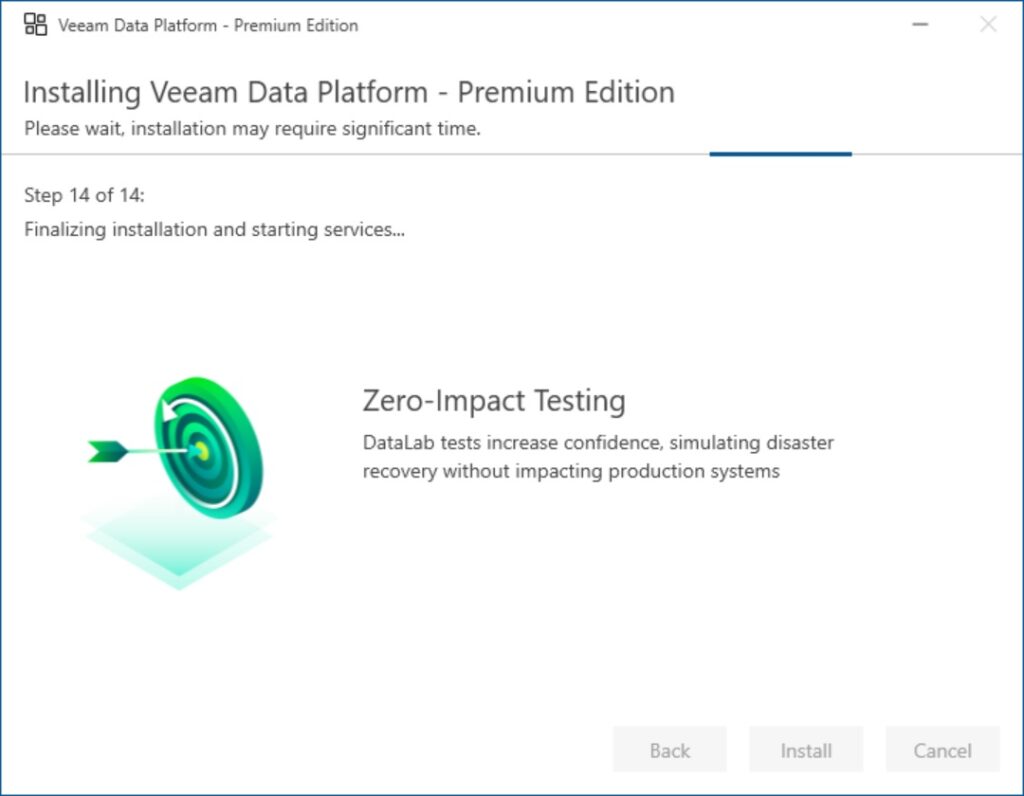
Once the VM has started we begin the installation by running: d:\setup.exe The following screenshots show the installation process (the installation takes around 50 minutes):



Installation of the Veeam Plug-In for Oracle RMAN
The installation of the Veeam Plug-In for Oracle RMAN takes place on the Linux VM running the Oracle 19c database. Run the following script as the root user:
mkdir ~/veeam
cd ~/veeam
unzip -j /sw/veeam/VeeamPluginForOracleRMAN-13.0.2.2067.zip 'Linux\\x64\\VeeamPluginforOracleRMAN-13.0.2.2067-1.x86_64.rpm' 'veeam-openssl3-3.0.0.31-1.x86_64.rpm'
dnf -y install ./veeam-openssl3-3.0.0.31-1.x86_64.rpm ./VeeamPluginforOracleRMAN-13.0.2.2067-1.x86_64.rpm
su - oracle -c 'source ora19.env; OracleRMANConfigTool --wizard'
After the packages are installed, the Config wizard will be started.
Output (click to expand):
[root@lin7 ~]# mkdir ~/veeam
[root@lin7 ~]# cd ~/veeam
[root@lin7 veeam]# unzip -j /sw/veeam/VeeamPluginForOracleRMAN-13.0.2.2067.zip 'Linux\\x64\\VeeamPluginforOracleRMAN-13.0.2.2067-1.x86_64.rpm' 'veeam-openssl3-3.0.0.31-1.x86_64.rpm'
Archive:  /sw/veeam/VeeamPluginForOracleRMAN-13.0.2.2067.zip
warning:  /sw/veeam/VeeamPluginForOracleRMAN-13.0.2.2067.zip appears to use backslashes as path separators
  inflating: VeeamPluginforOracleRMAN-13.0.2.2067-1.x86_64.rpm
  inflating: veeam-openssl3-3.0.0.31-1.x86_64.rpm
[root@lin7 veeam]# dnf -y install ./veeam-openssl3-3.0.0.31-1.x86_64.rpm ./VeeamPluginforOracleRMAN-13.0.2.2067-1.x86_64.rpm
Updating Subscription Management repositories.
Red Hat Enterprise Linux 8 for x86_64 - AppStream (RPMs)                                           8.0 MB/s |  83 MB     00:10
Red Hat Enterprise Linux 8 for x86_64 - BaseOS (RPMs)                                              9.7 MB/s | 130 MB     00:13
Last metadata expiration check: 0:00:03 ago on Wed 13 May 2026 03:23:43 PM CEST.
Dependencies resolved.
===================================================================================================================================
 Package                                  Architecture           Version                        Repository                    Size
===================================================================================================================================
Installing:
 VeeamPluginforOracleRMAN                 x86_64                 13.0.2.2067-1                  @commandline                  79 M
 veeam-openssl3                           x86_64                 3.0.0.31-1                     @commandline                 2.1 M

Transaction Summary
===================================================================================================================================
Install  2 Packages

Total size: 81 M
Installed size: 219 M
Downloading Packages:
Running transaction check
Transaction check succeeded.
Running transaction test
Transaction test succeeded.
Running transaction
  Preparing        :                                                                                                           1/1
  Installing       : veeam-openssl3-3.0.0.31-1.x86_64                                                                          1/2
  Running scriptlet: veeam-openssl3-3.0.0.31-1.x86_64                                                                          1/2
  Installing       : VeeamPluginforOracleRMAN-13.0.2.2067-1.x86_64                                                             2/2
  Running scriptlet: VeeamPluginforOracleRMAN-13.0.2.2067-1.x86_64                                                             2/2
Run "OracleRMANConfigTool --wizard" to configure the Veeam Plug-in for Oracle RMAN

  Verifying        : veeam-openssl3-3.0.0.31-1.x86_64                                                                          1/2
  Verifying        : VeeamPluginforOracleRMAN-13.0.2.2067-1.x86_64                                                             2/2
Installed products updated.

Installed:
  VeeamPluginforOracleRMAN-13.0.2.2067-1.x86_64                          veeam-openssl3-3.0.0.31-1.x86_64

Complete!
[root@lin7 veeam]# su - oracle -c 'source ora19.env; OracleRMANConfigTool --wizard'
Enter backup server name or IP address: win3
Enter backup server port number [10006]: 10006
Enter username: user1
Enter password for user1:
Veeam Backup & Replication server fingerprint: 012953416710181B231C8F572FAC06BFE2DB241A
Continue? (y/n): y
Available backup repositories:
1. Default Backup Repository
Specify up to 4 Veeam repositories to use as target using whitespace as a separator: 1
Enter the number of data streams (From 1 to 254) to run in parallel for each repository (RMAN DEVICE PARALLELISM value). Channel count per device [1]: 2
Do you want to use Veeam compression? (Y/n): Y
Select the Oracle environment authentication method:
1. Operating system authentication
2. Database authentication
Enter [1]: 1

RMAN settings:
CONFIGURE DEFAULT DEVICE TYPE TO SBT_TAPE;
CONFIGURE CHANNEL DEVICE TYPE SBT_TAPE
PARMS 'SBT_LIBRARY=/opt/veeam/VeeamPluginforOracleRMAN/libOracleRMANPlugin.so'
FORMAT '88788f9e-d8f5-4eb4-bc4f-9b3f5403bcec/RMAN_%I_%d_%T_%U.vab';
CONFIGURE ARCHIVELOG BACKUP COPIES FOR DEVICE TYPE SBT_TAPE TO 1;
CONFIGURE DATAFILE BACKUP COPIES FOR DEVICE TYPE SBT_TAPE TO 1;
CONFIGURE DEVICE TYPE SBT_TAPE PARALLELISM 2;
CONFIGURE CONTROLFILE AUTOBACKUP ON;
CONFIGURE CONTROLFILE AUTOBACKUP FORMAT FOR DEVICE TYPE SBT_TAPE TO '%F_RMAN_AUTOBACKUP.vab';

RMAN settings will be applied automatically to the following databases:
ORACLE_SID=orcl ORACLE_HOME=/u01/app/oracle/product/19.0.0/dbhome_1

Channel definition for RMAN scripts:
ALLOCATE CHANNEL VeeamAgentChannel1 DEVICE TYPE SBT_TAPE
PARMS 'SBT_LIBRARY=/opt/veeam/VeeamPluginforOracleRMAN/libOracleRMANPlugin.so'
FORMAT '88788f9e-d8f5-4eb4-bc4f-9b3f5403bcec/RMAN_%I_%d_%T_%U.vab';

Save configuration?
1. Apply configuration to the Oracle environment
2. Export configuration into a file for manual setup
3. Cancel without saving
Enter: 1

*** Database instance orcl is configured ***
[root@lin7 veeam]#
Running a full database backup
We will now create a full database and archivelog backup. The backup is initiated from the database server (with Oracle RMAN).
# run as the oracle user
rman target / <<EOF
run {
backup database plus archivelog;
}
quit
EOF
Output (click to expand)
[oracle@lin7 ~]$ # run as the oracle user
[oracle@lin7 ~]$ rman target / <<EOF
> run {
> backup database plus archivelog;
> }
> quit
> EOF

Recovery Manager: Release 19.0.0.0.0 - Production on Wed May 13 15:50:42 2026
Version 19.25.0.0.0

Copyright (c) 1982, 2019, Oracle and/or its affiliates.  All rights reserved.

connected to target database: ORCL (DBID=1736904549)

RMAN> run {
2> backup database plus archivelog;
3> }

Starting backup at 13-MAY-26
current log archived
using target database control file instead of recovery catalog
allocated channel: ORA_SBT_TAPE_1
channel ORA_SBT_TAPE_1: SID=30 device type=SBT_TAPE
channel ORA_SBT_TAPE_1: Veeam Plug-in for Oracle RMAN
allocated channel: ORA_SBT_TAPE_2
channel ORA_SBT_TAPE_2: SID=159 device type=SBT_TAPE
channel ORA_SBT_TAPE_2: Veeam Plug-in for Oracle RMAN
channel ORA_SBT_TAPE_1: starting archived log backup set
channel ORA_SBT_TAPE_1: specifying archived log(s) in backup set
input archived log thread=1 sequence=18 RECID=1 STAMP=1212830109
input archived log thread=1 sequence=19 RECID=2 STAMP=1212851786
input archived log thread=1 sequence=20 RECID=3 STAMP=1212851800
channel ORA_SBT_TAPE_1: starting piece 1 at 13-MAY-26
channel ORA_SBT_TAPE_2: starting archived log backup set
channel ORA_SBT_TAPE_2: specifying archived log(s) in backup set
input archived log thread=1 sequence=21 RECID=4 STAMP=1212851817
input archived log thread=1 sequence=22 RECID=5 STAMP=1233157845
channel ORA_SBT_TAPE_2: starting piece 1 at 13-MAY-26
channel ORA_SBT_TAPE_1: finished piece 1 at 13-MAY-26
piece handle=88788f9e-d8f5-4eb4-bc4f-9b3f5403bcec/RMAN_1736904549_ORCL_20260513_014o0vmp_1_1_1.vab tag=TAG20260513T155049 comment=API Version 2.0,MMS Version 13.0.1.19
channel ORA_SBT_TAPE_1: backup set complete, elapsed time: 00:00:35
channel ORA_SBT_TAPE_2: finished piece 1 at 13-MAY-26
piece handle=88788f9e-d8f5-4eb4-bc4f-9b3f5403bcec/RMAN_1736904549_ORCL_20260513_024o0vmp_2_1_1.vab tag=TAG20260513T155049 comment=API Version 2.0,MMS Version 13.0.1.19
channel ORA_SBT_TAPE_2: backup set complete, elapsed time: 00:00:35
Finished backup at 13-MAY-26

Starting backup at 13-MAY-26
using channel ORA_SBT_TAPE_1
using channel ORA_SBT_TAPE_2
channel ORA_SBT_TAPE_1: starting full datafile backup set
channel ORA_SBT_TAPE_1: specifying datafile(s) in backup set
input datafile file number=00001 name=+DATA/ORCL/DATAFILE/system.257.1209123689
input datafile file number=00004 name=+DATA/ORCL/DATAFILE/undotbs1.259.1209123749
channel ORA_SBT_TAPE_1: starting piece 1 at 13-MAY-26
channel ORA_SBT_TAPE_2: starting full datafile backup set
channel ORA_SBT_TAPE_2: specifying datafile(s) in backup set
input datafile file number=00012 name=+DATA/ORCL/3C514FBB9D0772D3E063C301010B4DF2/DATAFILE/users.275.1209124705
input datafile file number=00010 name=+DATA/ORCL/3C514FBB9D0772D3E063C301010B4DF2/DATAFILE/sysaux.273.1209124693
channel ORA_SBT_TAPE_2: starting piece 1 at 13-MAY-26
channel ORA_SBT_TAPE_2: finished piece 1 at 13-MAY-26
piece handle=88788f9e-d8f5-4eb4-bc4f-9b3f5403bcec/RMAN_1736904549_ORCL_20260513_044o0vnu_4_1_1.vab tag=TAG20260513T155125 comment=API Version 2.0,MMS Version 13.0.1.19
channel ORA_SBT_TAPE_2: backup set complete, elapsed time: 00:00:15
channel ORA_SBT_TAPE_2: starting full datafile backup set
channel ORA_SBT_TAPE_2: specifying datafile(s) in backup set
input datafile file number=00003 name=+DATA/ORCL/DATAFILE/sysaux.258.1209123725
input datafile file number=00007 name=+DATA/ORCL/DATAFILE/users.260.1209123751
channel ORA_SBT_TAPE_2: starting piece 1 at 13-MAY-26
channel ORA_SBT_TAPE_1: finished piece 1 at 13-MAY-26
piece handle=88788f9e-d8f5-4eb4-bc4f-9b3f5403bcec/RMAN_1736904549_ORCL_20260513_034o0vnu_3_1_1.vab tag=TAG20260513T155125 comment=API Version 2.0,MMS Version 13.0.1.19
channel ORA_SBT_TAPE_1: backup set complete, elapsed time: 00:00:30
channel ORA_SBT_TAPE_1: starting full datafile backup set
channel ORA_SBT_TAPE_1: specifying datafile(s) in backup set
input datafile file number=00009 name=+DATA/ORCL/3C514FBB9D0772D3E063C301010B4DF2/DATAFILE/system.272.1209124693
input datafile file number=00011 name=+DATA/ORCL/3C514FBB9D0772D3E063C301010B4DF2/DATAFILE/undotbs1.271.1209124693
channel ORA_SBT_TAPE_1: starting piece 1 at 13-MAY-26
channel ORA_SBT_TAPE_2: finished piece 1 at 13-MAY-26
piece handle=88788f9e-d8f5-4eb4-bc4f-9b3f5403bcec/RMAN_1736904549_ORCL_20260513_054o0vod_5_1_1.vab tag=TAG20260513T155125 comment=API Version 2.0,MMS Version 13.0.1.19
channel ORA_SBT_TAPE_2: backup set complete, elapsed time: 00:00:16
channel ORA_SBT_TAPE_2: starting full datafile backup set
channel ORA_SBT_TAPE_2: specifying datafile(s) in backup set
input datafile file number=00006 name=+DATA/ORCL/86B637B62FE07A65E053F706E80A27CA/DATAFILE/sysaux.267.1209124069
input datafile file number=00008 name=+DATA/ORCL/86B637B62FE07A65E053F706E80A27CA/DATAFILE/undotbs1.268.1209124069
channel ORA_SBT_TAPE_2: starting piece 1 at 13-MAY-26
channel ORA_SBT_TAPE_1: finished piece 1 at 13-MAY-26
piece handle=88788f9e-d8f5-4eb4-bc4f-9b3f5403bcec/RMAN_1736904549_ORCL_20260513_064o0vos_6_1_1.vab tag=TAG20260513T155125 comment=API Version 2.0,MMS Version 13.0.1.19
channel ORA_SBT_TAPE_1: backup set complete, elapsed time: 00:00:16
channel ORA_SBT_TAPE_1: starting full datafile backup set
channel ORA_SBT_TAPE_1: specifying datafile(s) in backup set
input datafile file number=00005 name=+DATA/ORCL/86B637B62FE07A65E053F706E80A27CA/DATAFILE/system.266.1209124069
channel ORA_SBT_TAPE_1: starting piece 1 at 13-MAY-26
channel ORA_SBT_TAPE_2: finished piece 1 at 13-MAY-26
piece handle=88788f9e-d8f5-4eb4-bc4f-9b3f5403bcec/RMAN_1736904549_ORCL_20260513_074o0vot_7_1_1.vab tag=TAG20260513T155125 comment=API Version 2.0,MMS Version 13.0.1.19
channel ORA_SBT_TAPE_2: backup set complete, elapsed time: 00:00:15
channel ORA_SBT_TAPE_1: finished piece 1 at 13-MAY-26
piece handle=88788f9e-d8f5-4eb4-bc4f-9b3f5403bcec/RMAN_1736904549_ORCL_20260513_084o0vpc_8_1_1.vab tag=TAG20260513T155125 comment=API Version 2.0,MMS Version 13.0.1.19
channel ORA_SBT_TAPE_1: backup set complete, elapsed time: 00:00:07
Finished backup at 13-MAY-26

Starting backup at 13-MAY-26
current log archived
using channel ORA_SBT_TAPE_1
using channel ORA_SBT_TAPE_2
channel ORA_SBT_TAPE_1: starting archived log backup set
channel ORA_SBT_TAPE_1: specifying archived log(s) in backup set
input archived log thread=1 sequence=23 RECID=6 STAMP=1233157939
channel ORA_SBT_TAPE_1: starting piece 1 at 13-MAY-26
channel ORA_SBT_TAPE_1: finished piece 1 at 13-MAY-26
piece handle=88788f9e-d8f5-4eb4-bc4f-9b3f5403bcec/RMAN_1736904549_ORCL_20260513_094o0vpk_9_1_1.vab tag=TAG20260513T155220 comment=API Version 2.0,MMS Version 13.0.1.19
channel ORA_SBT_TAPE_1: backup set complete, elapsed time: 00:00:01
Finished backup at 13-MAY-26

Starting Control File and SPFILE Autobackup at 13-MAY-26
piece handle=c-1736904549-20260513-00_RMAN_AUTOBACKUP.vab comment=API Version 2.0,MMS Version 13.0.1.19
Finished Control File and SPFILE Autobackup at 13-MAY-26


RMAN> quit


Recovery Manager complete.
[oracle@lin7 ~]$
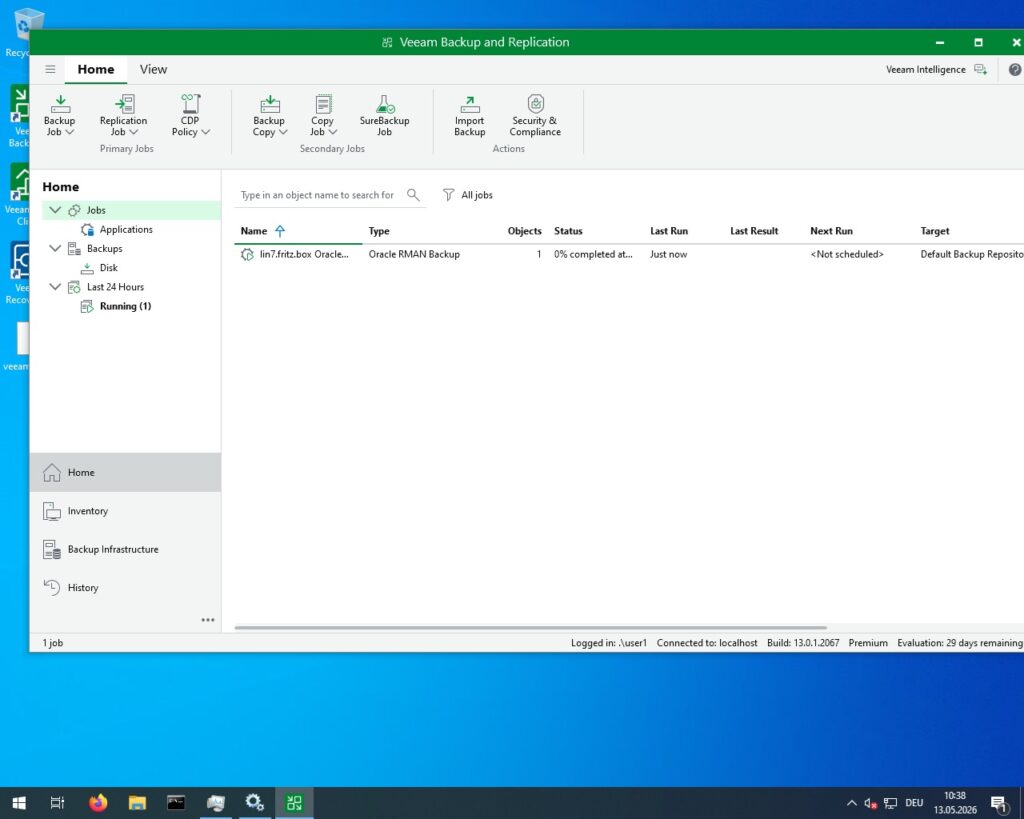
We can see on the Veeam Backup and Replication Console that the backup is running:
Performing a Oracle Point in Time Recovery (PITR) with Veeam
We will record the current time, create a new table and restore the complete database to a time just before the table has been created.
# run as oracle
sqlplus / as sysdba <<EOF
-- get the current time
alter session set nls_date_format='dd.mm.yyyy hh24:mi:ss';
select sysdate from dual;
-- create a new table
create table t as select * from all_objects;
EOF
Output (click to expand):
[oracle@lin7 ~]$ # run as oracle
[oracle@lin7 ~]$ sqlplus / as sysdba <<EOF
> -- get the current time
> alter session set nls_date_format='dd.mm.yyyy hh24:mi:ss';
> select sysdate from dual;
> -- create a new table
> create table t as select * from all_objects;
> EOF

SQL*Plus: Release 19.0.0.0.0 - Production on Wed May 13 15:59:20 2026
Version 19.25.0.0.0

Copyright (c) 1982, 2024, Oracle.  All rights reserved.


Connected to:
Oracle Database 19c Enterprise Edition Release 19.0.0.0.0 - Production
Version 19.25.0.0.0

SQL> SQL>
Session altered.

SQL>
SYSDATE
-------------------
13.05.2026 15:59:20

SQL> SQL>
Table created.

SQL> Disconnected from Oracle Database 19c Enterprise Edition Release 19.0.0.0.0 - Production
Version 19.25.0.0.0
[oracle@lin7 ~]$
Now we perform the Point in Time Recovery of the database just before the table t has been created.
# run as oracle
rman target / <<EOF
run {
shutdown immediate;
startup mount;
set until time "to_date('13.05.2026 15:59:00','dd.mm.yyyy hh24:mi:ss')";
restore database;
recover database;
alter database open resetlogs;
}
exit
EOF
Output (click to expand):
[oracle@lin7 ~]$ # run as oracle
[oracle@lin7 ~]$ rman target / <<EOF
> run {
> shutdown immediate;
> startup mount;
> set until time "to_date('13.05.2026 15:59:00','dd.mm.yyyy hh24:mi:ss')";
> restore database;
> recover database;
> alter database open resetlogs;
> }
> exit
> EOF

Recovery Manager: Release 19.0.0.0.0 - Production on Wed May 13 16:02:28 2026
Version 19.25.0.0.0

Copyright (c) 1982, 2019, Oracle and/or its affiliates.  All rights reserved.

connected to target database: ORCL (DBID=1736904549)

RMAN> run {
2> shutdown immediate;
3> startup mount;
4> set until time "to_date('13.05.2026 15:59:00','dd.mm.yyyy hh24:mi:ss')";
5> restore database;
6> recover database;
7> alter database open resetlogs;
8> }
using target database control file instead of recovery catalog
database closed
database dismounted
Oracle instance shut down

connected to target database (not started)
Oracle instance started
database mounted

Total System Global Area    2432693880 bytes

Fixed Size                     9180792 bytes
Variable Size               1375731712 bytes
Database Buffers            1040187392 bytes
Redo Buffers                   7593984 bytes

executing command: SET until clause

Starting restore at 13-MAY-26
allocated channel: ORA_SBT_TAPE_1
channel ORA_SBT_TAPE_1: SID=265 device type=SBT_TAPE
channel ORA_SBT_TAPE_1: Veeam Plug-in for Oracle RMAN
allocated channel: ORA_SBT_TAPE_2
channel ORA_SBT_TAPE_2: SID=392 device type=SBT_TAPE
channel ORA_SBT_TAPE_2: Veeam Plug-in for Oracle RMAN
allocated channel: ORA_DISK_1
channel ORA_DISK_1: SID=12 device type=DISK

skipping datafile 5; already restored to file +DATA/ORCL/86B637B62FE07A65E053F706E80A27CA/DATAFILE/system.266.1209124069
skipping datafile 6; already restored to file +DATA/ORCL/86B637B62FE07A65E053F706E80A27CA/DATAFILE/sysaux.267.1209124069
skipping datafile 8; already restored to file +DATA/ORCL/86B637B62FE07A65E053F706E80A27CA/DATAFILE/undotbs1.268.1209124069
channel ORA_SBT_TAPE_1: starting datafile backup set restore
channel ORA_SBT_TAPE_1: specifying datafile(s) to restore from backup set
channel ORA_SBT_TAPE_1: restoring datafile 00010 to +DATA/ORCL/3C514FBB9D0772D3E063C301010B4DF2/DATAFILE/sysaux.273.1209124693
channel ORA_SBT_TAPE_1: restoring datafile 00012 to +DATA/ORCL/3C514FBB9D0772D3E063C301010B4DF2/DATAFILE/users.275.1209124705
channel ORA_SBT_TAPE_1: reading from backup piece 88788f9e-d8f5-4eb4-bc4f-9b3f5403bcec/RMAN_1736904549_ORCL_20260513_044o0vnu_4_1_1.vab
channel ORA_SBT_TAPE_2: starting datafile backup set restore
channel ORA_SBT_TAPE_2: specifying datafile(s) to restore from backup set
channel ORA_SBT_TAPE_2: restoring datafile 00001 to +DATA/ORCL/DATAFILE/system.257.1209123689
channel ORA_SBT_TAPE_2: restoring datafile 00004 to +DATA/ORCL/DATAFILE/undotbs1.259.1209123749
channel ORA_SBT_TAPE_2: reading from backup piece 88788f9e-d8f5-4eb4-bc4f-9b3f5403bcec/RMAN_1736904549_ORCL_20260513_034o0vnu_3_1_1.vab
channel ORA_SBT_TAPE_1: piece handle=88788f9e-d8f5-4eb4-bc4f-9b3f5403bcec/RMAN_1736904549_ORCL_20260513_044o0vnu_4_1_1.vab tag=TAG20260513T155125
channel ORA_SBT_TAPE_1: restored backup piece 1
channel ORA_SBT_TAPE_1: restore complete, elapsed time: 00:00:25
channel ORA_SBT_TAPE_1: starting datafile backup set restore
channel ORA_SBT_TAPE_1: specifying datafile(s) to restore from backup set
channel ORA_SBT_TAPE_1: restoring datafile 00003 to +DATA/ORCL/DATAFILE/sysaux.258.1209123725
channel ORA_SBT_TAPE_1: restoring datafile 00007 to +DATA/ORCL/DATAFILE/users.260.1209123751
channel ORA_SBT_TAPE_1: reading from backup piece 88788f9e-d8f5-4eb4-bc4f-9b3f5403bcec/RMAN_1736904549_ORCL_20260513_054o0vod_5_1_1.vab
channel ORA_SBT_TAPE_2: piece handle=88788f9e-d8f5-4eb4-bc4f-9b3f5403bcec/RMAN_1736904549_ORCL_20260513_034o0vnu_3_1_1.vab tag=TAG20260513T155125
channel ORA_SBT_TAPE_2: restored backup piece 1
channel ORA_SBT_TAPE_2: restore complete, elapsed time: 00:00:25
channel ORA_SBT_TAPE_2: starting datafile backup set restore
channel ORA_SBT_TAPE_2: specifying datafile(s) to restore from backup set
channel ORA_SBT_TAPE_2: restoring datafile 00009 to +DATA/ORCL/3C514FBB9D0772D3E063C301010B4DF2/DATAFILE/system.272.1209124693
channel ORA_SBT_TAPE_2: restoring datafile 00011 to +DATA/ORCL/3C514FBB9D0772D3E063C301010B4DF2/DATAFILE/undotbs1.271.1209124693
channel ORA_SBT_TAPE_2: reading from backup piece 88788f9e-d8f5-4eb4-bc4f-9b3f5403bcec/RMAN_1736904549_ORCL_20260513_064o0vos_6_1_1.vab
channel ORA_SBT_TAPE_1: piece handle=88788f9e-d8f5-4eb4-bc4f-9b3f5403bcec/RMAN_1736904549_ORCL_20260513_054o0vod_5_1_1.vab tag=TAG20260513T155125
channel ORA_SBT_TAPE_1: restored backup piece 1
channel ORA_SBT_TAPE_1: restore complete, elapsed time: 00:00:15
channel ORA_SBT_TAPE_2: piece handle=88788f9e-d8f5-4eb4-bc4f-9b3f5403bcec/RMAN_1736904549_ORCL_20260513_064o0vos_6_1_1.vab tag=TAG20260513T155125
channel ORA_SBT_TAPE_2: restored backup piece 1
channel ORA_SBT_TAPE_2: restore complete, elapsed time: 00:00:15
Finished restore at 13-MAY-26

Starting recover at 13-MAY-26
using channel ORA_SBT_TAPE_1
using channel ORA_SBT_TAPE_2
using channel ORA_DISK_1

starting media recovery
media recovery complete, elapsed time: 00:00:01

Finished recover at 13-MAY-26

Statement processed


RMAN> exit


Recovery Manager complete.
[oracle@lin7 ~]$
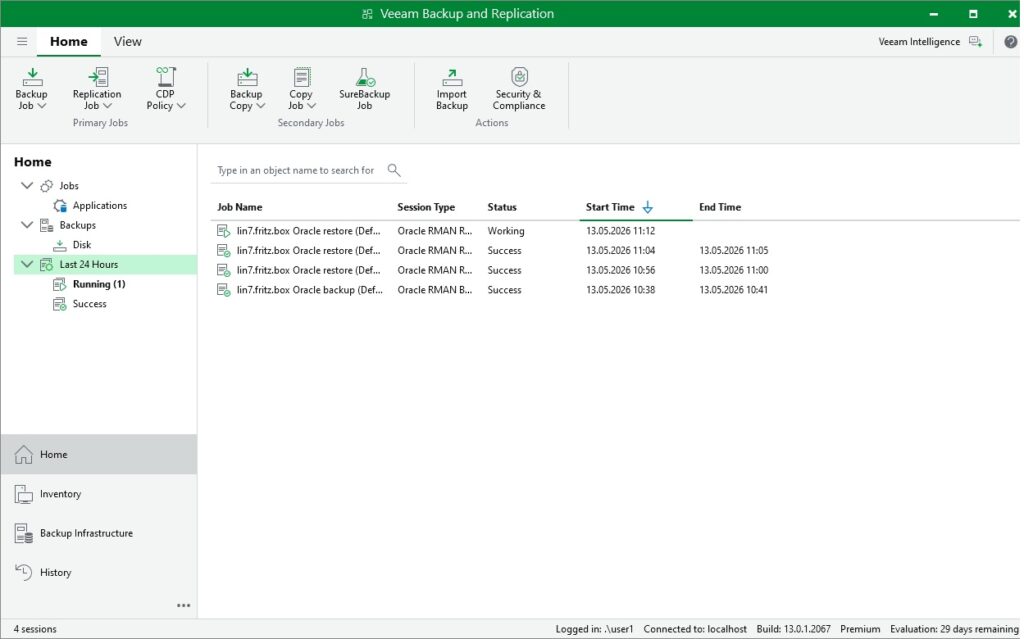
The restore looks similar to the following in the Backup and Recovery Console:
At last we just need to verify that the table does indeed not exist:
# run as oracle
sqlplus / as sysdba <<EOF
-- verify if the table exists
select count(*) from t;
EOF
Output (click to expand):
[oracle@lin7 ~]$ # run as oracle
[oracle@lin7 ~]$ sqlplus / as sysdba <<EOF
> -- verify if the table exists
> select count(*) from t;
> EOF

SQL*Plus: Release 19.0.0.0.0 - Production on Wed May 13 16:05:31 2026
Version 19.25.0.0.0

Copyright (c) 1982, 2024, Oracle.  All rights reserved.


Connected to:
Oracle Database 19c Enterprise Edition Release 19.0.0.0.0 - Production
Version 19.25.0.0.0

SQL> SQL> select count(*) from t
                     *
ERROR at line 1:
ORA-00942: table or view does not exist


SQL> Disconnected from Oracle Database 19c Enterprise Edition Release 19.0.0.0.0 - Production
Version 19.25.0.0.0
[oracle@lin7 ~]$
This shows that the database point in time recovery (PITR) has been completed successfully.
Leave a Reply