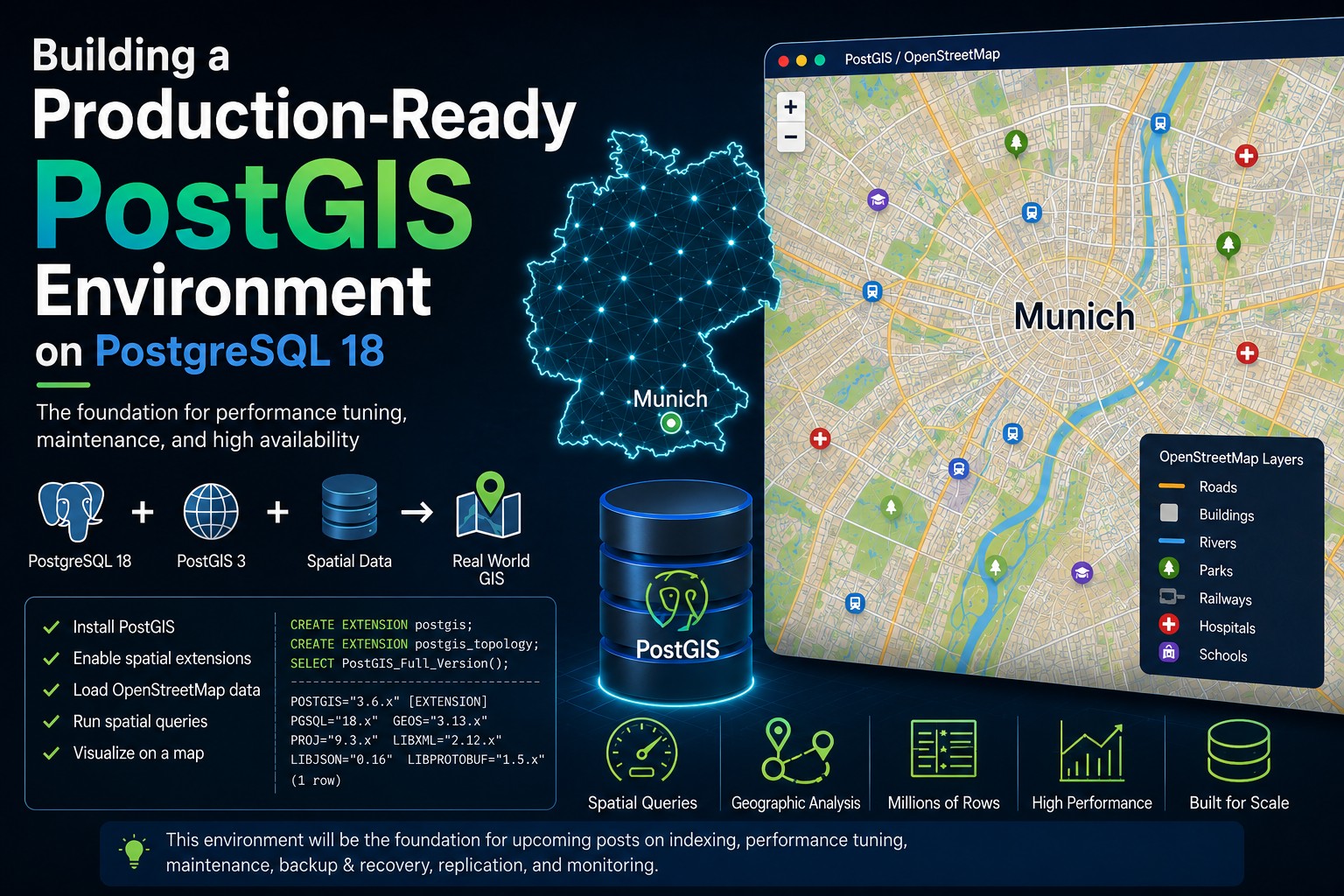
Building a Production-Ready PostGIS Environment on PostgreSQL 18
PostGIS extends PostgreSQL with powerful spatial capabilities, enabling you to store, query, and analyze geographic data. It is the foundation for many Geographic Information Systems (GIS) used by municipalities, utility companies, logistics providers, and public authorities. In this article, we build a production-ready PostGIS environment that will serve as the basis for future articles covering performance tuning, indexing, maintenance, monitoring, backup strategies, and high availability.
Since PostgreSQL 18 is already installed, as described in my previous article, we’ll focus on installing PostGIS, creating a spatial database, and loading a realistic dataset that can be used throughout this blog series.
Installing PostGIS
On RHEL 10, install the PostGIS packages using DNF as root:
# verify that the PGDG repositories are available
dnf repolist | grep pgdg
# enable the EPEL repository
subscription-manager repos --enable "codeready-builder-for-rhel-10-x86_64-rpms"
dnf install -y https://dl.fedoraproject.org/pub/epel/epel-release-latest-10.noarch.rpm
# install the PostGIS extension and PostGIS utils
dnf -y install postgis36_18 postgis36_18-utils
Sample Output (click to expand):
[root@lin6 ~]# # verify that the PGDG repositories are available
dnf repolist | grep pgdg
# enable the EPEL repository
subscription-manager repos --enable "codeready-builder-for-rhel-10-x86_64-rpms"
dnf install -y https://dl.fedoraproject.org/pub/epel/epel-release-latest-10.noarch.rpm
# install the PostGIS extension and PostGIS utils
dnf -y install postgis36_18 postgis36_18-utils
pgdg-common PostgreSQL common RPMs for RHEL / Rocky Linux / AlmaLinux 10.2 - x86_64
pgdg14 PostgreSQL 14 for RHEL / Rocky Linux / AlmaLinux 10.2 - x86_64
pgdg15 PostgreSQL 15 for RHEL / Rocky Linux / AlmaLinux 10.2 - x86_64
pgdg16 PostgreSQL 16 for RHEL / Rocky Linux / AlmaLinux 10.2 - x86_64
pgdg17 PostgreSQL 17 for RHEL / Rocky Linux / AlmaLinux 10.2 - x86_64
pgdg18 PostgreSQL 18 for RHEL / Rocky Linux / AlmaLinux 10.2 - x86_64
Repository 'codeready-builder-for-rhel-10-x86_64-rpms' is enabled for this system.
Updating Subscription Management repositories.
Red Hat CodeReady Linux Builder for RHEL 10 x86_64 (RPMs) 1.8 MB/s | 1.3 MB 00:00
epel-release-latest-10.noarch.rpm 24 kB/s | 19 kB 00:00
Dependencies resolved.
===============================================================================================================================
Package Arch Version Repository Size
===============================================================================================================================
Installing:
epel-release noarch 10-8.el10_3 @commandline 19 k
Installing dependencies:
selinux-policy-targeted-extra noarch 42.1.18-4.el10_2.1 codeready-builder-for-rhel-10-x86_64-rpms 777 k
Installing weak dependencies:
selinux-policy-extra noarch 42.1.18-4.el10_2.1 codeready-builder-for-rhel-10-x86_64-rpms 43 k
Transaction Summary
===============================================================================================================================
Install 3 Packages
Total size: 838 k
Installed size: 822 k
Downloading Packages:
[SKIPPED] selinux-policy-extra-42.1.18-4.el10_2.1.noarch.rpm: Already downloaded
[SKIPPED] selinux-policy-targeted-extra-42.1.18-4.el10_2.1.noarch.rpm: Already downloaded
Running transaction check
Transaction check succeeded.
Running transaction test
Transaction test succeeded.
Running transaction
Preparing : 1/1
Running scriptlet: selinux-policy-targeted-extra-42.1.18-4.el10_2.1.noarch 1/3
Installing : selinux-policy-targeted-extra-42.1.18-4.el10_2.1.noarch 1/3
Installing : selinux-policy-extra-42.1.18-4.el10_2.1.noarch 2/3
Installing : epel-release-10-8.el10_3.noarch 3/3
Running scriptlet: epel-release-10-8.el10_3.noarch 3/3
Many EPEL packages require the CodeReady Builder (CRB) repository.
It is recommended that you run /usr/bin/crb enable to enable the CRB repository.
Running scriptlet: selinux-policy-targeted-extra-42.1.18-4.el10_2.1.noarch 3/3
Running scriptlet: epel-release-10-8.el10_3.noarch 3/3
Installed products updated.
Installed:
epel-release-10-8.el10_3.noarch selinux-policy-extra-42.1.18-4.el10_2.1.noarch
selinux-policy-targeted-extra-42.1.18-4.el10_2.1.noarch
Complete!
Updating Subscription Management repositories.
Extra Packages for Enterprise Linux 10 - x86_64 5.4 MB/s | 6.6 MB 00:01
Last metadata expiration check: 0:00:04 ago on Mon 29 Jul 2026 04:04:19 PM CEST.
Dependencies resolved.
===============================================================================================================================
Package Architecture Version Repository Size
===============================================================================================================================
Installing:
postgis36_18 x86_64 3.6.3-2PGDG.rhel10.2 pgdg18 4.3 M
postgis36_18-utils x86_64 3.6.3-2PGDG.rhel10.2 pgdg18 45 k
Installing dependencies:
SFCGAL-libs x86_64 2.2.0-6PGDG.rhel10.2 pgdg-common 2.9 M
abseil-cpp x86_64 20240722.2-1.el10_2 epel 689 k
armadillo x86_64 12.8.1-5.el10_0 epel 31 k
arpack x86_64 3.9.1-5.el10_0 epel 211 k
blosc x86_64 1.21.6-4.el10_0 epel 58 k
boost-serialization x86_64 1.83.0-7.el10 rhel-10-for-x86_64-appstream-rpms 137 k
cfitsio x86_64 4.6.3-1.el10_2 epel 624 k
double-conversion x86_64 3.4.0-1.el10_2 epel 51 k
flexiblas x86_64 3.4.2-3.el10 rhel-10-for-x86_64-appstream-rpms 27 k
flexiblas-netlib x86_64 3.4.2-3.el10 rhel-10-for-x86_64-appstream-rpms 3.2 M
flexiblas-netlib64 x86_64 3.4.2-3.el10 rhel-10-for-x86_64-appstream-rpms 3.1 M
flexiblas-openblas-openmp x86_64 3.4.2-3.el10 rhel-10-for-x86_64-appstream-rpms 19 k
flexiblas-openblas-openmp64 x86_64 3.4.2-3.el10 rhel-10-for-x86_64-appstream-rpms 19 k
freexl x86_64 2.0.0-11.el10_0 epel 45 k
gdal312-libs x86_64 3.12.4-3PGDG.rhel10.2 pgdg-common 11 M
geos314 x86_64 3.14.1-3PGDG.rhel10.2 pgdg-common 1.3 M
gmp-c++ x86_64 1:6.2.1-12.el10 rhel-10-for-x86_64-appstream-rpms 20 k
gpsbabel x86_64 1.9.0-7.el10_0 epel 727 k
hdf-libs x86_64 4.3.0-1.el10_0 epel 292 k
hdf5 x86_64 1.14.5-1.el10_0 epel 2.1 M
libaec x86_64 1.1.3-1.el10_0 epel 37 k
libarrow x86_64 17.0.0-9.el10_2 epel 5.7 M
libarrow-doc noarch 17.0.0-9.el10_2 epel 27 k
libdeflate x86_64 1.25-2.el10_2 epel 66 k
libgeotiff17 x86_64 1.7.4-5PGDG.rhel10.2 pgdg-common 109 k
libgfortran x86_64 14.3.1-4.4.el10 rhel-10-for-x86_64-baseos-rpms 829 k
libgta x86_64 1.2.1-14.el10_0 epel 36 k
libkml x86_64 1.3.0-50.el10_0 epel 365 k
liborc2 x86_64 2.0.7-1.el10_2 epel 515 k
libpq5 x86_64 18.4-1PGDG.rhel10.2 pgdg-common 290 k
libqhull_r x86_64 1:8.0.2-2.el10_0 epel 204 k
libquadmath x86_64 14.3.1-4.4.el10 rhel-10-for-x86_64-baseos-rpms 217 k
librttopo x86_64 1.1.0-43PGDG.rhel10.2 pgdg-common 208 k
libspatialite50 x86_64 5.1.0-15PGDG.rhel10.2 pgdg-common 3.1 M
libzip x86_64 1.10.1-5.el10 rhel-10-for-x86_64-appstream-rpms 70 k
mariadb-connector-c x86_64 3.4.4-2.el10_2 rhel-10-for-x86_64-baseos-rpms 217 k
mariadb-connector-c-config noarch 3.4.4-2.el10_2 rhel-10-for-x86_64-baseos-rpms 15 k
minizip-ng-compat x86_64 4.0.7-2.el10_0 epel 61 k
netcdf x86_64 4.9.2-7.el10_0 epel 807 k
openblas x86_64 0.3.29-2.el10 rhel-10-for-x86_64-appstream-rpms 44 k
openblas-openmp x86_64 0.3.29-2.el10 rhel-10-for-x86_64-appstream-rpms 5.3 M
openblas-openmp64 x86_64 0.3.29-2.el10 rhel-10-for-x86_64-appstream-rpms 5.2 M
pcre2-utf16 x86_64 10.44-1.el10.3 rhel-10-for-x86_64-appstream-rpms 228 k
perl-DBD-Pg x86_64 3.18.0-6.el10 rhel-10-for-x86_64-appstream-rpms 225 k
postgresql18-contrib x86_64 18.4-2PGDG.rhel10.2 pgdg18 762 k
proj98 x86_64 9.8.1-1PGDG.rhel10.2 pgdg-common 3.1 M
protobuf x86_64 3.19.6-15.el10_1 rhel-10-for-x86_64-appstream-rpms 1.0 M
qt5-filesystem x86_64 5.15.18-1.el10_2 epel 9.8 k
qt5-qtbase x86_64 5.15.18-1.el10_2 epel 3.3 M
qt5-qtbase-common noarch 5.15.18-1.el10_2 epel 10 k
re2 x86_64 2:20251105-1.el10_2 epel 221 k
shapelib x86_64 1.6.1-1.el10_0 epel 78 k
unixODBC x86_64 2.3.12-6.el10 rhel-10-for-x86_64-appstream-rpms 500 k
uriparser x86_64 0.9.8-2.el10_1 epel 57 k
utf8proc x86_64 2.7.0-9.el10 rhel-10-for-x86_64-appstream-rpms 83 k
xerces-c x86_64 3.2.5-5.el10_0 epel 981 k
Transaction Summary
===============================================================================================================================
Install 58 Packages
Total size: 65 M
Total download size: 807 k
Installed size: 310 M
Downloading Packages:
[SKIPPED] abseil-cpp-20240722.2-1.el10_2.x86_64.rpm: Already downloaded
[SKIPPED] armadillo-12.8.1-5.el10_0.x86_64.rpm: Already downloaded
[SKIPPED] arpack-3.9.1-5.el10_0.x86_64.rpm: Already downloaded
[SKIPPED] blosc-1.21.6-4.el10_0.x86_64.rpm: Already downloaded
[SKIPPED] cfitsio-4.6.3-1.el10_2.x86_64.rpm: Already downloaded
[SKIPPED] double-conversion-3.4.0-1.el10_2.x86_64.rpm: Already downloaded
[SKIPPED] freexl-2.0.0-11.el10_0.x86_64.rpm: Already downloaded
[SKIPPED] gpsbabel-1.9.0-7.el10_0.x86_64.rpm: Already downloaded
[SKIPPED] hdf-libs-4.3.0-1.el10_0.x86_64.rpm: Already downloaded
[SKIPPED] hdf5-1.14.5-1.el10_0.x86_64.rpm: Already downloaded
[SKIPPED] libaec-1.1.3-1.el10_0.x86_64.rpm: Already downloaded
[SKIPPED] libarrow-17.0.0-9.el10_2.x86_64.rpm: Already downloaded
[SKIPPED] libarrow-doc-17.0.0-9.el10_2.noarch.rpm: Already downloaded
[SKIPPED] libdeflate-1.25-2.el10_2.x86_64.rpm: Already downloaded
[SKIPPED] libgta-1.2.1-14.el10_0.x86_64.rpm: Already downloaded
[SKIPPED] libkml-1.3.0-50.el10_0.x86_64.rpm: Already downloaded
[SKIPPED] liborc2-2.0.7-1.el10_2.x86_64.rpm: Already downloaded
[SKIPPED] libqhull_r-8.0.2-2.el10_0.x86_64.rpm: Already downloaded
[SKIPPED] minizip-ng-compat-4.0.7-2.el10_0.x86_64.rpm: Already downloaded
[SKIPPED] netcdf-4.9.2-7.el10_0.x86_64.rpm: Already downloaded
[SKIPPED] qt5-filesystem-5.15.18-1.el10_2.x86_64.rpm: Already downloaded
[SKIPPED] qt5-qtbase-5.15.18-1.el10_2.x86_64.rpm: Already downloaded
[SKIPPED] qt5-qtbase-common-5.15.18-1.el10_2.noarch.rpm: Already downloaded
[SKIPPED] re2-20251105-1.el10_2.x86_64.rpm: Already downloaded
[SKIPPED] shapelib-1.6.1-1.el10_0.x86_64.rpm: Already downloaded
[SKIPPED] uriparser-0.9.8-2.el10_1.x86_64.rpm: Already downloaded
[SKIPPED] xerces-c-3.2.5-5.el10_0.x86_64.rpm: Already downloaded
[SKIPPED] SFCGAL-libs-2.2.0-6PGDG.rhel10.2.x86_64.rpm: Already downloaded
[SKIPPED] gdal312-libs-3.12.4-3PGDG.rhel10.2.x86_64.rpm: Already downloaded
[SKIPPED] geos314-3.14.1-3PGDG.rhel10.2.x86_64.rpm: Already downloaded
[SKIPPED] libgeotiff17-1.7.4-5PGDG.rhel10.2.x86_64.rpm: Already downloaded
[SKIPPED] libpq5-18.4-1PGDG.rhel10.2.x86_64.rpm: Already downloaded
[SKIPPED] librttopo-1.1.0-43PGDG.rhel10.2.x86_64.rpm: Already downloaded
[SKIPPED] libspatialite50-5.1.0-15PGDG.rhel10.2.x86_64.rpm: Already downloaded
[SKIPPED] proj98-9.8.1-1PGDG.rhel10.2.x86_64.rpm: Already downloaded
[SKIPPED] postgis36_18-3.6.3-2PGDG.rhel10.2.x86_64.rpm: Already downloaded
[SKIPPED] libgfortran-14.3.1-4.4.el10.x86_64.rpm: Already downloaded
[SKIPPED] libquadmath-14.3.1-4.4.el10.x86_64.rpm: Already downloaded
[SKIPPED] mariadb-connector-c-3.4.4-2.el10_2.x86_64.rpm: Already downloaded
[SKIPPED] mariadb-connector-c-config-3.4.4-2.el10_2.noarch.rpm: Already downloaded
[SKIPPED] perl-DBD-Pg-3.18.0-6.el10.x86_64.rpm: Already downloaded
[SKIPPED] flexiblas-3.4.2-3.el10.x86_64.rpm: Already downloaded
[SKIPPED] pcre2-utf16-10.44-1.el10.3.x86_64.rpm: Already downloaded
[SKIPPED] utf8proc-2.7.0-9.el10.x86_64.rpm: Already downloaded
[SKIPPED] flexiblas-netlib-3.4.2-3.el10.x86_64.rpm: Already downloaded
[SKIPPED] flexiblas-netlib64-3.4.2-3.el10.x86_64.rpm: Already downloaded
[SKIPPED] flexiblas-openblas-openmp-3.4.2-3.el10.x86_64.rpm: Already downloaded
[SKIPPED] libzip-1.10.1-5.el10.x86_64.rpm: Already downloaded
[SKIPPED] flexiblas-openblas-openmp64-3.4.2-3.el10.x86_64.rpm: Already downloaded
[SKIPPED] unixODBC-2.3.12-6.el10.x86_64.rpm: Already downloaded
[SKIPPED] gmp-c++-6.2.1-12.el10.x86_64.rpm: Already downloaded
[SKIPPED] openblas-0.3.29-2.el10.x86_64.rpm: Already downloaded
[SKIPPED] openblas-openmp-0.3.29-2.el10.x86_64.rpm: Already downloaded
[SKIPPED] openblas-openmp64-0.3.29-2.el10.x86_64.rpm: Already downloaded
[SKIPPED] protobuf-3.19.6-15.el10_1.x86_64.rpm: Already downloaded
[SKIPPED] boost-serialization-1.83.0-7.el10.x86_64.rpm: Already downloaded
(57/58): postgis36_18-utils-3.6.3-2PGDG.rhel10.2.x86_64.rpm 408 kB/s | 45 kB 00:00
(58/58): postgresql18-contrib-18.4-2PGDG.rhel10.2.x86_64.rpm 3.1 MB/s | 762 kB 00:00
-------------------------------------------------------------------------------------------------------------------------------
Total 233 kB/s | 807 kB 00:03
Extra Packages for Enterprise Linux 10 - x86_64 1.6 MB/s | 1.6 kB 00:00
Importing GPG key 0xE37ED158:
Userid : "Fedora (epel10) <epel@fedoraproject.org>"
Fingerprint: 7D8D 15CB FC4E 6268 8591 FB26 33D9 8517 E37E D158
From : /etc/pki/rpm-gpg/RPM-GPG-KEY-EPEL-10
Key imported successfully
Running transaction check
Transaction check succeeded.
Running transaction test
Transaction test succeeded.
Running transaction
Preparing : 1/1
Installing : libgfortran-14.3.1-4.4.el10.x86_64 1/58
Installing : proj98-9.8.1-1PGDG.rhel10.2.x86_64 2/58
Running scriptlet: proj98-9.8.1-1PGDG.rhel10.2.x86_64 2/58
Installing : geos314-3.14.1-3PGDG.rhel10.2.x86_64 3/58
Running scriptlet: geos314-3.14.1-3PGDG.rhel10.2.x86_64 3/58
Installing : libaec-1.1.3-1.el10_0.x86_64 4/58
Installing : hdf5-1.14.5-1.el10_0.x86_64 5/58
Installing : libpq5-18.4-1PGDG.rhel10.2.x86_64 6/58
Running scriptlet: libpq5-18.4-1PGDG.rhel10.2.x86_64 6/58
Installing : hdf-libs-4.3.0-1.el10_0.x86_64 7/58
Installing : libgeotiff17-1.7.4-5PGDG.rhel10.2.x86_64 8/58
Running scriptlet: libgeotiff17-1.7.4-5PGDG.rhel10.2.x86_64 8/58
Installing : openblas-0.3.29-2.el10.x86_64 9/58
Installing : libquadmath-14.3.1-4.4.el10.x86_64 10/58
Installing : xerces-c-3.2.5-5.el10_0.x86_64 11/58
Installing : minizip-ng-compat-4.0.7-2.el10_0.x86_64 12/58
Installing : freexl-2.0.0-11.el10_0.x86_64 13/58
Installing : openblas-openmp-0.3.29-2.el10.x86_64 14/58
Installing : openblas-openmp64-0.3.29-2.el10.x86_64 15/58
Installing : flexiblas-netlib64-3.4.2-3.el10.x86_64 16/58
Installing : flexiblas-netlib-3.4.2-3.el10.x86_64 17/58
Installing : flexiblas-openblas-openmp-3.4.2-3.el10.x86_64 18/58
Installing : flexiblas-3.4.2-3.el10.x86_64 19/58
Installing : flexiblas-openblas-openmp64-3.4.2-3.el10.x86_64 20/58
Installing : arpack-3.9.1-5.el10_0.x86_64 21/58
Installing : armadillo-12.8.1-5.el10_0.x86_64 22/58
Installing : postgresql18-contrib-18.4-2PGDG.rhel10.2.x86_64 23/58
Installing : perl-DBD-Pg-3.18.0-6.el10.x86_64 24/58
Installing : librttopo-1.1.0-43PGDG.rhel10.2.x86_64 25/58
Installing : libspatialite50-5.1.0-15PGDG.rhel10.2.x86_64 26/58
Running scriptlet: libspatialite50-5.1.0-15PGDG.rhel10.2.x86_64 26/58
Installing : boost-serialization-1.83.0-7.el10.x86_64 27/58
Installing : protobuf-3.19.6-15.el10_1.x86_64 28/58
Installing : liborc2-2.0.7-1.el10_2.x86_64 29/58
Installing : gmp-c++-1:6.2.1-12.el10.x86_64 30/58
Installing : SFCGAL-libs-2.2.0-6PGDG.rhel10.2.x86_64 31/58
Running scriptlet: SFCGAL-libs-2.2.0-6PGDG.rhel10.2.x86_64 31/58
Installing : unixODBC-2.3.12-6.el10.x86_64 32/58
Installing : libzip-1.10.1-5.el10.x86_64 33/58
Installing : utf8proc-2.7.0-9.el10.x86_64 34/58
Installing : pcre2-utf16-10.44-1.el10.3.x86_64 35/58
Installing : mariadb-connector-c-config-3.4.4-2.el10_2.noarch 36/58
Installing : mariadb-connector-c-3.4.4-2.el10_2.x86_64 37/58
Installing : uriparser-0.9.8-2.el10_1.x86_64 38/58
Installing : libkml-1.3.0-50.el10_0.x86_64 39/58
Installing : shapelib-1.6.1-1.el10_0.x86_64 40/58
Installing : qt5-filesystem-5.15.18-1.el10_2.x86_64 41/58
Installing : libqhull_r-1:8.0.2-2.el10_0.x86_64 42/58
Installing : libgta-1.2.1-14.el10_0.x86_64 43/58
Installing : libdeflate-1.25-2.el10_2.x86_64 44/58
Installing : libarrow-doc-17.0.0-9.el10_2.noarch 45/58
Installing : double-conversion-3.4.0-1.el10_2.x86_64 46/58
Installing : qt5-qtbase-common-5.15.18-1.el10_2.noarch 47/58
Running scriptlet: qt5-qtbase-5.15.18-1.el10_2.x86_64 48/58
Installing : qt5-qtbase-5.15.18-1.el10_2.x86_64 48/58
Running scriptlet: qt5-qtbase-5.15.18-1.el10_2.x86_64 48/58
Installing : gpsbabel-1.9.0-7.el10_0.x86_64 49/58
Installing : cfitsio-4.6.3-1.el10_2.x86_64 50/58
Installing : blosc-1.21.6-4.el10_0.x86_64 51/58
Installing : netcdf-4.9.2-7.el10_0.x86_64 52/58
Installing : abseil-cpp-20240722.2-1.el10_2.x86_64 53/58
Installing : re2-2:20251105-1.el10_2.x86_64 54/58
Installing : libarrow-17.0.0-9.el10_2.x86_64 55/58
Installing : gdal312-libs-3.12.4-3PGDG.rhel10.2.x86_64 56/58
Installing : postgis36_18-3.6.3-2PGDG.rhel10.2.x86_64 57/58
Installing : postgis36_18-utils-3.6.3-2PGDG.rhel10.2.x86_64 58/58
Running scriptlet: postgis36_18-utils-3.6.3-2PGDG.rhel10.2.x86_64 58/58
Installed products updated.
Installed:
SFCGAL-libs-2.2.0-6PGDG.rhel10.2.x86_64 abseil-cpp-20240722.2-1.el10_2.x86_64
armadillo-12.8.1-5.el10_0.x86_64 arpack-3.9.1-5.el10_0.x86_64
blosc-1.21.6-4.el10_0.x86_64 boost-serialization-1.83.0-7.el10.x86_64
cfitsio-4.6.3-1.el10_2.x86_64 double-conversion-3.4.0-1.el10_2.x86_64
flexiblas-3.4.2-3.el10.x86_64 flexiblas-netlib-3.4.2-3.el10.x86_64
flexiblas-netlib64-3.4.2-3.el10.x86_64 flexiblas-openblas-openmp-3.4.2-3.el10.x86_64
flexiblas-openblas-openmp64-3.4.2-3.el10.x86_64 freexl-2.0.0-11.el10_0.x86_64
gdal312-libs-3.12.4-3PGDG.rhel10.2.x86_64 geos314-3.14.1-3PGDG.rhel10.2.x86_64
gmp-c++-1:6.2.1-12.el10.x86_64 gpsbabel-1.9.0-7.el10_0.x86_64
hdf-libs-4.3.0-1.el10_0.x86_64 hdf5-1.14.5-1.el10_0.x86_64
libaec-1.1.3-1.el10_0.x86_64 libarrow-17.0.0-9.el10_2.x86_64
libarrow-doc-17.0.0-9.el10_2.noarch libdeflate-1.25-2.el10_2.x86_64
libgeotiff17-1.7.4-5PGDG.rhel10.2.x86_64 libgfortran-14.3.1-4.4.el10.x86_64
libgta-1.2.1-14.el10_0.x86_64 libkml-1.3.0-50.el10_0.x86_64
liborc2-2.0.7-1.el10_2.x86_64 libpq5-18.4-1PGDG.rhel10.2.x86_64
libqhull_r-1:8.0.2-2.el10_0.x86_64 libquadmath-14.3.1-4.4.el10.x86_64
librttopo-1.1.0-43PGDG.rhel10.2.x86_64 libspatialite50-5.1.0-15PGDG.rhel10.2.x86_64
libzip-1.10.1-5.el10.x86_64 mariadb-connector-c-3.4.4-2.el10_2.x86_64
mariadb-connector-c-config-3.4.4-2.el10_2.noarch minizip-ng-compat-4.0.7-2.el10_0.x86_64
netcdf-4.9.2-7.el10_0.x86_64 openblas-0.3.29-2.el10.x86_64
openblas-openmp-0.3.29-2.el10.x86_64 openblas-openmp64-0.3.29-2.el10.x86_64
pcre2-utf16-10.44-1.el10.3.x86_64 perl-DBD-Pg-3.18.0-6.el10.x86_64
postgis36_18-3.6.3-2PGDG.rhel10.2.x86_64 postgis36_18-utils-3.6.3-2PGDG.rhel10.2.x86_64
postgresql18-contrib-18.4-2PGDG.rhel10.2.x86_64 proj98-9.8.1-1PGDG.rhel10.2.x86_64
protobuf-3.19.6-15.el10_1.x86_64 qt5-filesystem-5.15.18-1.el10_2.x86_64
qt5-qtbase-5.15.18-1.el10_2.x86_64 qt5-qtbase-common-5.15.18-1.el10_2.noarch
re2-2:20251105-1.el10_2.x86_64 shapelib-1.6.1-1.el10_0.x86_64
unixODBC-2.3.12-6.el10.x86_64 uriparser-0.9.8-2.el10_1.x86_64
utf8proc-2.7.0-9.el10.x86_64 xerces-c-3.2.5-5.el10_0.x86_64
Complete!
[root@lin6 ~]#
Creating a Spatial Database
We will now create a new (standard) PostgreSQL database and enable the PostGIS extension for this database:
# run as the postgres user
# create the database
createdb gisdemo
psql gisdemo <<EOF
-- enable the PostGIS extension
CREATE EXTENSION postgis;
CREATE EXTENSION postgis_topology;
-- verify the installation:
SELECT PostGIS_Full_Version();
\q
EOF
Sample Output (click to expand):
[postgres@lin6 ~]$ # run as the postgres user
# create the database
createdb gisdemo
psql gisdemo <<EOF
-- enable the PostGIS extension
CREATE EXTENSION postgis;
CREATE EXTENSION postgis_topology;
-- verify the installation:
SELECT PostGIS_Full_Version();
\q
EOF

CREATE EXTENSION
CREATE EXTENSION
                                                                                                                                                                         postgis_full_version
-----------------------------------------------------------------------------------------------------------------------------------------------------------------------------------------------------------------------------------------------------------------------------------------------------------------------------------------------------------------------
 POSTGIS="3.6.3 3d12666" [EXTENSION] PGSQL="180" GEOS="3.14.1-CAPI-1.20.5" PROJ="9.8.1 NETWORK_ENABLED=OFF URL_ENDPOINT=https://cdn.proj.org USER_WRITABLE_DIRECTORY=/var/lib/pgsql/.local/share/proj DATABASE_PATH=/usr/proj98/share/proj/proj.db" (compiled against PROJ 9.8.1) LIBXML="2.12.5" LIBJSON="0.18" LIBPROTOBUF="1.5.0" WAGYU="0.5.0 (Internal)" TOPOLOGY
(1 row)

[postgres@lin6 ~]$
The PostgreSQL database is now capable of storing and processing spatial data.
Understanding Geometry
Unlike traditional databases, PostGIS introduces geometry data types.
Create a simple table:
psql gisdemo <<EOF
CREATE TABLE cities (
    id serial PRIMARY KEY,
    name text,
    population integer,
    location geometry(Point,4326)
);
EOF
The important part is:
geometry(Point,4326)
This means:
- Point geometry
- Coordinate reference system EPSG:4326 (WGS84)
This is the coordinate system used by GPS and OpenStreetMap.
Inserting Data
Let’s insert a few German cities.
psql gisdemo <<EOF
INSERT INTO cities (name,population,location)
VALUES ('Munich',1590000, ST_SetSRID(ST_Point(11.5820,48.1351),4326));
INSERT INTO cities (name,population,location)
VALUES ('Berlin',3890000, ST_SetSRID(ST_Point(13.4050,52.5200),4326));
INSERT INTO cities (name,population,location)
VALUES ('Leipzig',620000, ST_SetSRID(ST_Point(12.3731,51.3397),4326));
EOF
Verify the inserted data:
psql gisdemo <<EOF
SELECT name, ST_AsText(location) FROM cities;
EOF
Output (click to expand):
[postgres@lin6 ~]$ psql gisdemo <<EOF
SELECT name, ST_AsText(location) FROM cities;
EOF
  name   |       st_astext
---------+------------------------
 Munich  | POINT(11.582 48.1351)
 Berlin  | POINT(13.405 52.52)
 Leipzig | POINT(12.3731 51.3397)
(3 rows)

[postgres@lin6 ~]$
Your First Spatial Query
Calculate the distance between Munich and Berlin.
psql gisdemo <<EOF
SELECT
ST_Distance(
  (SELECT location FROM cities WHERE name='Munich')::geography,
  (SELECT location FROM cities WHERE name='Berlin')::geography
)/1000 AS distance_km;
EOF
Output (click to expand):
[postgres@lin6 ~]$ psql gisdemo <<EOF
SELECT
ST_Distance(
  (SELECT location FROM cities WHERE name='Munich')::geography,
  (SELECT location FROM cities WHERE name='Berlin')::geography
)/1000 AS distance_km;
EOF
    distance_km
--------------------
 504.68941124585996
(1 row)

[postgres@lin6 ~]$
Unlike ordinary SQL databases, PostGIS understands the Earth’s curvature and returns accurate geographic distances.
Importing Real-World Data
While the sample data is useful for learning SQL syntax, it is too small to demonstrate indexing, query optimization, or database maintenance.
For the remainder of this series, we’ll use OpenStreetMap (OSM) data imported into PostgreSQL with osm2pgsql. This provides a realistic workload containing roads, buildings, waterways, parks, railways, and other spatial objects.
Download a regional extract from Geofabrik and import it. For example, to work with Bavaria:
# run as root
# install osm2pgsql
dnf -y install osm2pgsql
# download the dataset
su - postgres -c 'wget https://download.geofabrik.de/europe/germany/bayern-latest.osm.pbf'
# load the data into the gisdemo database
su - postgres -c 'osm2pgsql --database gisdemo --create --slim bayern-latest.osm.pbf'
Output (click to expand):
[root@lin6 ~]# # run as root
# install osm2pgsql
dnf -y install osm2pgsql
# download the dataset
su - postgres -c 'wget https://download.geofabrik.de/europe/germany/bayern-latest.osm.pbf'
# load the data into the gisdemo database
su - postgres -c 'osm2pgsql --database gisdemo --create --slim bayern-latest.osm.pbf'
Updating Subscription Management repositories.
Last metadata expiration check: 0:26:35 ago on Mon 29 Jul 2026 04:04:19 PM CEST.
Dependencies resolved.
===============================================================================================================================
 Package                    Architecture            Version                                 Repository                    Size
===============================================================================================================================
Installing:
 osm2pgsql                  x86_64                  2.3.1-1PGDG.rhel10.2                    pgdg-common                  1.3 M

Transaction Summary
===============================================================================================================================
Install  1 Package

Total download size: 1.3 M
Installed size: 4.9 M
Downloading Packages:
osm2pgsql-2.3.1-1PGDG.rhel10.2.x86_64.rpm                                                      3.7 MB/s | 1.3 MB     00:00
-------------------------------------------------------------------------------------------------------------------------------
Total                                                                                          3.7 MB/s | 1.3 MB     00:00
Running transaction check
Transaction check succeeded.
Running transaction test
Transaction test succeeded.
Running transaction
  Preparing        :                                                                                                       1/1
  Installing       : osm2pgsql-2.3.1-1PGDG.rhel10.2.x86_64                                                                 1/1
  Running scriptlet: osm2pgsql-2.3.1-1PGDG.rhel10.2.x86_64                                                                 1/1
Installed products updated.

Installed:
  osm2pgsql-2.3.1-1PGDG.rhel10.2.x86_64

Complete!
--2026-07-29 16:30:59--  https://download.geofabrik.de/europe/germany/bayern-latest.osm.pbf
Resolving download.geofabrik.de (download.geofabrik.de)... 95.217.63.98, 95.216.245.185, 95.217.45.61, ...
Connecting to download.geofabrik.de (download.geofabrik.de)|95.217.63.98|:443... connected.
HTTP request sent, awaiting response... 302 Found
Location: https://download.geofabrik.de/europe/germany/bayern-260726.osm.pbf [following]
--2026-07-29 16:30:59--  https://download.geofabrik.de/europe/germany/bayern-260726.osm.pbf
Reusing existing connection to download.geofabrik.de:443.
HTTP request sent, awaiting response... 200 OK
Length: 847075950 (808M) [application/octet-stream]
Saving to: ‘bayern-latest.osm.pbf’

bayern-latest.osm.pbf           100%[======================================================>] 807.83M  12.1MB/s    in 83s

2026-07-29 16:32:23 (9.68 MB/s) - ‘bayern-latest.osm.pbf’ saved [847075950/847075950]

2026-07-29 16:32:23  osm2pgsql version 2.3.1
2026-07-29 16:32:23  Database version: 18.4
2026-07-29 16:32:23  PostGIS version: 3.6
2026-07-29 16:32:23  WARNING: The pgsql (default) output is deprecated. For details see https://osm2pgsql.org/doc/faq.html#the-pgsql-output-is-deprecated-what-does-that-mean
2026-07-29 16:32:23  Initializing properties table '"public"."osm2pgsql_properties"'.
2026-07-29 16:32:23  Storing properties to table '"public"."osm2pgsql_properties"'.
2026-07-29 16:32:23  Setting up table 'planet_osm_point'
2026-07-29 16:32:23  Setting up table 'planet_osm_line'
2026-07-29 16:32:23  Setting up table 'planet_osm_polygon'
2026-07-29 16:32:23  Setting up table 'planet_osm_roads'
2026-07-29 16:44:34  Reading input files done in 731s (12m 11s).
2026-07-29 16:44:34    Processed 80056630 nodes in 260s (4m 20s) - 308k/s
2026-07-29 16:44:34    Processed 11836998 ways in 243s (4m 3s) - 49k/s
2026-07-29 16:44:34    Processed 142696 relations in 228s (3m 48s) - 626/s
2026-07-29 16:44:34  Clustering table 'planet_osm_line' by geometry...
2026-07-29 16:44:34  Clustering table 'planet_osm_polygon' by geometry...
2026-07-29 16:44:34  Clustering table 'planet_osm_roads' by geometry...
2026-07-29 16:44:34  Clustering table 'planet_osm_point' by geometry...
2026-07-29 16:44:34  Building index on middle ways table
2026-07-29 16:44:34  Building indexes on middle rels table
2026-07-29 16:44:34  Done postprocessing on table 'planet_osm_nodes' in 0s
2026-07-29 16:44:41  Creating geometry index on table 'planet_osm_roads'...
2026-07-29 16:44:47  Creating osm_id index on table 'planet_osm_roads'...
2026-07-29 16:44:49  Analyzing table 'planet_osm_roads'...
2026-07-29 16:45:01  Creating geometry index on table 'planet_osm_point'...
2026-07-29 16:45:23  Creating osm_id index on table 'planet_osm_point'...
2026-07-29 16:45:28  Analyzing table 'planet_osm_point'...
2026-07-29 16:46:39  Creating geometry index on table 'planet_osm_line'...
2026-07-29 16:47:11  Creating osm_id index on table 'planet_osm_line'...
2026-07-29 16:47:18  Analyzing table 'planet_osm_line'...
2026-07-29 16:47:19  Creating geometry index on table 'planet_osm_polygon'...
2026-07-29 16:48:14  Creating osm_id index on table 'planet_osm_polygon'...
2026-07-29 16:48:24  Analyzing table 'planet_osm_polygon'...
2026-07-29 16:51:02  Done postprocessing on table 'planet_osm_ways' in 368s (6m 8s)
2026-07-29 16:51:02  Done postprocessing on table 'planet_osm_rels' in 42s
2026-07-29 16:51:02  All postprocessing on table 'planet_osm_point' done in 54s.
2026-07-29 16:51:02  All postprocessing on table 'planet_osm_line' done in 165s (2m 45s).
2026-07-29 16:51:02  All postprocessing on table 'planet_osm_polygon' done in 232s (3m 52s).
2026-07-29 16:51:02  All postprocessing on table 'planet_osm_roads' done in 18s.
2026-07-29 16:51:02  Storing properties to table '"public"."osm2pgsql_properties"'.
2026-07-29 16:51:02  osm2pgsql took 1118s (18m 38s) overall.
[root@lin6 ~]#
The import takes around 20 minutes and creates millions of rows.
Troubleshooting osm2pgsql
I was running osm2pgsql on a remote database created like this (Request a free cloud‑hosted PostgreSQL Database) and had problems due to idle TCP connection timeouts enforced by the OS or maybe a Firewall in between the osm2pgsql client and the remote database server. Error messages like the following could be seen:
2026-08-16 09:47:23  [00] ERROR: Database error: server closed the connection unexpectedly
        This probably means the server terminated abnormally
        before or while processing the request.
server closed the connection unexpectedly
        This probably means the server terminated abnormally
        before or while processing the request.
or:
2026-08-16 10:34:49 ERROR: Database error: SSL error: unexpected eof while readingThe solution is to create the connection to the remote PostgreSQL database with TCP Keepalives enabled. This can be done for osm2pgsql as follows:
osm2pgsql -d "dbname=gisdemo host=remote.de user=gisdemo sslmode=require options='-c tcp_keepalives_idle=30 -c tcp_keepalives_interval=10 -c tcp_keepalives_count=5'" bayern-latest.osm.pbf -WThis will ask the database server to send Keepalive packets every 30 seconds to the client.
Visualizing the Data
Data becomes much easier to understand when you can see it on a map.
In the next article, we’ll build a lightweight web application using Leaflet that displays our PostgreSQL/PostGIS data directly in a browser. This application will become our test platform for exploring query optimization, spatial indexes, execution plans, and database tuning.
What’s Next?
This article establishes the foundation for the rest of the series. In upcoming posts we’ll cover topics such as:
- Building an interactive map with Leaflet
- Speeding Up Spatial Queries: GiST Indexes and EXPLAIN ANALYZE with PostGIS on PostgreSQL 18
- PostGIS Spatial Queries in PostgreSQL 18 – Practical OpenStreetMap Examples
By working with a realistic dataset instead of isolated examples, every optimization and maintenance task can be demonstrated using practical scenarios similar to those found in production environments.
Conclusion
Installing PostGIS is only the first step. The real value comes from working with real-world spatial data and understanding how PostgreSQL processes geographic information. Throughout this series we’ll evolve this simple installation into a production-style GIS platform, providing practical examples of administration, performance tuning, and operational best practices for PostgreSQL and PostGIS.
Leave a Reply