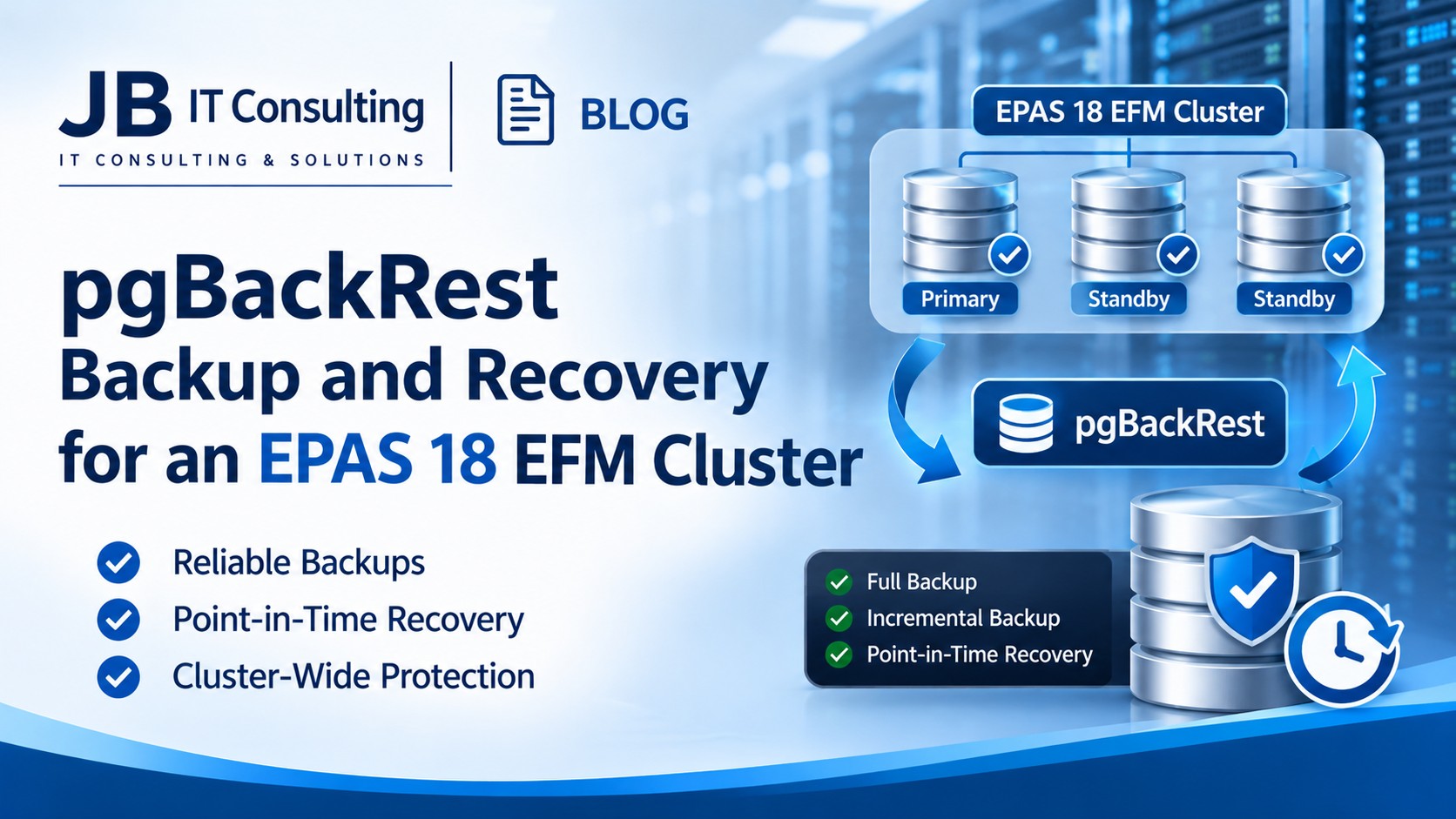
pgBackRest Backup and Recovery for an EPAS 18 EFM Cluster
In the previous posts we installed EDB Postgres Advanced Server 18 (EPAS) on RHEL 10, turned it into a high availability cluster with EDB Failover Manager (EFM). High availability is no replacement for backups – a DROP TABLE is replicated to the standby within milliseconds. So in this post we add pgBackRest, one of the most popular open source backup tools for Postgres. It fits an EFM cluster particularly well, because it knows both database nodes, finds the current primary by itself and can take the backups from the standby.
We build on the EFM cluster from the EFM post: lin8 (primary), lin7 (standby) and lin6 (witness). The witness also becomes the pgBackRest repository host. We take a full backup from the standby, add differential and block incremental backups, recover an “accidentally” dropped table with point-in-time recovery (PITR) and finally rebuild the standby from the backup repository instead of the primary.
pgBackRest or Barman? Both are mature, open source and supported by EDB for EPAS. Barman (see separate post) streams WAL with pg_receivewal and takes base backups with pg_basebackup. pgBackRest does not use pg_basebackup at all: it starts a backup with pg_backup_start(), copies and compresses the files itself with several parallel processes and stops the backup with pg_backup_stop(). WAL files are archived through archive_command. Its incremental backups are file or block based and independent of the incremental backup feature introduced in PostgreSQL 17, so no summarize_wal is required.
EPAS 16 and 17: All steps work the same way on EPAS 16 and 17. Only replace the version number in the paths (/usr/edb/as16, /var/lib/edb/as16/data) and in the service name (edb-as-16), and set pg-version-force in the pgBackRest configuration to the major version (chapter 3).
Architecture and Prerequisites
| Host | Role | IP address | Software |
|---|---|---|---|
| lin8 | Primary | 11.1.1.196 | EPAS 18, EFM 5.5, pgBackRest |
| lin7 | Standby | 11.1.1.195 | EPAS 18, EFM 5.5, pgBackRest |
| lin6 | Witness and pgBackRest repository host | 11.1.1.186 | EFM 5.5, pgBackRest |
| VIP | Always points to the current primary | 11.1.1.200 | – |
| Requirement | Details |
|---|---|
| EFM Cluster | A healthy three node EFM cluster as described in the EFM post. efm cluster-status efm must show the standby in sync. |
| pgBackRest | pgBackRest 2.60.1 (current version at the time of writing) from the PostgreSQL community (PGDG) repository. EDB supports pgBackRest for EPAS but uses the community packages. |
| EPEL | Already enabled on all nodes in the EFM post (pgBackRest needs some libraries from EPEL). |
| Disk Space | The repository on lin6 needs room for the backups and WAL files of the retention period. Plan with at least 2–3 times the database size. |
| Network | SSH (TCP port 22) from lin6 to lin8/lin7 and back. No additional database port is needed: pgBackRest connects to Postgres through the local socket on each node. |
| Root/Sudo Access | Full administrative privileges on all VMs. |
How It Works
- The repository host
lin6owns the backups and WAL archive in/var/lib/pgbackrest(OS userpgbackrest). Backups are started onlin6; pgBackRest connects via SSH to the database nodes asenterprisedband starts a pgBackRest process there. - WAL archiving runs on the database nodes:
archive_commandcallspgbackrest archive-push, which sends the WAL files via SSH tolin6. Both nodes get the same configuration, so archiving continues automatically after a switchover or failover. - With backup from standby,
pg_backup_start()andpg_backup_stop()run on the primary, but the data files are copied from the standby. This keeps the I/O load away from the primary. - Restores are started on the database node that receives the data. The restored cluster fetches the WAL files it needs with
pgbackrest archive-getasrestore_command. - A stanza is pgBackRest’s name for the configuration of one Postgres cluster. Our stanza is called
epas18.
1. Install pgBackRest
1.1 Add the PGDG repository and install the package
pgBackRest is installed on all three nodes. We add the PGDG repository, import its GPG key once (otherwise dnf asks for it for every PGDG repository) and restrict the repository to pgBackRest and its dependencies – the client library and pgdg-libssh2, PGDG’s own build of libssh2 that pgBackRest requires. This way a later dnf update does not replace EDB packages with community builds of the same name:
# run as root on lin8, lin7 and lin6
dnf install -y https://download.postgresql.org/pub/repos/yum/reporpms/EL-10-x86_64/pgdg-redhat-repo-latest.noarch.rpm
rpm --import /etc/pki/rpm-gpg/PGDG-RPM-GPG-KEY-RHEL
# use the PGDG repositories only for pgBackRest and its dependencies
# (the first sed removes old filter lines, so the block can be run again)
sed -i '/^includepkgs=/d' /etc/yum.repos.d/pgdg-redhat-all.repo
sed -i '/^\[pgdg/a includepkgs=pgbackrest* pgdg-libssh2* libpq5*' /etc/yum.repos.d/pgdg-redhat-all.repo
dnf list pgbackrest
dnf -y install pgbackrest
pgbackrest version
Sample Output (click to expand):
[root@lin7 ~]# # run as root on lin8, lin7 and lin6
dnf install -y https://download.postgresql.org/pub/repos/yum/reporpms/EL-10-x86_64/pgdg-redhat-repo-latest.noarch.rpm
rpm --import /etc/pki/rpm-gpg/PGDG-RPM-GPG-KEY-RHEL
# use the PGDG repositories only for pgBackRest and its dependencies
# (the first sed removes old filter lines, so the block can be run again)
sed -i '/^includepkgs=/d' /etc/yum.repos.d/pgdg-redhat-all.repo
sed -i '/^\[pgdg/a includepkgs=pgbackrest* pgdg-libssh2* libpq5*' /etc/yum.repos.d/pgdg-redhat-all.repo
dnf list pgbackrest
dnf -y install pgbackrest
pgbackrest version
Updating Subscription Management repositories.
enterprisedb-enterprise                                                                        1.2 kB/s | 659  B     00:00
enterprisedb-enterprise-noarch                                                                 1.0 kB/s | 659  B     00:00
enterprisedb-enterprise-source                                                                 1.0 kB/s | 659  B     00:00
pgdg-redhat-repo-latest.noarch.rpm                                                             193 kB/s |  15 kB     00:00
Dependencies resolved.
===============================================================================================================================
 Package                          Architecture           Version                            Repository                    Size
===============================================================================================================================
Installing:
 pgdg-redhat-repo                 noarch                 42.0-71.rhel10PGDG                 @commandline                  15 k

Transaction Summary
===============================================================================================================================
Install  1 Package

Total size: 15 k
Installed size: 21 k
Downloading Packages:
Running transaction check
Transaction check succeeded.
Running transaction test
Transaction test succeeded.
Running transaction
  Preparing        :                                                                                                       1/1
  Installing       : pgdg-redhat-repo-42.0-71.rhel10PGDG.noarch                                                            1/1
  Running scriptlet: pgdg-redhat-repo-42.0-71.rhel10PGDG.noarch                                                            1/1
Installed products updated.

Installed:
  pgdg-redhat-repo-42.0-71.rhel10PGDG.noarch

Complete!
Updating Subscription Management repositories.
PostgreSQL common RPMs for RHEL / Rocky Linux / AlmaLinux 10.3 - x86_64                        5.1 kB/s | 659  B     00:00
PostgreSQL common RPMs for RHEL / Rocky Linux / AlmaLinux 10.3 - x86_64                        2.4 MB/s | 2.4 kB     00:00
Importing GPG key 0x08B40D20:
 Userid     : "PostgreSQL RPM Repository <pgsql-pkg-yum@lists.postgresql.org>"
 Fingerprint: D4BF 08AE 67A0 B4C7 A1DB CCD2 40BC A2B4 08B4 0D20
 From       : /etc/pki/rpm-gpg/PGDG-RPM-GPG-KEY-RHEL
Is this ok [y/N]: y
PostgreSQL common RPMs for RHEL / Rocky Linux / AlmaLinux 10.3 - x86_64                        340 kB/s |  85 kB     00:00
PostgreSQL 19 for RHEL / Rocky Linux / AlmaLinux 10.3 - x86_64                                 5.0 kB/s | 659  B     00:00
PostgreSQL 19 for RHEL / Rocky Linux / AlmaLinux 10.3 - x86_64                                 2.4 MB/s | 2.4 kB     00:00
Importing GPG key 0x08B40D20:
 Userid     : "PostgreSQL RPM Repository <pgsql-pkg-yum@lists.postgresql.org>"
 Fingerprint: D4BF 08AE 67A0 B4C7 A1DB CCD2 40BC A2B4 08B4 0D20
 From       : /etc/pki/rpm-gpg/PGDG-RPM-GPG-KEY-RHEL
Is this ok [y/N]: y
PostgreSQL 19 for RHEL / Rocky Linux / AlmaLinux 10.3 - x86_64                                 257 kB/s |  56 kB     00:00
PostgreSQL 18 for RHEL / Rocky Linux / AlmaLinux 10.3 - x86_64                                 5.2 kB/s | 659  B     00:00
PostgreSQL 18 for RHEL / Rocky Linux / AlmaLinux 10.3 - x86_64                                 2.4 MB/s | 2.4 kB     00:00
Importing GPG key 0x08B40D20:
 Userid     : "PostgreSQL RPM Repository <pgsql-pkg-yum@lists.postgresql.org>"
 Fingerprint: D4BF 08AE 67A0 B4C7 A1DB CCD2 40BC A2B4 08B4 0D20
 From       : /etc/pki/rpm-gpg/PGDG-RPM-GPG-KEY-RHEL
Is this ok [y/N]: y
PostgreSQL 18 for RHEL / Rocky Linux / AlmaLinux 10.3 - x86_64                                 338 kB/s |  72 kB     00:00
PostgreSQL 17 for RHEL / Rocky Linux / AlmaLinux 10.3 - x86_64                                 5.1 kB/s | 659  B     00:00
PostgreSQL 17 for RHEL / Rocky Linux / AlmaLinux 10.3 - x86_64                                 2.4 MB/s | 2.4 kB     00:00
Importing GPG key 0x08B40D20:
 Userid     : "PostgreSQL RPM Repository <pgsql-pkg-yum@lists.postgresql.org>"
 Fingerprint: D4BF 08AE 67A0 B4C7 A1DB CCD2 40BC A2B4 08B4 0D20
 From       : /etc/pki/rpm-gpg/PGDG-RPM-GPG-KEY-RHEL
Is this ok [y/N]: y
PostgreSQL 17 for RHEL / Rocky Linux / AlmaLinux 10.3 - x86_64                                 320 kB/s |  72 kB     00:00
PostgreSQL 16 for RHEL / Rocky Linux / AlmaLinux 10.3 - x86_64                                 5.0 kB/s | 659  B     00:00
PostgreSQL 16 for RHEL / Rocky Linux / AlmaLinux 10.3 - x86_64                                 2.4 MB/s | 2.4 kB     00:00
Importing GPG key 0x08B40D20:
 Userid     : "PostgreSQL RPM Repository <pgsql-pkg-yum@lists.postgresql.org>"
 Fingerprint: D4BF 08AE 67A0 B4C7 A1DB CCD2 40BC A2B4 08B4 0D20
 From       : /etc/pki/rpm-gpg/PGDG-RPM-GPG-KEY-RHEL
Is this ok [y/N]: y
PostgreSQL 16 for RHEL / Rocky Linux / AlmaLinux 10.3 - x86_64                                 306 kB/s |  71 kB     00:00
PostgreSQL 15 for RHEL / Rocky Linux / AlmaLinux 10.3 - x86_64                                 5.0 kB/s | 659  B     00:00
PostgreSQL 15 for RHEL / Rocky Linux / AlmaLinux 10.3 - x86_64                                 2.4 MB/s | 2.4 kB     00:00
Importing GPG key 0x08B40D20:
 Userid     : "PostgreSQL RPM Repository <pgsql-pkg-yum@lists.postgresql.org>"
 Fingerprint: D4BF 08AE 67A0 B4C7 A1DB CCD2 40BC A2B4 08B4 0D20
 From       : /etc/pki/rpm-gpg/PGDG-RPM-GPG-KEY-RHEL
Is this ok [y/N]: y
PostgreSQL 15 for RHEL / Rocky Linux / AlmaLinux 10.3 - x86_64                                 305 kB/s |  68 kB     00:00
PostgreSQL 14 for RHEL / Rocky Linux / AlmaLinux 10.3 - x86_64                                 5.2 kB/s | 659  B     00:00
PostgreSQL 14 for RHEL / Rocky Linux / AlmaLinux 10.3 - x86_64                                 2.4 MB/s | 2.4 kB     00:00
Importing GPG key 0x08B40D20:
 Userid     : "PostgreSQL RPM Repository <pgsql-pkg-yum@lists.postgresql.org>"
 Fingerprint: D4BF 08AE 67A0 B4C7 A1DB CCD2 40BC A2B4 08B4 0D20
 From       : /etc/pki/rpm-gpg/PGDG-RPM-GPG-KEY-RHEL
Is this ok [y/N]: y
PostgreSQL 14 for RHEL / Rocky Linux / AlmaLinux 10.3 - x86_64                                 300 kB/s |  67 kB     00:00
Available Packages
pgbackrest.x86_64                                       2.60.1-1PGDG.rhel10.3                                       pgdg-common
Updating Subscription Management repositories.
Last metadata expiration check: 0:00:06 ago on Sat 28 Nov 2026 07:51:05 AM CET.
Dependencies resolved.
===============================================================================================================================
 Package                      Architecture           Version                                 Repository                   Size
===============================================================================================================================
Installing:
 pgbackrest                   x86_64                 2.60.1-1PGDG.rhel10.3                   pgdg-common                 586 k
Installing dependencies:
 pgdg-libssh2                 x86_64                 1.11.1-1PGDG.rhel10.3                   pgdg-common                 143 k

Transaction Summary
===============================================================================================================================
Install  2 Packages

Total download size: 729 k
Installed size: 1.7 M
Downloading Packages:
(1/2): pgdg-libssh2-1.11.1-1PGDG.rhel10.3.x86_64.rpm                                           869 kB/s | 143 kB     00:00
(2/2): pgbackrest-2.60.1-1PGDG.rhel10.3.x86_64.rpm                                             2.8 MB/s | 586 kB     00:00
-------------------------------------------------------------------------------------------------------------------------------
Total                                                                                          3.5 MB/s | 729 kB     00:00
Running transaction check
Transaction check succeeded.
Running transaction test
Transaction test succeeded.
Running transaction
  Preparing        :                                                                                                       1/1
  Installing       : pgdg-libssh2-1.11.1-1PGDG.rhel10.3.x86_64                                                             1/2
  Running scriptlet: pgbackrest-2.60.1-1PGDG.rhel10.3.x86_64                                                               2/2
Creating group 'postgres' with GID 26.
Creating user 'postgres' (PostgreSQL Server) with UID 26 and GID 26.

  Installing       : pgbackrest-2.60.1-1PGDG.rhel10.3.x86_64                                                               2/2
  Running scriptlet: pgbackrest-2.60.1-1PGDG.rhel10.3.x86_64                                                               2/2
Installed products updated.

Installed:
  pgbackrest-2.60.1-1PGDG.rhel10.3.x86_64                       pgdg-libssh2-1.11.1-1PGDG.rhel10.3.x86_64

Complete!
pgBackRest 2.60.1
[root@lin7 ~]#
The package creates the directories /var/lib/pgbackrest (repository), /var/log/pgbackrest (logs) and /var/spool/pgbackrest (asynchronous archiving), all owned by postgres. The OS user postgres is created by the package as well but is not used in our setup.
1.2 Users and directory permissions
On the repository host we create the dedicated OS user pgbackrest. EDB and the pgBackRest documentation recommend not to use postgres or enterprisedb as repository owner. On the database nodes, pgBackRest runs as the cluster owner enterprisedb:
# run as root on lin6
id pgbackrest &>/dev/null || useradd -m -s /bin/bash pgbackrest
chown -R pgbackrest:pgbackrest /var/lib/pgbackrest /var/log/pgbackrest /var/spool/pgbackrest
chmod 750 /var/lib/pgbackrest
id pgbackrest
ls -ld /var/lib/pgbackrest /var/log/pgbackrest
# run as root on lin8 and lin7
chown -R enterprisedb:enterprisedb /var/lib/pgbackrest /var/log/pgbackrest /var/spool/pgbackrest
ls -ld /var/lib/pgbackrest /var/log/pgbackrest /var/spool/pgbackrest2. Passwordless SSH
pgBackRest needs SSH with public key authentication in both directions: pgbackrest@lin6 → enterprisedb@lin8/lin7 for backups and enterprisedb@lin8/lin7 → pgbackrest@lin6 for archiving and restores. The obvious tool would be ssh-copy-id, but it does not work for enterprisedb: the EPAS packages create the account without a password, so it is locked for password logins. Instead, we install the public keys via root. You will be asked for the root password of the remote host.
2.1 From the repository host to the database nodes
# run as root on lin6
su - pgbackrest -c "[ -f ~/.ssh/id_ed25519 ] || ssh-keygen -t ed25519 -N '' -f ~/.ssh/id_ed25519"
for h in lin8 lin7; do
  cat ~pgbackrest/.ssh/id_ed25519.pub | ssh root@$h '
    install -d -m 700 -o enterprisedb -g enterprisedb ~enterprisedb/.ssh &&
    cat >> ~enterprisedb/.ssh/authorized_keys &&
    chown enterprisedb:enterprisedb ~enterprisedb/.ssh/authorized_keys &&
    chmod 600 ~enterprisedb/.ssh/authorized_keys &&
    restorecon -R ~enterprisedb/.ssh'
done
# test: must print the host names without a password prompt
su - pgbackrest -c "ssh -o StrictHostKeyChecking=accept-new enterprisedb@lin8 hostname"
su - pgbackrest -c "ssh -o StrictHostKeyChecking=accept-new enterprisedb@lin7 hostname"
2.2 From the database nodes to the repository host
# run as root on lin8 and lin7
su - enterprisedb -c "[ -f ~/.ssh/id_ed25519 ] || ssh-keygen -t ed25519 -N '' -f ~/.ssh/id_ed25519"
cat ~enterprisedb/.ssh/id_ed25519.pub | ssh root@lin6 '
  install -d -m 700 -o pgbackrest -g pgbackrest ~pgbackrest/.ssh &&
  cat >> ~pgbackrest/.ssh/authorized_keys &&
  chown pgbackrest:pgbackrest ~pgbackrest/.ssh/authorized_keys &&
  chmod 600 ~pgbackrest/.ssh/authorized_keys &&
  restorecon -R ~pgbackrest/.ssh'
# test: must print "lin6" without a password prompt
su - enterprisedb -c "ssh -o StrictHostKeyChecking=accept-new pgbackrest@lin6 hostname"
-o StrictHostKeyChecking=accept-new stores the host key of the remote host on the first connection. Without it, the first archive-push would fail with Host key verification failed, because nobody can answer the prompt.
3. Configure pgBackRest
pgBackRest reads /etc/pgbackrest/pgbackrest.conf. If this file does not exist, it falls back to the old location /etc/pgbackrest.conf, which the package may have created. To avoid confusion we move the old file away and use only the new location.
3.1 Check the socket directory
pgBackRest connects to Postgres through the Unix socket of the local node. EPAS uses port 5444 and the database edb instead of the community defaults 5432 and postgres, and its socket directory may differ from the default that pgBackRest expects. Check it on lin8 and use the first directory in the list for pg1-socket-path below (default for EPAS: /tmp):
# run as root on lin8
su - enterprisedb -c "psql -d edb -Atc 'show unix_socket_directories' -c 'show port'"
Sample Output (click to expand):
[root@lin8 ~]# # run as root on lin8
su - enterprisedb -c "psql -d edb -Atc 'show unix_socket_directories' -c 'show port'"
/tmp
5444
[root@lin8 ~]#
3.2 Repository host lin6
# run as root on lin6
[ -f /etc/pgbackrest.conf ] && mv /etc/pgbackrest.conf /etc/pgbackrest.conf.orig
mkdir -p /etc/pgbackrest
cat > /etc/pgbackrest/pgbackrest.conf << 'EOF'
[global]
repo1-path=/var/lib/pgbackrest
repo1-retention-full=2
repo1-bundle=y
repo1-block=y
compress-type=zst
process-max=2
start-fast=y
backup-standby=prefer
log-level-console=info
log-level-file=detail

[epas18]
pg-version-force=18
pg1-host=lin8
pg1-host-user=enterprisedb
pg1-path=/var/lib/edb/as18/data
pg1-port=5444
pg1-socket-path=/tmp
pg1-database=edb
pg2-host=lin7
pg2-host-user=enterprisedb
pg2-path=/var/lib/edb/as18/data
pg2-port=5444
pg2-socket-path=/tmp
pg2-database=edb
EOF
chown pgbackrest:pgbackrest /etc/pgbackrest/pgbackrest.conf
chmod 640 /etc/pgbackrest/pgbackrest.conf| Option | Meaning |
|---|---|
repo1-path | Directory of the repository on lin6. |
repo1-retention-full=2 | Keep two full backups (plus the differential and incremental backups and the WAL files that belong to them). Older backups are expired automatically after each successful backup. |
repo1-bundle / repo1-block | Bundle small files into larger repository files and enable block incremental backups: changed files are split into blocks and only the changed blocks are stored. repo1-block requires repo1-bundle. |
compress-type=zst | Zstandard compression – faster and better than the default gz. |
process-max=2 | Number of parallel processes for compression and transfer. Increase it for large databases, but not so far that the database host suffers. |
start-fast=y | Request an immediate checkpoint at backup start instead of waiting for the next regular checkpoint. |
backup-standby=prefer | Copy the files from the standby if one is available, otherwise from the primary. With y the backup fails if no standby is available. |
pg-version-force=18 | Required for EPAS: EPAS adds fields to pg_control, so its layout differs from community PostgreSQL and pgBackRest reports calculated pg_control checksum does not match expected value. With a forced version, pgBackRest searches the file for the checksum. Set it on all nodes, to the EPAS major version. |
pg1-* / pg2-* | Both database nodes of the EFM cluster. pgBackRest determines which one is the primary on every run, so no change is necessary after a switchover or failover. |
3.3 Database nodes lin8 and lin7
Both nodes get the same file. archive-async=y enables asynchronous archiving: archive_command returns quickly, and a background process pushes the WAL files in parallel and with a persistent SSH connection.
# run as root on lin8 and lin7
[ -f /etc/pgbackrest.conf ] && mv /etc/pgbackrest.conf /etc/pgbackrest.conf.orig
mkdir -p /etc/pgbackrest
cat > /etc/pgbackrest/pgbackrest.conf << 'EOF'
[global]
repo1-host=lin6
repo1-host-user=pgbackrest
archive-async=y
spool-path=/var/spool/pgbackrest
compress-type=zst
process-max=2
log-level-console=info
log-level-file=detail

[epas18]
pg-version-force=18
pg1-path=/var/lib/edb/as18/data
pg1-port=5444
pg1-socket-path=/tmp
pg1-database=edb
EOF
chown enterprisedb:enterprisedb /etc/pgbackrest/pgbackrest.conf
chmod 640 /etc/pgbackrest/pgbackrest.conf
4. Create the Stanza
stanza-create initializes the repository for the cluster. It connects to both nodes, identifies the primary and stores the system identifier and the Postgres version. Always run pgBackRest as pgbackrest on lin6 and as enterprisedb on the database nodes, never as root.
# run as root on lin6
su - pgbackrest -c "pgbackrest --stanza=epas18 stanza-create"
Sample Output (click to expand):
[root@lin6 ~]# # run as root on lin6
su - pgbackrest -c "pgbackrest --stanza=epas18 stanza-create"
2026-11-28 08:10:43.402 P00   INFO: stanza-create command begin 2.60.1: --exec-id=10209-58e31a57 --log-level-console=info --log-level-file=detail --pg1-database=edb --pg2-database=edb --pg1-host=lin8 --pg2-host=lin7 --pg1-host-user=enterprisedb --pg2-host-user=enterprisedb --pg1-path=/var/lib/edb/as18/data --pg2-path=/var/lib/edb/as18/data --pg1-port=5444 --pg2-port=5444 --pg1-socket-path=/tmp --pg2-socket-path=/tmp --pg-version-force=18 --repo1-path=/var/lib/pgbackrest --stanza=epas18
2026-11-28 08:10:44.659 P00   INFO: stanza-create for stanza 'epas18' on repo1
2026-11-28 08:10:44.909 P00   INFO: stanza-create command end: completed successfully (1511ms)
[root@lin6 ~]#
5. Enable WAL Archiving
5.1 Set archive_mode and archive_command
We set the parameters with ALTER SYSTEM on both database nodes. On the standby the command only writes postgresql.auto.conf; a standby with archive_mode = on does not archive as long as it is in recovery, but it will start archiving as soon as it is promoted.
# run as root on lin8 and lin7
su - enterprisedb -c 'psql -d edb -v ON_ERROR_STOP=1' << 'EOF'
ALTER SYSTEM SET archive_mode = 'on';
ALTER SYSTEM SET archive_command = 'pgbackrest --stanza=epas18 archive-push %p';
SELECT pg_reload_conf();
SELECT name, setting, pending_restart FROM pg_settings
WHERE name IN ('archive_mode', 'archive_command');
EOF
Sample Output (click to expand):
[root@lin8 ~]# # run as root on lin8 and lin7
su - enterprisedb -c 'psql -d edb -v ON_ERROR_STOP=1' << 'EOF'
ALTER SYSTEM SET archive_mode = 'on';
ALTER SYSTEM SET archive_command = 'pgbackrest --stanza=epas18 archive-push %p';
SELECT pg_reload_conf();
SELECT name, setting, pending_restart FROM pg_settings
WHERE name IN ('archive_mode', 'archive_command');
EOF
ALTER SYSTEM
ALTER SYSTEM
 pg_reload_conf
----------------
 t
(1 row)

      name       |  setting   | pending_restart
-----------------+------------+-----------------
 archive_command | (disabled) | f
 archive_mode    | off        | f
(2 rows)

[root@lin8 ~]#
5.2 Restart both nodes with two EFM switchovers
archive_command is active after the reload, but archive_mode requires a restart. Restarting the primary behind EFM’s back is not a good idea – the agent would treat it as a database failure. Instead we use two planned switchovers from the EFM post: a switchover promotes the standby and restarts the old primary as a standby. After two switchovers both nodes have been restarted and lin8 is the primary again. Each switchover causes only a few seconds of downtime.
# run as root on any node
/usr/edb/efm-5.5/bin/efm promote efm -switchover   # lin7 becomes primary, lin8 is restarted as standby
sleep 10
/usr/edb/efm-5.5/bin/efm cluster-status efm
# wait until the standby is in sync, then switch back
/usr/edb/efm-5.5/bin/efm promote efm -switchover   # lin8 becomes primary, lin7 is restarted as standby
sleep 10
/usr/edb/efm-5.5/bin/efm cluster-status efm
Sample Output (click to expand):
[root@lin6 ~]# # run as root on any node
/usr/edb/efm-5.5/bin/efm promote efm -switchover   # lin7 becomes primary, lin8 is restarted as standby
sleep 10
/usr/edb/efm-5.5/bin/efm cluster-status efm
# wait until the standby is in sync, then switch back
/usr/edb/efm-5.5/bin/efm promote efm -switchover   # lin8 becomes primary, lin7 is restarted as standby
sleep 10
/usr/edb/efm-5.5/bin/efm cluster-status efm
Promote/switchover command accepted by local agent. Proceeding with promotion and will reconfigure original primary. Run the 'cluster-status' command for information about the new cluster state.
Cluster Status: efm

        Agent Type  Address              DB       VIP
        ----------------------------------------------------------------
        Witness     11.1.1.186           N/A      11.1.1.200
        Primary     11.1.1.195           UP       11.1.1.200*
        Standby     11.1.1.196           UP       11.1.1.200

Allowed node host list:
        11.1.1.196 11.1.1.195 11.1.1.186

Membership coordinator: 11.1.1.196

Standby priority host list:
        11.1.1.196

Promote Status:

        DB Type     Address              WAL Received LSN   WAL Replayed LSN   Info
        ---------------------------------------------------------------------------
        Primary     11.1.1.195                              0/80001E0
        Standby     11.1.1.196           0/80001E0          0/80001E0

        Standby database(s) in sync with primary. It is safe to promote.
Promote/switchover command accepted by local agent. Proceeding with promotion and will reconfigure original primary. Run the 'cluster-status' command for information about the new cluster state.
Cluster Status: efm

        Agent Type  Address              DB       VIP
        ----------------------------------------------------------------
        Witness     11.1.1.186           N/A      11.1.1.200
        Standby     11.1.1.195           UP       11.1.1.200
        Primary     11.1.1.196           UP       11.1.1.200*

Allowed node host list:
        11.1.1.196 11.1.1.195 11.1.1.186

Membership coordinator: 11.1.1.196

Standby priority host list:
        11.1.1.195

Promote Status:

        DB Type     Address              WAL Received LSN   WAL Replayed LSN   Info
        ---------------------------------------------------------------------------
        Primary     11.1.1.196                              0/90001E0
        Standby     11.1.1.195           0/90001E0          0/90001E0

        Standby database(s) in sync with primary. It is safe to promote.
[root@lin6 ~]#
# run as root on lin8 and lin7: archive_mode must be "on", pending_restart "f"
su - enterprisedb -c "psql -d edb -c \"SELECT name, setting, pending_restart FROM pg_settings WHERE name = 'archive_mode';\""
Sample Output (click to expand)
[root@lin8 ~]# # run as root on lin8 and lin7: archive_mode must be "on", pending_restart "f"
su - enterprisedb -c "psql -d edb -c \"SELECT name, setting, pending_restart FROM pg_settings WHERE name = 'archive_mode';\""
     name     | setting | pending_restart
--------------+---------+-----------------
 archive_mode | on      | f
(1 row)

[root@lin8 ~]#
[root@lin7 ~]# # run as root on lin8 and lin7: archive_mode must be "on", pending_restart "f"
su - enterprisedb -c "psql -d edb -c \"SELECT name, setting, pending_restart FROM pg_settings WHERE name = 'archive_mode';\""
     name     | setting | pending_restart
--------------+---------+-----------------
 archive_mode | on      | f
(1 row)

[root@lin7 ~]#
5.3 Check the configuration
The check command verifies the configuration of both nodes, forces a WAL switch on the primary and waits until the WAL file has arrived in the repository:
# run as root on lin6
su - pgbackrest -c "pgbackrest --stanza=epas18 check"
Sample Output (click to expand):
[root@lin6 ~]# # run as root on lin6
su - pgbackrest -c "pgbackrest --stanza=epas18 check"
2026-11-28 08:21:18.502 P00   INFO: check command begin 2.60.1: --backup-standby=prefer --exec-id=12469-0a49e6c2 --log-level-console=info --log-level-file=detail --pg1-database=edb --pg2-database=edb --pg1-host=lin8 --pg2-host=lin7 --pg1-host-user=enterprisedb --pg2-host-user=enterprisedb --pg1-path=/var/lib/edb/as18/data --pg2-path=/var/lib/edb/as18/data --pg1-port=5444 --pg2-port=5444 --pg1-socket-path=/tmp --pg2-socket-path=/tmp --pg-version-force=18 --repo1-path=/var/lib/pgbackrest --stanza=epas18
2026-11-28 08:21:19.923 P00   INFO: check repo1 (standby)
2026-11-28 08:21:19.924 P00   INFO: switch wal not performed because this is a standby
2026-11-28 08:21:19.924 P00   INFO: check repo1 configuration (primary)
2026-11-28 08:21:19.981 P00   INFO: check repo1 archive for WAL (primary)
2026-11-28 08:21:21.095 P00   INFO: WAL segment 000000070000000000000009 successfully archived to '/var/lib/pgbackrest/archive/epas18/18-1/0000000700000000/000000070000000000000009-bb1004f4342630c7a6afeb67f438edddbf8a191d.zst' on repo1
2026-11-28 08:21:21.298 P00   INFO: check command end: completed successfully (2799ms)
[root@lin6 ~]#
6. Backups
6.1 Create some test data
A small table records in which phase each row was inserted, so we can verify the restores later:
# run as root on lin8
su - enterprisedb -c 'psql -d edb -v ON_ERROR_STOP=1' << 'EOF'
CREATE TABLE pgbr_test (id integer GENERATED ALWAYS AS IDENTITY, phase varchar2(30), created timestamp DEFAULT clock_timestamp());
INSERT INTO pgbr_test (phase) SELECT 'before full backup' FROM generate_series(1, 1000);
EOF
6.2 Full backup from the standby
# run as root on lin6
su - pgbackrest -c "pgbackrest --stanza=epas18 --type=full backup"
Sample Output (click to expand):
[root@lin6 ~]# # run as root on lin6
su - pgbackrest -c "pgbackrest --stanza=epas18 --type=full backup"
2026-11-28 08:29:17.597 P00   INFO: backup command begin 2.60.1: --backup-standby=prefer --compress-type=zst --exec-id=12634-b9d7a7f8 --log-level-console=info --log-level-file=detail --pg1-database=edb --pg2-database=edb --pg1-host=lin8 --pg2-host=lin7 --pg1-host-user=enterprisedb --pg2-host-user=enterprisedb --pg1-path=/var/lib/edb/as18/data --pg2-path=/var/lib/edb/as18/data --pg1-port=5444 --pg2-port=5444 --pg1-socket-path=/tmp --pg2-socket-path=/tmp --pg-version-force=18 --process-max=2 --repo1-block --repo1-bundle --repo1-path=/var/lib/pgbackrest --repo1-retention-full=2 --stanza=epas18 --start-fast --type=full
2026-11-28 08:29:18.941 P00   INFO: execute backup start: backup begins after the requested immediate checkpoint completes
2026-11-28 08:29:19.088 P00   INFO: backup start archive = 00000007000000000000000B, lsn = 0/B000028
2026-11-28 08:29:19.088 P00   INFO: wait for replay on the standby to reach 0/B000028
2026-11-28 08:29:19.254 P00   INFO: replay on the standby reached 0/B000028
2026-11-28 08:29:19.254 P00   INFO: check archive for prior segment 00000007000000000000000A
2026-11-28 08:29:23.539 P00   INFO: execute backup stop and wait for all WAL segments to archive
2026-11-28 08:29:23.572 P00   INFO: backup stop archive = 00000007000000000000000B, lsn = 0/B000158
2026-11-28 08:29:23.577 P00   INFO: check archive for segment(s) 00000007000000000000000B:00000007000000000000000B
2026-11-28 08:29:24.718 P00   INFO: new backup label = 20261128-082918F
2026-11-28 08:29:24.777 P00   INFO: full backup size = 58.1MB, file total = 1658
2026-11-28 08:29:24.777 P00   INFO: backup command end: completed successfully (7183ms)
2026-11-28 08:29:24.777 P00   INFO: expire command begin 2.60.1: --exec-id=12634-b9d7a7f8 --log-level-console=info --log-level-file=detail --repo1-path=/var/lib/pgbackrest --repo1-retention-full=2 --stanza=epas18
2026-11-28 08:29:24.777 P00   INFO: expire command end: completed successfully (0ms)
[root@lin6 ~]#
The log shows that the backup was started on the primary lin8, waited until the standby lin7 had replayed the start position of the backup and then copied the files from lin7. Only the few files that are not replicated to the standby are read from lin8. If data checksums are enabled (the default for new clusters since version 18), pgBackRest also validates the page checksums of every data file during the backup and reports damaged pages as warnings.
6.3 Differential and incremental backups
pgBackRest has three backup types: full, differential (changes since the last full backup) and incremental (changes since the last backup of any type). Without --type, an incremental backup is taken – or a full backup if none exists yet.
# run as root on lin8
su - enterprisedb -c "psql -d edb -c \"INSERT INTO pgbr_test (phase) SELECT 'after full backup' FROM generate_series(1, 500);\""
# run as root on lin6
su - pgbackrest -c "pgbackrest --stanza=epas18 --type=diff backup"Sample Output (click to expand):
[root@lin6 ~]# # run as root on lin6
su - pgbackrest -c "pgbackrest --stanza=epas18 --type=diff backup"
2026-11-28 08:31:25.356 P00   INFO: backup command begin 2.60.1: --backup-standby=prefer --compress-type=zst --exec-id=12890-a11f17d5 --log-level-console=info --log-level-file=detail --pg1-database=edb --pg2-database=edb --pg1-host=lin8 --pg2-host=lin7 --pg1-host-user=enterprisedb --pg2-host-user=enterprisedb --pg1-path=/var/lib/edb/as18/data --pg2-path=/var/lib/edb/as18/data --pg1-port=5444 --pg2-port=5444 --pg1-socket-path=/tmp --pg2-socket-path=/tmp --pg-version-force=18 --process-max=2 --repo1-block --repo1-bundle --repo1-path=/var/lib/pgbackrest --repo1-retention-full=2 --stanza=epas18 --start-fast --type=diff
2026-11-28 08:31:26.871 P00   INFO: last backup label = 20261128-082918F, version = 2.60.1
2026-11-28 08:31:26.871 P00   INFO: execute backup start: backup begins after the requested immediate checkpoint completes
2026-11-28 08:31:26.958 P00   INFO: backup start archive = 00000007000000000000000D, lsn = 0/D000028
2026-11-28 08:31:26.958 P00   INFO: wait for replay on the standby to reach 0/D000028
2026-11-28 08:31:27.085 P00   INFO: replay on the standby reached 0/D000028
2026-11-28 08:31:27.085 P00   INFO: check archive for prior segment 00000007000000000000000C
2026-11-28 08:31:30.012 P00   INFO: execute backup stop and wait for all WAL segments to archive
2026-11-28 08:31:30.033 P00   INFO: backup stop archive = 00000007000000000000000D, lsn = 0/D000120
2026-11-28 08:31:30.038 P00   INFO: check archive for segment(s) 00000007000000000000000D:00000007000000000000000D
2026-11-28 08:31:31.279 P00   INFO: new backup label = 20261128-082918F_20261128-083126D
2026-11-28 08:31:31.339 P00   INFO: diff backup size = 569.4KB, file total = 1658
2026-11-28 08:31:31.339 P00   INFO: backup command end: completed successfully (5986ms)
2026-11-28 08:31:31.339 P00   INFO: expire command begin 2.60.1: --exec-id=12890-a11f17d5 --log-level-console=info --log-level-file=detail --repo1-path=/var/lib/pgbackrest --repo1-retention-full=2 --stanza=epas18
2026-11-28 08:31:31.340 P00   INFO: expire command end: completed successfully (1ms)
[root@lin6 ~]#
# run as root on lin8
su - enterprisedb -c "psql -d edb -c \"INSERT INTO pgbr_test (phase) SELECT 'after diff backup' FROM generate_series(1, 200);\""
# run as root on lin6
su - pgbackrest -c "pgbackrest --stanza=epas18 --type=incr backup"Sample Output (click to expand):
[root@lin6 ~]# # run as root on lin6
su - pgbackrest -c "pgbackrest --stanza=epas18 --type=incr backup"
2026-11-28 08:32:10.998 P00   INFO: backup command begin 2.60.1: --backup-standby=prefer --compress-type=zst --exec-id=13116-8964532d --log-level-console=info --log-level-file=detail --pg1-database=edb --pg2-database=edb --pg1-host=lin8 --pg2-host=lin7 --pg1-host-user=enterprisedb --pg2-host-user=enterprisedb --pg1-path=/var/lib/edb/as18/data --pg2-path=/var/lib/edb/as18/data --pg1-port=5444 --pg2-port=5444 --pg1-socket-path=/tmp --pg2-socket-path=/tmp --pg-version-force=18 --process-max=2 --repo1-block --repo1-bundle --repo1-path=/var/lib/pgbackrest --repo1-retention-full=2 --stanza=epas18 --start-fast --type=incr
2026-11-28 08:32:12.307 P00   INFO: last backup label = 20261128-082918F_20261128-083126D, version = 2.60.1
2026-11-28 08:32:12.307 P00   INFO: execute backup start: backup begins after the requested immediate checkpoint completes
2026-11-28 08:32:12.380 P00   INFO: backup start archive = 00000007000000000000000F, lsn = 0/F000028
2026-11-28 08:32:12.380 P00   INFO: wait for replay on the standby to reach 0/F000028
2026-11-28 08:32:12.500 P00   INFO: replay on the standby reached 0/F000028
2026-11-28 08:32:12.500 P00   INFO: check archive for prior segment 00000007000000000000000E
2026-11-28 08:32:14.955 P00   INFO: execute backup stop and wait for all WAL segments to archive
2026-11-28 08:32:14.972 P00   INFO: backup stop archive = 00000007000000000000000F, lsn = 0/F000120
2026-11-28 08:32:14.977 P00   INFO: check archive for segment(s) 00000007000000000000000F:00000007000000000000000F
2026-11-28 08:32:16.204 P00   INFO: new backup label = 20261128-082918F_20261128-083212I
2026-11-28 08:32:16.263 P00   INFO: incr backup size = 635.6KB, file total = 1659
2026-11-28 08:32:16.263 P00   INFO: backup command end: completed successfully (5269ms)
2026-11-28 08:32:16.263 P00   INFO: expire command begin 2.60.1: --exec-id=13116-8964532d --log-level-console=info --log-level-file=detail --repo1-path=/var/lib/pgbackrest --repo1-retention-full=2 --stanza=epas18
2026-11-28 08:32:16.264 P00   INFO: expire command end: completed successfully (1ms)
[root@lin6 ~]#
6.4 Inspect the repository
# run as root on lin6
su - pgbackrest -c "pgbackrest --stanza=epas18 info"
# details of a single backup: enter a label from the info output above
{ read -r -p "Backup label: " LABEL < /dev/tty
  su - pgbackrest -c "pgbackrest --stanza=epas18 --set=$LABEL info"; }
Sample Output (click to expand):
[root@lin6 ~]# # run as root on lin6
su - pgbackrest -c "pgbackrest --stanza=epas18 info"
# details of a single backup: enter a label from the info output above
{ read -r -p "Backup label: " LABEL < /dev/tty
  su - pgbackrest -c "pgbackrest --stanza=epas18 --set=$LABEL info"; }
stanza: epas18
    status: ok
    cipher: none

    db (current)
        wal archive min/max (18): 000000030000000000000005/00000007000000000000000F

        full backup: 20261128-082918F
            timestamp start/stop: 2026-11-28 08:29:18+01 / 2026-11-28 08:29:23+01
            wal start/stop: 00000007000000000000000B / 00000007000000000000000B
            database size: 58.1MB, database backup size: 58.1MB
            repo1: backup size: 8.3MB

        diff backup: 20261128-082918F_20261128-083126D
            timestamp start/stop: 2026-11-28 08:31:26+01 / 2026-11-28 08:31:30+01
            wal start/stop: 00000007000000000000000D / 00000007000000000000000D
            database size: 58.2MB, database backup size: 569.4KB
            repo1: backup size: 15.4KB
            backup reference total: 1 full

        incr backup: 20261128-082918F_20261128-083212I
            timestamp start/stop: 2026-11-28 08:32:12+01 / 2026-11-28 08:32:14+01
            wal start/stop: 00000007000000000000000F / 00000007000000000000000F
            database size: 58.2MB, database backup size: 635.6KB
            repo1: backup size: 18.1KB
            backup reference total: 1 full, 1 diff
Backup label: 20261128-082918F_20261128-083126D
stanza: epas18
    status: ok
    cipher: none

    db (current)
        wal archive min/max (18): 000000030000000000000005/00000007000000000000000F

        diff backup: 20261128-082918F_20261128-083126D
            timestamp start/stop: 2026-11-28 08:31:26+01 / 2026-11-28 08:31:30+01
            wal start/stop: 00000007000000000000000D / 00000007000000000000000D
            lsn start/stop: 0/D000028 / 0/D000120
            database size: 58.2MB, database backup size: 569.4KB
            repo1: backup size: 15.4KB
            backup reference list: 20261128-082918F
            database list: edb (15403), postgres (5)
[root@lin6 ~]#
The backup labels show the type: 20261128-082918F is a full backup, 20261128-082918F_20261128-083126D a differential and …I an incremental backup based on it. info also shows the WAL range of the archive, the size of each backup in the database and in the repository and the backup reference list. Thanks to block incremental, the differential and incremental backups of our small test changes are only a few kilobytes in the repository.
7. Point-in-Time Recovery (PITR)
7.1 Simulate the user error
# run as root on lin8
su - enterprisedb -c 'psql -d edb -v ON_ERROR_STOP=1' << 'EOF'
INSERT INTO pgbr_test (phase) SELECT 'before drop' FROM generate_series(1, 100);
SELECT clock_timestamp() AS pitr_target;
SELECT pg_sleep(5);
DROP TABLE pgbr_test;
EOF
Sample Output (click to expand):
[root@lin8 ~]# # run as root on lin8
su - enterprisedb -c 'psql -d edb -v ON_ERROR_STOP=1' << 'EOF'
INSERT INTO pgbr_test (phase) SELECT 'before drop' FROM generate_series(1, 100);
SELECT clock_timestamp() AS pitr_target;
SELECT pg_sleep(5);
DROP TABLE pgbr_test;
EOF
INSERT 0 100
           pitr_target
----------------------------------
 28-NOV-26 08:41:39.863657 +01:00
(1 row)

 pg_sleep
----------

(1 row)

DROP TABLE
[root@lin8 ~]#
Write down the timestamp returned by clock_timestamp(). Then we make sure that the WAL file with the DROP TABLE is complete and archived – check does exactly that:
# run as root on lin6
su - pgbackrest -c "pgbackrest --stanza=epas18 check"
7.2 Restore to the point in time
We restore into a separate directory on lin8 and start the restored cluster on port 5446 next to the production cluster. The restore runs on the database node as enterprisedb:
--pg1-pathoverrides the data directory from the configuration file.--type=timewith--targetsets the recovery target. Include the time zone. pgBackRest automatically selects the latest backup that finished before the target time.--target-action=promoteopens the cluster for read/write access when the target is reached.--archive-mode=offis important: the restored cluster must not push its WAL files into the repository of the production cluster.
# run as root on lin8
install -d -m 700 -o enterprisedb -g enterprisedb /var/lib/edb/as18/restore
# replace the timestamp with the value from step 7.1
su - enterprisedb -c "pgbackrest --stanza=epas18 --pg1-path=/var/lib/edb/as18/restore \
  --type=time --target='2026-11-28 08:41:39+01' --target-action=promote \
  --archive-mode=off restore"
grep -E 'restore_command|recovery_target|archive_mode' /var/lib/edb/as18/restore/postgresql.auto.conf
Sample Output (click to expand):
[root@lin8 ~]# # run as root on lin8
install -d -m 700 -o enterprisedb -g enterprisedb /var/lib/edb/as18/restore
# replace the timestamp with the value from step 7.1
su - enterprisedb -c "pgbackrest --stanza=epas18 --pg1-path=/var/lib/edb/as18/restore \
  --type=time --target='2026-11-28 08:41:39+01' --target-action=promote \
  --archive-mode=off restore"
grep -E 'restore_command|recovery_target|archive_mode' /var/lib/edb/as18/restore/postgresql.auto.conf
2026-11-28 08:46:29.243 P00   INFO: restore command begin 2.60.1: --archive-mode=off --exec-id=17771-c71068dd --log-level-console=info --log-level-file=detail --pg1-path=/var/lib/edb/as18/restore --pg-version-force=18 --process-max=2 --repo1-host=lin6 --repo1-host-user=pgbackrest --spool-path=/var/spool/pgbackrest --stanza=epas18 --target="2026-11-28 08:41:39+01" --target-action=promote --type=time
2026-11-28 08:46:30.077 P00   INFO: repo1: restore backup set 20261128-082918F_20261128-083212I, recovery will start at 2026-11-28 08:32:12
2026-11-28 08:46:30.077 P00   INFO: remap data directory to '/var/lib/edb/as18/restore'
2026-11-28 08:46:32.828 P00   INFO: write updated /var/lib/edb/as18/restore/postgresql.auto.conf
2026-11-28 08:46:32.838 P00   INFO: restore global/pg_control (performed last to ensure aborted restores cannot be started)
2026-11-28 08:46:32.839 P00   INFO: restore size = 58.2MB, file total = 1659
2026-11-28 08:46:32.839 P00   INFO: restore command end: completed successfully (3601ms)
archive_mode = 'on'
archive_mode = 'off'
restore_command = 'pgbackrest --pg1-path=/var/lib/edb/as18/restore --stanza=epas18 archive-get %f "%p"'
recovery_target_time = '2026-11-28 08:41:39+01'
recovery_target_action = 'promote'
[root@lin8 ~]#
7.3 Start the cluster and verify the data
# run as root on lin8
su - enterprisedb -c "pg_ctl -D /var/lib/edb/as18/restore -o '-p 5446' -l /var/lib/edb/as18/restore/startup.log start"
su - enterprisedb -c "psql -p 5446 -d edb -c \"SELECT phase, count(*) FROM pgbr_test GROUP BY phase ORDER BY min(id);\""
Sample Output (click to expand):
[root@lin8 ~]# # run as root on lin8
su - enterprisedb -c "pg_ctl -D /var/lib/edb/as18/restore -o '-p 5446' -l /var/lib/edb/as18/restore/startup.log start"
su - enterprisedb -c "psql -p 5446 -d edb -c \"SELECT phase, count(*) FROM pgbr_test GROUP BY phase ORDER BY min(id);\""
waiting for server to start....... done
server started
       phase        | count
--------------------+-------
 before full backup |  1000
 after full backup  |   500
 after diff backup  |   200
(3 rows)

[root@lin8 ~]#
The table is back, including the 100 rows inserted shortly before the drop. We copy it back into the production cluster and clean up:
# run as root on lin8
su - enterprisedb -c "pg_dump -p 5446 -d edb -t pgbr_test | psql -d edb"
su - enterprisedb -c "psql -d edb -c \"SELECT phase, count(*) FROM pgbr_test GROUP BY phase ORDER BY min(id);\""
su - enterprisedb -c "pg_ctl -D /var/lib/edb/as18/restore stop"
rm -rf /var/lib/edb/as18/restore
Sample Output (click to expand)
[root@lin8 ~]# # run as root on lin8
su - enterprisedb -c "pg_dump -p 5446 -d edb -t pgbr_test | psql -d edb"
su - enterprisedb -c "psql -d edb -c \"SELECT phase, count(*) FROM pgbr_test GROUP BY phase ORDER BY min(id);\""
su - enterprisedb -c "pg_ctl -D /var/lib/edb/as18/restore stop"
rm -rf /var/lib/edb/as18/restore
SET
SET
SET
SET
SET
SET
SET
SET
 set_config
------------

(1 row)

SET
SET
SET
SET
SET
SET
SET
CREATE TABLE
ALTER TABLE
ALTER TABLE
COPY 1700
 setval
--------
   1832
(1 row)

       phase        | count
--------------------+-------
 before full backup |  1000
 after full backup  |   500
 after diff backup  |   200
(3 rows)

waiting for server to shut down.... done
server stopped
[root@lin8 ~]#
Tip: Besides --type=time, pgBackRest supports --type=xid, --type=lsn, --type=name (restore points created with pg_create_restore_point()) and --type=immediate (end of the backup). With --target-action=pause the cluster stays read-only at the target until you check the data and call pg_wal_replay_resume().
8. Rebuild the Standby from the Backup
In the EFM post we rebuilt nodes with efm create-standby, which copies the whole database from the primary with pg_basebackup. With pgBackRest, a standby can be built from the repository instead: the primary is not loaded at all, the restore runs with several parallel processes, and the standby catches up with the WAL files from the archive before it switches to streaming replication. For large databases this is often much faster.
8.1 Simulate the loss of the standby
We stop the EFM agent on lin7 first, so that EFM does not report a database failure, and then remove the data directory – as if the disk of the standby had failed. The cluster keeps working with the primary and the witness.
Warning: The following commands delete the data directory. Check twice that you are on the standby lin7 and that efm cluster-status efm shows lin8 as primary.
# run as root on lin7
/usr/edb/efm-5.5/bin/efm cluster-status efm
systemctl stop edb-efm-5.5
systemctl stop edb-as-18
find /var/lib/edb/as18/data -mindepth 1 -delete
ls -la /var/lib/edb/as18/data
Sample Output (click to expand)
[root@lin7 ~]# # run as root on lin7
/usr/edb/efm-5.5/bin/efm cluster-status efm
systemctl stop edb-efm-5.5
systemctl stop edb-as-18
find /var/lib/edb/as18/data -mindepth 1 -delete
ls -la /var/lib/edb/as18/data
Cluster Status: efm

        Agent Type  Address              DB       VIP
        ----------------------------------------------------------------
        Witness     11.1.1.186           N/A      11.1.1.200
        Standby     11.1.1.195           UP       11.1.1.200
        Primary     11.1.1.196           UP       11.1.1.200*

Allowed node host list:
        11.1.1.196 11.1.1.195 11.1.1.186

Membership coordinator: 11.1.1.196

Standby priority host list:
        11.1.1.195

Promote Status:

        DB Type     Address              WAL Received LSN   WAL Replayed LSN   Info
        ---------------------------------------------------------------------------
        Primary     11.1.1.196                              0/11057BC0
        Standby     11.1.1.195           0/11057BC0         0/11057BC0

        Standby database(s) in sync with primary. It is safe to promote.
total 0
drwx------ 2 enterprisedb enterprisedb  6 Nov 28 09:04 .
drwx------ 4 enterprisedb enterprisedb 33 Nov 27 10:22 ..
[root@lin7 ~]#
8.2 Restore as a standby
--type=standby creates standby.signal, and --recovery-option writes primary_conninfo into postgresql.auto.conf. The password of repuser comes from ~/.pgpass of enterprisedb, which we created in the EFM post. application_name matches the property application.name of the EFM configuration on lin7.
# run as root on lin7
su - enterprisedb -c "pgbackrest --stanza=epas18 --type=standby \
  --recovery-option=primary_conninfo='host=lin8 port=5444 user=repuser application_name=lin7' \
  restore"
cat /var/lib/edb/as18/data/postgresql.auto.conf
ls -l /var/lib/edb/as18/data/standby.signal
Sample Output (click to expand):
[root@lin7 ~]# # run as root on lin7
su - enterprisedb -c "pgbackrest --stanza=epas18 --type=standby \
  --recovery-option=primary_conninfo='host=lin8 port=5444 user=repuser application_name=lin7' \
  restore"
cat /var/lib/edb/as18/data/postgresql.auto.conf
ls -l /var/lib/edb/as18/data/standby.signal
2026-11-28 09:06:14.829 P00   INFO: restore command begin 2.60.1: --exec-id=14512-9cf17f94 --log-level-console=info --log-level-file=detail --pg1-path=/var/lib/edb/as18/data --pg-version-force=18 --process-max=2 --recovery-option="primary_conninfo=host=lin8 port=5444 user=repuser application_name=lin7" --repo1-host=lin6 --repo1-host-user=pgbackrest --spool-path=/var/spool/pgbackrest --stanza=epas18 --type=standby
2026-11-28 09:06:15.766 P00   INFO: repo1: restore backup set 20261128-082918F_20261128-083212I, recovery will start at 2026-11-28 08:32:12
2026-11-28 09:06:18.355 P00   INFO: write updated /var/lib/edb/as18/data/postgresql.auto.conf
2026-11-28 09:06:18.361 P00   INFO: restore global/pg_control (performed last to ensure aborted restores cannot be started)
2026-11-28 09:06:18.362 P00   INFO: restore size = 58.2MB, file total = 1659
2026-11-28 09:06:18.362 P00   INFO: restore command end: completed successfully (3537ms)
# Do not edit this file manually!
# It will be overwritten by the ALTER SYSTEM command.
wal_log_hints = 'on'
wal_keep_size = '1GB'
archive_mode = 'on'
archive_command = 'pgbackrest --stanza=epas18 archive-push %p'
primary_conninfo = 'user=repuser passfile=''/var/lib/edb/.pgpass'' channel_binding=prefer host=11.1.1.195 port=5444 sslmode=prefer sslnegotiation=postgres sslcompression=0 sslcertmode=allow sslsni=1 ssl_min_protocol_version=TLSv1.2 gssencmode=prefer krbsrvname=postgres gssdelegation=0 target_session_attrs=any load_balance_hosts=disable application_name=''lin8'''

# Recovery settings generated by pgBackRest restore on 2026-11-28 09:06:18
primary_conninfo = 'host=lin8 port=5444 user=repuser application_name=lin7'
restore_command = 'pgbackrest --stanza=epas18 archive-get %f "%p"'
-rw------- 1 enterprisedb enterprisedb 0 Nov 28 09:06 /var/lib/edb/as18/data/standby.signal
[root@lin7 ~]#
8.3 Start the standby and the EFM agent
# run as root on lin7
systemctl start edb-as-18
su - enterprisedb -c "psql -d edb -c 'SELECT pg_is_in_recovery(), pg_last_wal_replay_lsn();'"
systemctl start edb-efm-5.5
/usr/edb/efm-5.5/bin/efm cluster-status efm
Sample Output (click to expand):
[root@lin7 ~]# # run as root on lin7
systemctl start edb-as-18
su - enterprisedb -c "psql -d edb -c 'SELECT pg_is_in_recovery(), pg_last_wal_replay_lsn();'"
systemctl start edb-efm-5.5
/usr/edb/efm-5.5/bin/efm cluster-status efm
 pg_is_in_recovery | pg_last_wal_replay_lsn
-------------------+------------------------
 t                 | 0/10002EB0
(1 row)

Cluster Status: efm

        Agent Type  Address              DB       VIP
        ----------------------------------------------------------------
        Witness     11.1.1.186           N/A      11.1.1.200
        Standby     11.1.1.195           UP       11.1.1.200
        Primary     11.1.1.196           UP       11.1.1.200*

Allowed node host list:
        11.1.1.196 11.1.1.195 11.1.1.186

Membership coordinator: 11.1.1.196

Standby priority host list:
        (List is empty.)

Promote Status:

        DB Type     Address              WAL Received LSN   WAL Replayed LSN   Info
        ---------------------------------------------------------------------------
        Primary     11.1.1.196                              0/11057BC0
        Standby     11.1.1.195           0/11057BC0         0/11057BC0

        Standby database(s) in sync with primary. It is safe to promote.
[root@lin7 ~]#
# run as root on lin8
su - enterprisedb -c "psql -d edb -c 'SELECT client_addr, application_name, state, sync_state FROM pg_stat_replication;'"
Sample Output (click to expand):
[root@lin8 ~]# # run as root on lin8
su - enterprisedb -c "psql -d edb -c 'SELECT client_addr, application_name, state, sync_state FROM pg_stat_replication;'"
 client_addr | application_name |   state   | sync_state
-------------+------------------+-----------+------------
 11.1.1.195  | lin7             | streaming | async
(1 row)

[root@lin8 ~]#
state = streaming on the primary and Standby database(s) in sync with primary in the cluster status show that lin7 is a healthy standby again. The same approach works for an old primary after a failover: add --delta and pgBackRest keeps the existing files in the data directory, compares them with the backup by checksum and restores only the files that differ.
9. Scheduling and Retention
pgBackRest has no scheduler of its own. A cron job on the repository host with a weekly full backup and daily differential backups is a good start:
# run as root on lin6
cat > /etc/cron.d/pgbackrest << 'EOF'
# weekly full backup on Sunday, differential backups Monday to Saturday
30 2 * * 0   pgbackrest /usr/bin/pgbackrest --stanza=epas18 --type=full backup
30 2 * * 1-6 pgbackrest /usr/bin/pgbackrest --stanza=epas18 --type=diff backup
EOF
After each successful backup, pgBackRest runs expire automatically and removes the backups and WAL files that are no longer covered by repo1-retention-full=2. Because the cron job runs on lin6 and the stanza contains both database nodes, it does not have to be changed after a switchover or failover. For monitoring, pgbackrest --stanza=epas18 info --output=json returns machine-readable output, e.g. the time of the last backup.
10. From the Lab to Production
- Encryption: set
repo1-cipher-type=aes-256-cbcand a longrepo1-cipher-passon the repository host before runningstanza-create. Keep the passphrase in a safe place – without it, the backups are worthless. - Second repository: pgBackRest can write to several repositories at once, e.g.
repo2in S3, Azure or GCS compatible object storage as an off-site copy. - Repository host: in the lab the witness doubles as backup server. In production, use a dedicated backup server or object storage and size it for the retention period.
- TLS instead of SSH: the pgBackRest TLS server (
repo1-host-type=tls) avoids the SSH keys in both directions. - Archive queue: if the repository host is unavailable, WAL files accumulate in
pg_wal. Monitor archiving (pg_stat_archiver) and considerarchive-push-queue-maxas an emergency brake. - Test restores regularly, ideally automated on a separate server, and measure how long a full restore takes.
Troubleshooting Common Issues
| Problem | Solution |
|---|---|
unable to connect to 'dbname='edb' port=5444' / socket not found | Check pg1-port, pg1-socket-path and pg1-database on all nodes (chapter 3.1). EPAS uses port 5444 and the database edb. |
calculated pg_control checksum does not match expected value, followed by unable to find primary cluster | The pg_control layout of EPAS differs from community PostgreSQL. Set pg-version-force to the EPAS major version in the stanza section on all nodes (chapter 3). |
Host key verification failed | The user cannot answer the host key prompt. Connect once with -o StrictHostKeyChecking=accept-new (chapter 2). |
Permission denied (publickey,…) | Check the permissions of ~/.ssh (700) and authorized_keys (600) and the SELinux labels (restorecon -R). |
check fails with WAL segment … was not archived before the 60000ms timeout | Check archive_mode (restart required, chapter 5.2), archive_command and the log /var/log/pgbackrest/epas18-archive-push-async.log on the primary. Test SSH from enterprisedb to pgbackrest@lin6. |
unable to find primary cluster | Both pg1 and pg2 must be configured on lin6, and the primary must be running. Check efm cluster-status efm. |
Backup fails with backup-standby=y | No standby is available. Use backup-standby=prefer to fall back to the primary. |
| Restore: unable to restore to path … not empty | The target directory must be empty – or use --delta to restore into an existing data directory. |
| PITR: recovery ended before configured recovery target was reached | The WAL after the target time was not archived yet. Run pgbackrest --stanza=epas18 check and restore again. |
| Files in the repository owned by root | A pgBackRest command was run as root. Always use su - pgbackrest on lin6 and su - enterprisedb on the database nodes; fix the ownership with chown -R. |
Resources
- pgBackRest User Guide (RHEL)
- pgBackRest Configuration Reference
- pgBackRest Command Reference
- pgBackRest Release Notes
- EDB documentation: pgBackRest
- EDB documentation: pgBackRest from a dedicated repository host
- PostgreSQL 18: Continuous Archiving and Point-in-Time Recovery
Conclusion
Our EPAS 18 EFM cluster is now protected by pgBackRest with a repository on the witness node. Here is a quick recap:
- One stanza contains both database nodes – pgBackRest finds the current primary by itself, so backups and archiving keep working after a switchover or failover.
- With
backup-standby=preferthe data files are copied from the standby and the primary is spared. - Full, differential and block incremental backups with zstd compression keep the repository small.
- A PITR into a separate directory with
--archive-mode=offrecovers single objects without touching the production cluster. - A standby can be rebuilt from the repository with
--type=standby(and--deltafor an old primary) instead of copying everything from the primary.
Next Steps:
- Put EDB PgBouncer in front of the cluster and let EFM re-point it after a failover (follow-up post).
- Add a second repository in object storage for off-site copies.
- Monitor backups and archiving with Postgres Enterprise Manager (PEM) or your existing monitoring.
Leave a Reply